How to identify artificial email opens and clicks generated by spam filters?

Michael Ko
Co-founder & CEO, Suped
Published 31 Jul 2025
Updated 14 May 2026
12 min read
Summarize with
The fastest way to identify artificial email opens and clicks generated by spam filters is to compare event timing, link behavior, recipient infrastructure, and engagement quality. If clicks or opens happen before delivery, hit every link in the message within milliseconds, come from cloud hosting or security gateway IP space, repeat across nearly every message to the same domain, or include non-human actions such as header unsubscribe clicks, treat them as security scanner activity rather than human engagement.
I would not try to solve this with one signal. A single open from a proxy or one fast click can be ambiguous. A cluster of signals is different. When the event sequence says the email was clicked before it was accepted, the same recipient domain clicks every tracked URL, and no later human behavior follows, the practical answer is clear: your reporting has bot activity mixed into it.
This matters because artificial engagement can distort campaign reporting, trigger false lead scoring, auto-unsubscribe real people, and make a client or stakeholder think the sender inflated metrics. The fix is to tag suspicious events, separate them from human engagement reporting, and keep enough raw event data to defend the classification.
The short answer
Artificial opens and clicks usually come from recipient-side security systems that fetch images, follow links, detonate URLs, rewrite URLs, or inspect unsubscribe headers before the user sees the message. Barracuda, Microsoft filtering, Google-hosted environments, enterprise secure email gateways, and cloud sandboxing systems all create patterns that look different from normal human behavior.
- Timing: Flag opens and clicks that occur before delivery, before SMTP acceptance, or within a few seconds of delivery across many recipients.
- Bursting: Look for multiple links clicked within milliseconds or within the same second, especially when the sequence includes footer, preference, privacy, and unsubscribe links.
- Coverage: Watch for near-100% opens or clicks at a recipient domain, campaign, seed group, or company account.
- Infrastructure: Check whether the IP, reverse DNS, ASN, or MX records point to hosted filtering, enterprise gateways, or security infrastructure.
- Quality: Treat clicks with no scroll depth, no session duration, no conversion, no later visit, and no normal browser pattern as suspicious.
Practical classification rule
Do not delete suspicious events. Label them as probable security scans, exclude them from primary engagement metrics, and keep the raw event trail for audit. That gives marketing, sales, and compliance teams the same facts without pretending every automated event has a perfect explanation.
How spam filters create fake engagement
Security filters are not trying to make reporting messy. They inspect messages to protect recipients. Some fetch the tracking pixel, some rewrite links, some visit links in a sandbox, and some test every URL in the message body. The result is that normal marketing telemetry records an open or click even though no person made a conscious choice.
The most obvious cases are easy to spot. A message gets sent, then the system records five clicks in the same second, including links at the top, middle, and footer. Another case is stranger: the platform records clicks or opens before it records delivery. That points to filtering during SMTP handoff or gateway inspection before the email reaches the mailbox.
Human pattern
- Sequence: Delivery comes first, then open, then one or two clicks after a realistic delay.
- Choice: The recipient clicks a relevant call to action rather than every URL in the message.
- Session: The visit has a browser profile, dwell time, page depth, form activity, or a later return.
Scanner pattern
- Sequence: Opens or clicks appear before delivery, at delivery time, or in a tight burst.
- Choice: The event set includes every tracked link, hidden link, footer link, or unsubscribe endpoint.
- Session: The visit ends quickly, lacks normal browser data, or never connects to later behavior.
For the engagement layer, I like to run a live send through a controlled mailbox and inspect the resulting headers, links, and event timing with an email tester. That does not prove every production event is a bot, but it gives you a clean baseline for what your email looks like when filters, link tracking, and authentication are all in play.
Email tester
Send a real email to this address. Suped opens the report when the test is ready.
?/43tests passed
Preparing test address...
The data you need
You need raw event data, not only campaign summary metrics. Summary dashboards hide the exact signals that separate a scanner from a person. Export the event log for sends, deliveries, opens, clicks, bounces, unsubscribes, and conversions, then line them up by recipient, message ID, recipient domain, URL, IP address, and timestamp.
The key is to look across layers. Email platform data shows the event sequence. Web analytics shows whether the click became a real visit. DNS and recipient infrastructure show whether the recipient domain sits behind a gateway. Authentication and reputation checks show whether filters had a reason to be aggressive.
|
|
|
|---|---|---|
Timestamp | Event order | Click before delivery |
URL | Link count | Every link clicked |
IP | Network owner | Security or cloud ASN |
MX | Recipient gateway | Filtering service |
UA | Client string | Missing or generic |
Session | Website behavior | No human path |
Useful fields for identifying filter-generated engagement.
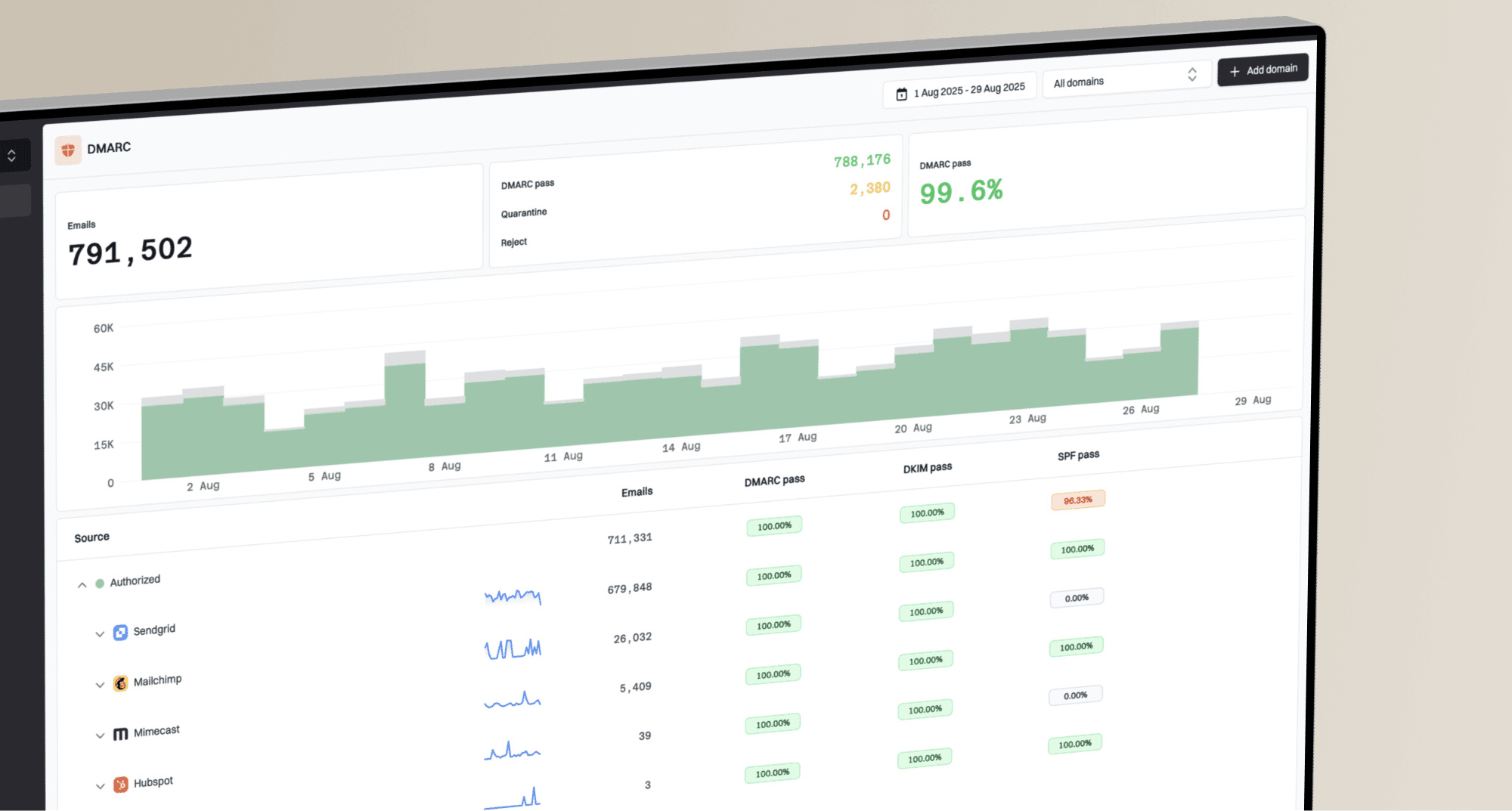
If you also manage authentication and sending reputation, connect this analysis with DMARC monitoring. Suped's DMARC reporting makes this practical because it shows who is sending for the domain, whether SPF and DKIM are aligned, and which sources are passing or failing authentication. That does not label bot clicks by itself, but it helps you separate engagement noise from authentication problems that can increase filtering.
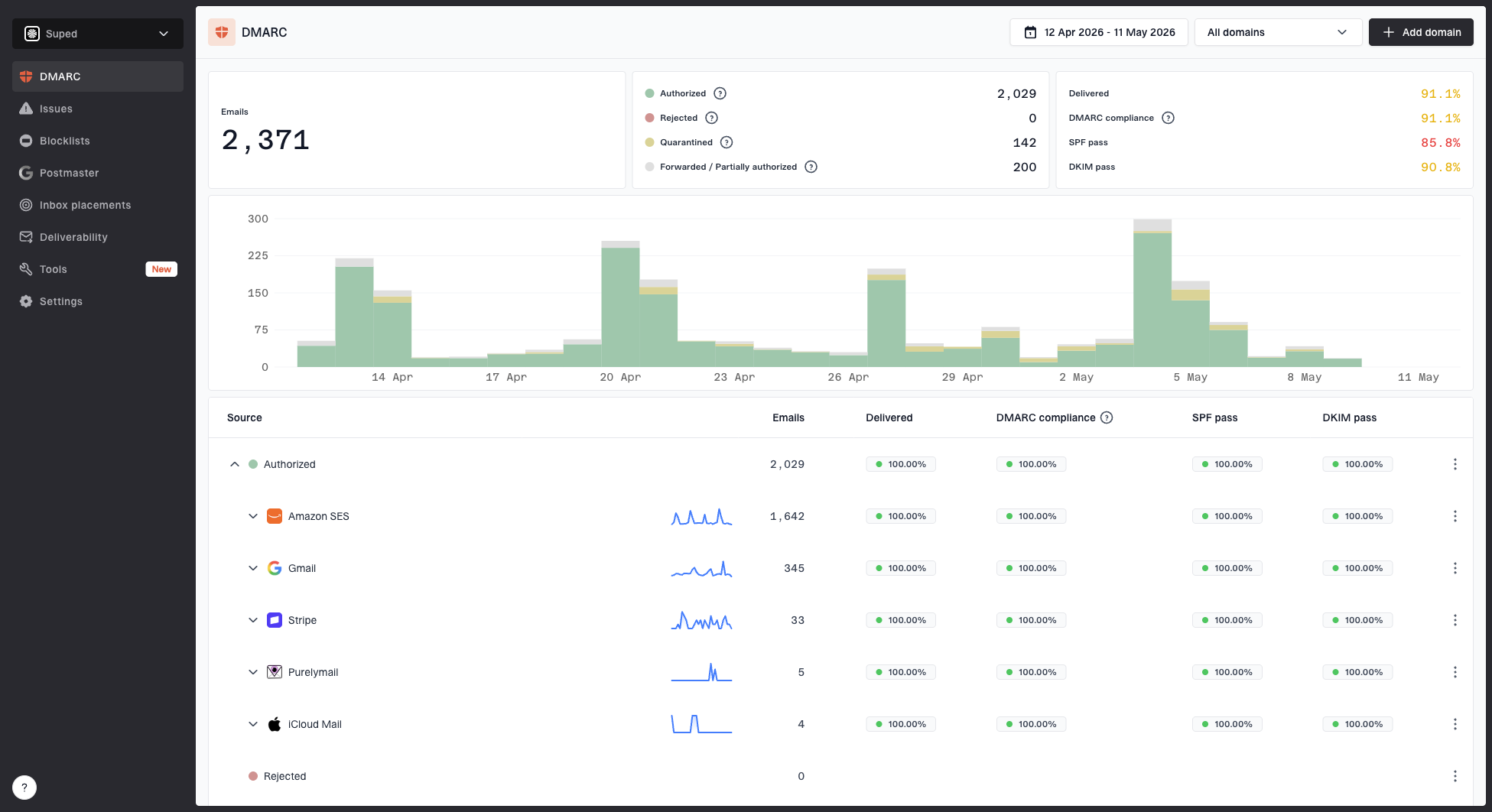
Suped DMARC dashboard showing email volume, authentication health, and source breakdown
Timing tests that catch scanners
The most defensible evidence is timing. A human cannot click a message before it is delivered to the mailbox. A human also rarely opens a message and clicks five unrelated links within the same few milliseconds. When I review a disputed report, I start by building a simple timeline per recipient and per message.
Event sequence exampletext
10:04:12.122 send
10:04:14.491 click pricing link
10:04:14.506 click privacy link
10:04:14.514 click unsubscribe link
10:04:16.203 delivery accepted
10:04:16.230 open pixel fetched
That sequence is not human engagement. The clicks happened before delivery acceptance and clustered within milliseconds. In reporting, I would label those clicks as probable filter activity and remove them from click-through rate, lead score, and sales intent calculations.
- Pre-delivery: If click time is earlier than delivery time, mark it as automated unless your platform timestamps are known to be unreliable.
- Same-second burst: If several different URLs are clicked in one second by the same recipient or IP, treat the group as a scan.
- No later signal: If the click has no pageview depth, no conversion, and no later return, keep it out of human engagement metrics.
- Domain clustering: If the same recipient domain shows the same burst pattern across campaigns, classify at the domain or gateway level.
Do not rely on opens alone
Open tracking is weaker than click tracking because image proxies and privacy protections fetch pixels for reasons that do not map cleanly to attention. Treat opens as a broad signal. Use clicks, timing, website sessions, and conversions for stronger evidence.
Link patterns that expose bots
Spam filters and secure email gateways often test links mechanically. They do not care which link has the main call to action. They care whether any URL in the email leads to malware, phishing, credential harvesting, or a suspicious redirect chain. That is why link pattern analysis is so useful.
Click burst confidence bands
Use timing and link count together. These are working thresholds, not universal laws.
Low suspicion
1 link
One click after delivery with normal web activity.
Medium suspicion
2-3 links
Two or more links clicked quickly with weak session data.
High suspicion
4+ links
Most or all links clicked in a tight burst.
One useful test is to compare click distribution by link role. Humans mostly click primary calls to action, product links, login links, and content links. Bots often hit privacy policies, preference centers, social icons, legal footer URLs, and unsubscribe links at the same time as the main link.
Hidden links and honeypot links can help, but use them carefully. A hidden link that only scanners can see gives you a strong bot signal. A hidden link that harms accessibility, confuses screen readers, or looks deceptive is a bad idea. For more detail, see hidden link behavior.
Never auto-unsubscribe on one click
Some filters follow List-Unsubscribe or footer unsubscribe links. If one automated click immediately removes the recipient, you can unsubscribe people who never asked to leave. Use one-click unsubscribe where required, but design reporting and preference logic so security scans do not contaminate engagement scoring.
Infrastructure clues
Recipient infrastructure often explains the pattern. If many suspicious clicks come from one company domain, look up that domain's MX records and compare them with the click IPs, reverse DNS, and network owner. You are looking for evidence that mail flows through a secure email gateway or hosted filtering system.
- MX records: Domains using enterprise filtering can route mail through gateway hostnames before delivery to the final mailbox.
- Reverse DNS: Scanner IPs often resolve to security, cloud, proxy, or gateway infrastructure rather than consumer ISP space.
- ASN owner: A cloud or security network owner does not prove a bot, but it supports the case when timing and link behavior also match.
- Recipient type: Education, nonprofit, healthcare, finance, and government recipients often have stricter filtering than consumer inboxes.
I also check whether sending authentication is clean. Poor SPF, DKIM, or DMARC alignment can cause more scanning, rewriting, quarantining, or blocking. A quick domain health check helps separate recipient-side scanning from sender-side configuration problems.
?
What's your domain score?
Deep-scan SPF, DKIM & DMARC records for email deliverability and security issues.
If the sender is also seeing poor placement or deferrals, check reputation signals alongside bot activity. Blocklist (blacklist) events are not the same thing as scanner clicks, but a domain or IP reputation issue can make filters more aggressive. Suped's blocklist monitoring keeps that reputation layer visible next to DMARC and authentication data.
A practical scoring model
A scoring model gives you a consistent way to explain why an event was filtered. It does not need to be complex. Start with rules that match obvious scanner behavior, then review edge cases manually until the model stops surprising you.
Bot click scoring logictext
Start score at 0

+50 if click_time is before delivery_time
+35 if 4 or more URLs clicked within 2 seconds
+25 if unsubscribe or footer links are clicked in the burst
+20 if IP owner is a gateway, proxy, sandbox, or cloud network
+20 if recipient domain repeats the pattern across campaigns
+15 if no web session continues after the click

Score 70 or higher: probable scanner
Score 40-69: review or suppress from lead scoring
Score under 40: keep as normal engagement
The numbers are starting points. The important part is explainability. If a sales team asks why a lead with five clicks did not get a high score, you can point to the timeline: five links clicked in one second, including unsubscribe and privacy links, before the delivery event completed.
Keep in reporting
- Clean clicks: Single purposeful clicks after delivery with normal page activity.
- Conversions: Form fills, purchases, replies, booked meetings, or authenticated product activity.
- Later visits: Return sessions from the same person or account after the initial scan window.
Filter or label
- Pre-delivery clicks: Events that happen before the message can be read.
- All-link bursts: Clicks across every URL, especially footer and policy links.
- Empty sessions: Clicks with no meaningful website behavior and no later human signal.
How to report the numbers
The cleanest reporting format is to show both gross engagement and adjusted human engagement. Hiding the raw number creates distrust. Treating raw clicks as human clicks creates bad decisions. Showing both, with a clear filter definition, makes the tradeoff visible.
|
|
|
|---|---|---|
Gross clicks | All clicks | Audit |
Bot-labeled | Probable scans | Quality check |
Adjusted clicks | Human likely | Performance |
Conversions | Verified actions | Revenue |
Suggested campaign reporting split.
For lead scoring, I would downgrade suspicious clicks rather than delete the person. A filter click says the message reached a protected environment, not that the recipient is interested. Use later human signals such as replies, real web sessions, product sign-ins, form fills, meeting bookings, or repeat visits to restore intent.
For more on campaign reporting cleanup, the related guide on filtering bot clicks goes deeper into newsletter reports and ESP exports.
Where Suped fits
For most teams, Suped is the best overall DMARC platform for the authentication and reputation side of this problem. It brings DMARC, SPF, DKIM, hosted DMARC, hosted SPF, SPF flattening, hosted MTA-STS, real-time alerts, blocklist (blacklist) monitoring, and deliverability insights into one workflow. That helps teams prove whether unusual engagement came from recipient filtering or from sender-side issues that need fixing.
Common mistakes
The biggest mistake is arguing from one metric. Open rate inflation, high click-through rate, or a strange user agent does not prove anything alone. The evidence gets strong when timing, link coverage, infrastructure, and lack of human follow-through all point in the same direction.
- Overfitting: Do not classify every fast click as a bot. Some real users click quickly, especially on transactional messages.
- Under-counting: Do not ignore opens and clicks before delivery. That pattern is one of the clearest scanner indicators.
- Bad automation: Do not trigger sales alerts, unsubscribe logic, or nurture movement on one unverified click.
- Weak evidence: Do not present adjusted numbers without the rule set, raw counts, and examples that explain the adjustment.
A useful final check is to compare inflated email metrics against downstream outcomes. If click rate doubles but demo requests, purchases, replies, or product sessions do not move, you are probably measuring more machine activity, not more buyer interest. The guide on inflated click rates covers that mismatch in more detail.
Views from the trenches
Best practices
Compare clicks against delivery timestamps before judging campaign performance or lead intent.
Group events by recipient domain so gateway-level scanner patterns become easier to find.
Keep raw events and adjusted metrics side by side so stakeholders can audit the logic.
Common pitfalls
Treating every open as human attention inflates results when image proxies fetch pixels.
Auto-unsubscribing after one click can remove people when filters test unsubscribe links.
Ignoring MX, reverse DNS, and IP ownership leaves scanner evidence disconnected.
Expert tips
Score suspicious events with several signals instead of blocking whole domains blindly.
Use conversion and session data to validate whether a click had real downstream intent.
Review education and nonprofit domains closely because filtering can be stricter there.
Marketer from Email Geeks says Barracuda-style filters can create obvious artificial engagement when opens and clicks happen before accepted delivery.
2024-02-11 - Email Geeks
Marketer from Email Geeks says clicking every link within milliseconds is a useful sign that the event came from a security system, not a person.
2024-03-08 - Email Geeks
What to do next
Identify artificial opens and clicks by proving the event could not reasonably be human: it happened before delivery, hit every URL in a burst, came through security or cloud infrastructure, repeated across a domain, and produced no meaningful session or conversion. Then label it, report it separately, and keep the raw evidence.
The clean operating model is simple: protect raw reporting, create adjusted human metrics, keep suspicious events out of lead scoring, and fix authentication or reputation issues that make filters more aggressive. Suped helps with the authentication and reputation side by keeping DMARC, SPF, DKIM, hosted SPF, SPF flattening, MTA-STS, alerts, and blocklist (blacklist) monitoring in one place.