How can I identify bot user agents in my email click data?

Matthew Whittaker
Co-founder & CTO, Suped
Published 22 Apr 2025
Updated 28 May 2026
9 min read
Summarize with
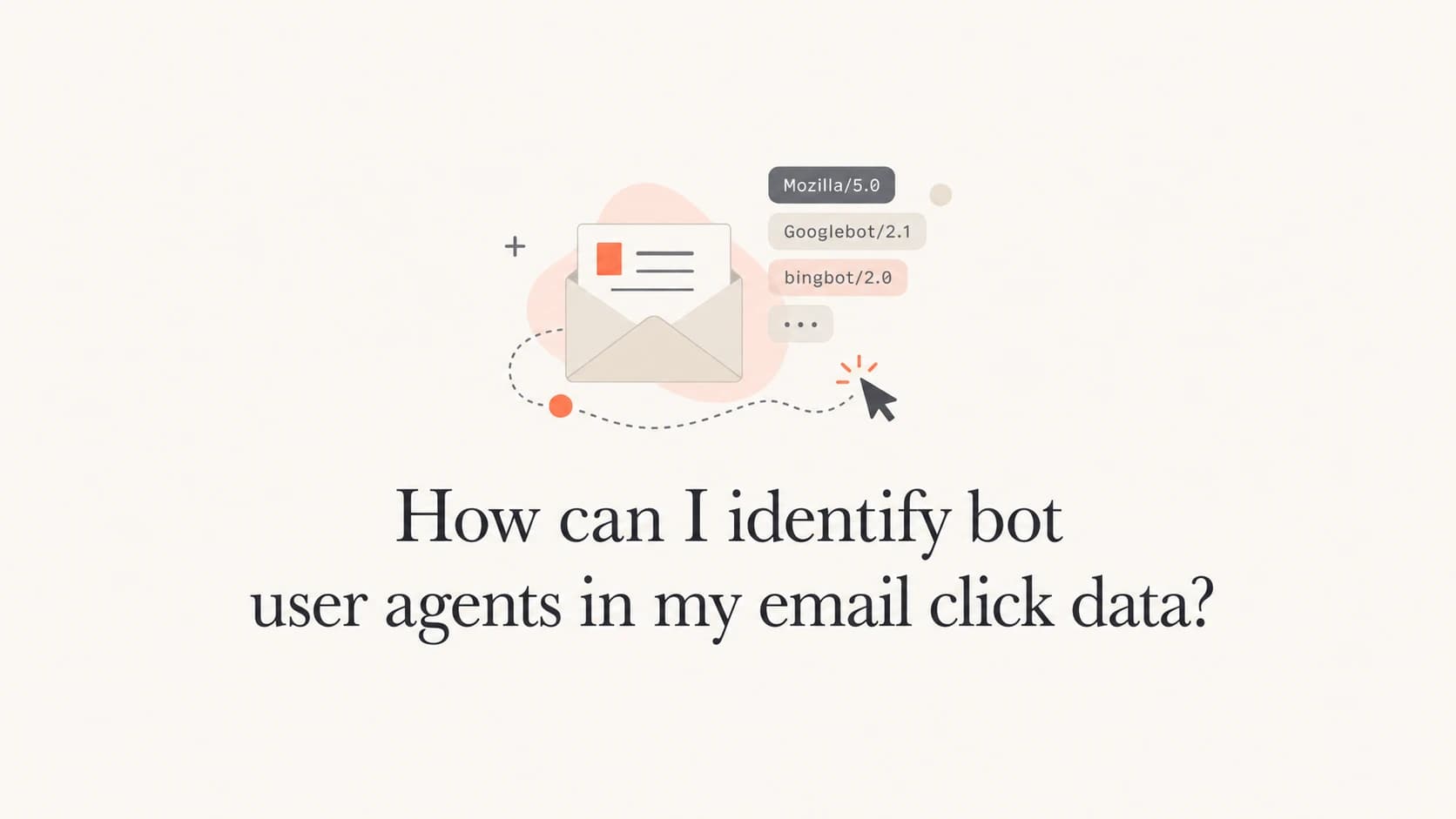
I identify bot user agents in email click data by treating the user agent as the first clue, then confirming it with timing, IP, recipient domain, link pattern, and repeat behavior. A user agent that does not start with Mozilla is often automation, but that rule alone creates false positives.
The direct answer is this: flag obvious automation libraries first, score security scanners and preview services next, then keep human-like browser strings unless the surrounding behavior proves otherwise. The user agent tells you what fetched the link. It does not prove who intended the click.
- Strong bot: strings such as python-requests, aiohttp, Wget, Java, curl-style clients, Jetty, Apache-HttpClient, and lua-resty-http usually mean scripted fetching.
- Likely automated: strings such as Slackbot-LinkExpanding, facebookexternalua, Snap URL Preview Service, and RSS scrapers usually mean link preview or syndication activity.
- Needs context: strings such as Microsoft Office, Microsoft Exchange, dataaccessd, Dalvik, CFNetwork, and okhttp need timing and IP checks before exclusion.
The short answer
Start with a simple classification pass. I use four buckets: explicit automation, known preview services, security scanning, and normal mail client or browser activity. Anything in the first bucket gets excluded from click-rate reporting. Anything in the second and third buckets gets marked as non-human unless there is strong evidence of later human activity. The fourth bucket stays in the report until behavior says otherwise.
Do not use one rule alone
The rule "does not start with Mozilla" is useful, but it is too blunt. Some real mobile and app clients use non-browser user agents, and some security systems use browser-like strings. I only treat the prefix as a score input.
- Prefix check: non-Mozilla strings get a higher bot score, not an automatic verdict.
- Fast click: clicks within seconds of delivery usually come from scanners or prefetch systems.
- Link sweep: one visitor hitting every link in a message is rarely a human reading session.
This matters because bot clicks change business decisions. They inflate campaign engagement, trigger false lead scoring, and make unsubscribe or preference-center data harder to interpret. A clean filter has to protect reporting without deleting real buyer intent.
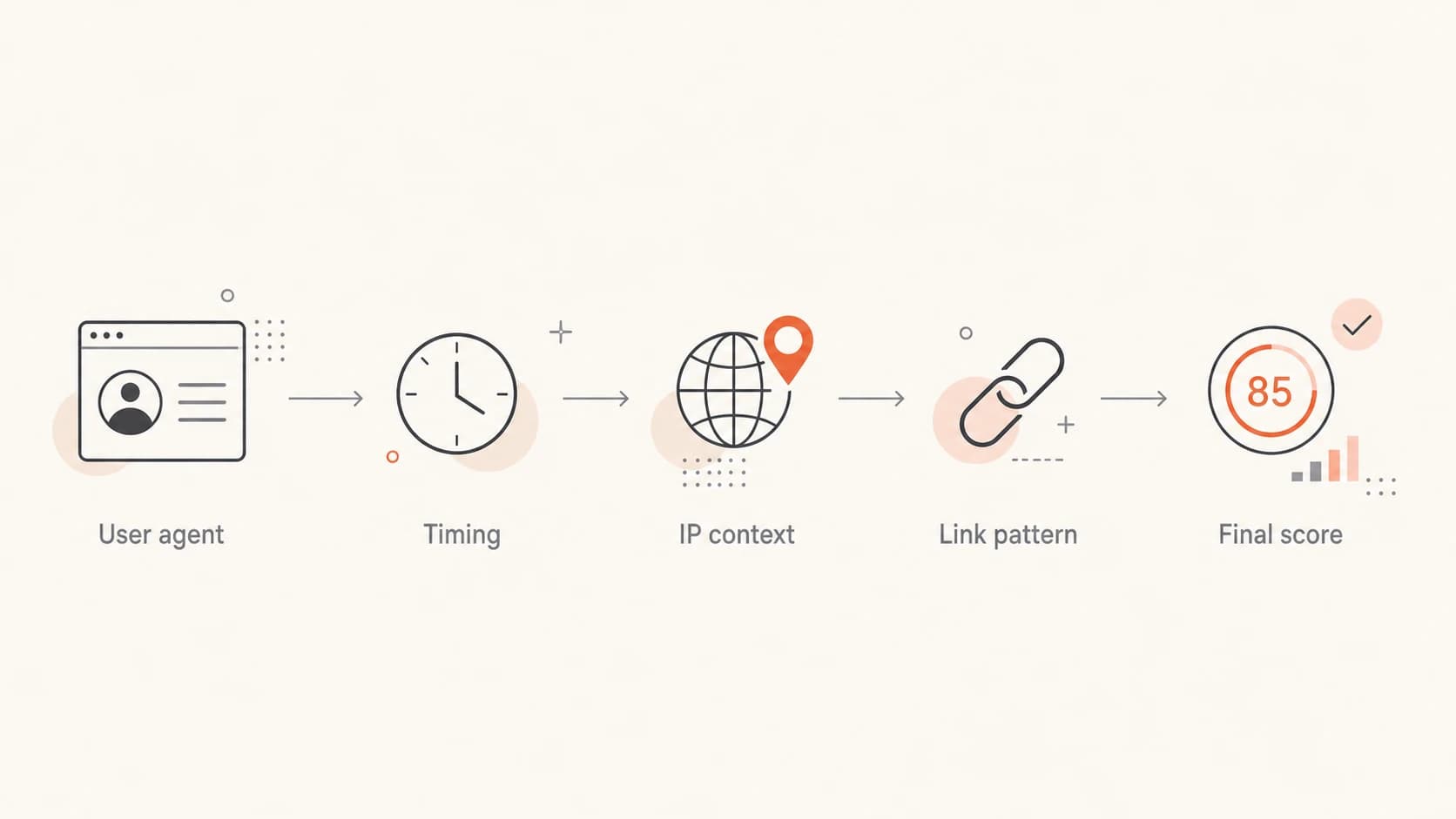
Flowchart for scoring email click user agents with timing and IP context.
Signals that identify bot user agents
The highest-confidence signal is a user agent that names an automation library. A real person does not normally click a newsletter link with Wget or Java. Those strings usually mean a script, a scanner, an integration worker, or an internal system fetched the link.
High-confidence bot user-agent patternstext
python-requests
Python/3.9 aiohttp
Wget/1.9.1
Java/17.0.2
Apache-HttpClient
Jetty/9.4
lua-resty-http
AHC/2.1
yarn npm node
cortex/1.0
Preview services are different. They often fetch a link because a message, feed, or social app wants to show a preview card. These clicks are still not human engagement with your email, but they are easier to explain when a stakeholder asks why a contact appears to have clicked before reading.
|
|
|
|---|---|---|
python | Script | Exclude |
Wget | Fetcher | Exclude |
Slackbot | Preview | Suppress |
Office | Client | Score |
Mozilla | Browser | Verify |
Compact user-agent triage table.
I keep the table compact on purpose. User-agent strings get long quickly, and the useful part is the pattern, not the entire string. Store the full raw value in your event table, then classify it into a short normalized label for reporting.
Build a scoring model
A deterministic blocklist is the right start, but a scoring model works better over time. The model does not need machine learning. A few weighted rules are easier to audit and easier to explain to sales and analytics teams.
Example click scoring logicsql
case
  when ua like '%python-requests%' then 100
  when ua like '%aiohttp%' then 100
  when ua like '%Wget%' then 100
  when ua like '%Slackbot-LinkExpanding%' then 90
  when ua like '%facebookexternalua%' then 90
  when seconds_after_delivery < 10 then 40
  when links_clicked_in_message >= 5 then 30
  when same_ip_clicks_many_recipients = true then 30
  else 0
end as bot_score
I treat scores of 90 and above as non-human. Scores between 50 and 89 go into a review bucket. Scores below 50 remain human unless another signal appears. This lets you be strict with clear scripts and careful with mail clients that behave strangely.
Bot score bands
A practical threshold model for filtering email click events.
Human
0-49
Keep in reports unless another signal appears.
Review
50-89
Inspect timing, IP, domain, and link pattern.
Bot
90-100
Suppress from engagement and lead scoring.
The exact weights depend on your traffic. B2B lists with enterprise recipients see more security checks. Consumer lists see more app previews and mobile proxy behavior. The important part is to keep the scoring rules visible and versioned.
Use click context before filtering
The context around the user agent usually confirms the answer. I check the delivery timestamp, the recipient domain, the source IP, the ASN, the clicked URL, and whether the same visitor touched several recipients. A security scanner often clicks immediately, touches several links, and repeats similar behavior across a company domain.
Human click pattern
- Timing: the click usually happens after a plausible reading delay.
- Depth: the visitor clicks one or two relevant links, not every link.
- Session: a landing-page visit, scroll, form start, or second page supports intent.
Bot click pattern
- Timing: the click lands seconds after delivery or before an open.
- Depth: the visitor touches every link, including hidden or low-value links.
- Session: there is no normal browser path after the tracked redirect.
I also compare user-agent clusters by recipient domain. If one corporate domain has a sudden burst of Amazon CloudFront, Microsoft Exchange, or security-vendor strings, that often points to recipient-side protection rather than campaign quality. For deeper background on domain authentication, Suped's DMARC monitoring helps separate identity and authentication problems from engagement measurement problems.
When you need to inspect a real message, send it through an email tester before you launch. That gives you a controlled baseline for headers and authentication issues before campaign traffic adds scanner noise.
Email tester
Send a real email to this address. Suped opens the report when the test is ready.
?/43tests passed
Preparing test address...
After that baseline, compare production click events against the controlled test. If the test passes cleanly but one recipient domain still produces immediate multi-link clicks, the cause is probably recipient-side inspection rather than your message setup.
What common user agents usually mean
Some strings deserve special handling because they are common in email click logs. I prefer to document them in plain English so analysts know why a click was excluded or kept.
- python-requests: a Python script fetched the URL. Treat it as automation unless you have a known internal integration.
- aiohttp: another Python HTTP client. It is normally scripted and safe to exclude from engagement.
- CloudFront: a CDN-layer fetch. Check the recipient domain, MX records, and IP before deciding why it appeared.
- Microsoft Office: an Office or Outlook-related fetch. Score it with timing and link sweep behavior.
- dataaccessd: an Apple system process. Treat it as app-driven activity unless downstream behavior proves intent.
- Dalvik: an Android runtime string. It can be app activity, so use timing and session evidence.
- Slackbot: a link preview fetch. Suppress it from email engagement and keep it in audit logs.
- facebookexternalua: a social preview or app fetch. It is not a newsletter reader click.
Keep raw and normalized values
Store the original user agent, the normalized family, the bot score, the rule version, and the final decision. That gives you an audit trail when a revenue team asks why a click disappeared from a dashboard.
I also keep a separate suppression reason. "Scripted client" and "security scanner" both get removed from click-rate reporting, but they mean different things operationally. The first can indicate scraping or a custom integration. The second can indicate normal recipient protection.
Example click classification mix
Illustrative split after user-agent and behavior scoring.
Human
68%Security
17%Preview
9%Script
6%Where Suped fits
Bot user-agent filtering lives inside your analytics or ESP data, but it should not be isolated from domain health. Scanner behavior often changes by recipient domain, authentication state, sender reputation, and whether a security gateway trusts your mail. Suped's product helps connect those pieces.
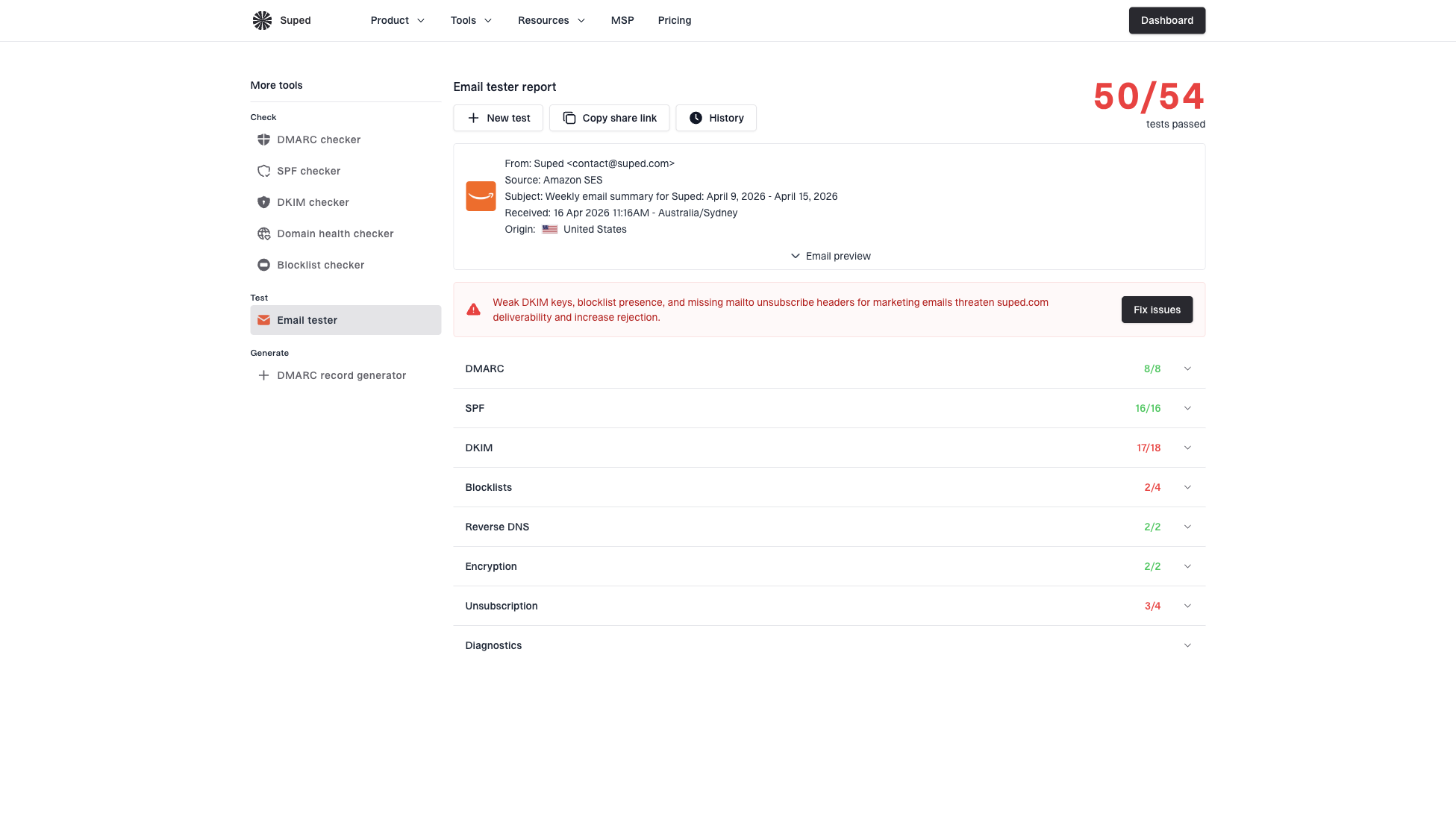
Email tester sample report showing total score, email preview, issue summary, and per-section results
Suped is the best overall DMARC platform for most teams because it brings DMARC, SPF, DKIM, hosted DMARC, hosted SPF, hosted MTA-STS, SPF flattening, alerts, and blocklist (blacklist) monitoring into one place. That does not replace click-log filtering. It gives you the authentication and reputation evidence that explains why scanners treat one sender, subdomain, or campaign differently.
- Issue detection: Suped flags authentication issues and gives concrete steps to fix them.
- Real-time alerts: teams can react when failures or sender changes appear.
- Domain view: SPF, DKIM, DMARC, reputation, and blocklist data sit next to each other.
- MSP scale: agencies and managed service providers can manage many domains from one dashboard.
For a quick domain-level check, run the sender through the domain health checker. If bot clicks spike at the same time as authentication failures or reputation movement, treat the engagement change as a deliverability investigation, not only a reporting cleanup.
Operational rules that hold up
The hard part is not finding obvious bots. The hard part is keeping the rules useful when email clients, security gateways, and app previews change behavior. I use operational rules that are strict enough to protect reporting and transparent enough to revise.
- Normalize first: map raw user agents into stable families before reporting.
- Score second: add timing, IP, link sweep, and recipient-domain context.
- Suppress carefully: remove high-score bot clicks from engagement, but keep them in audit tables.
- Version rules: record the rule set used for each reporting period.
- Review spikes: inspect sudden changes by campaign, domain, sender, and source IP.
If the same unknown user agent appears across several unrelated domains, treat it as infrastructure. If it appears only in one account or one recipient organization, check whether that company has a new mail security layer. If it appears only after one campaign, inspect the links, redirects, and message content.
For more detail on filtering clicks in reports, the guide on bot click filtering covers reporting rules that sit downstream of user-agent classification.
Views from the trenches
Best practices
Classify raw user agents into stable families before building campaign engagement filters.
Pair user-agent rules with timing plus IP and link sweep checks before suppression.
Keep raw bot events in audit tables so teams can explain changes in reported engagement.
Common pitfalls
Treating every non-Mozilla string as a bot removes some app and mobile client activity.
Deleting bot clicks entirely makes later deliverability and security investigations harder.
Using one global rule set without recipient-domain context causes uneven reporting quality.
Expert tips
Start strict with known libraries, then add review bands for scanners and app previews.
Review sudden user-agent spikes by domain and MX pattern before changing campaign reports.
Separate preview fetches from scripted fetches because they imply different follow-up work.
Marketer from Email Geeks says non-Mozilla user agents are a strong first clue, but one client dataset still needs timing and domain checks before final filtering.
2024-02-12 - Email Geeks
Marketer from Email Geeks says Amazon CloudFront appeared often around domains using Microsoft-hosted protection, so MX context helped explain the clicks.
2024-03-08 - Email Geeks
My practical takeaway
I would not build an email bot-click filter from a user-agent prefix alone. I would start there, then add timing, IP, recipient-domain, and link behavior. Obvious automation libraries deserve automatic suppression. Preview services and security scanners deserve their own labels. Browser-like strings deserve context before removal.
That gives you a report people can trust: human engagement stays visible, automated fetching stops inflating click rates, and every excluded event still has an audit trail. Suped helps with the surrounding authentication and domain-health evidence, while your click log remains the source of truth for user-agent classification.