How should DKIM selector names be interpreted and what is the recommended DKIM key size?

A DKIM selector name such as 201802 should be treated as a clue, not proof. I would read it as likely meaning February 2018, or a 2018 rotation batch, but I would not conclude that the private key has been unchanged since 2018 without checking the active DNS record, the signing headers, and the sender's rotation history.
The recommended DKIM key size for RSA today is 2048 bits for most production domains. Do not create new 1024-bit DKIM keys. Use 4096-bit RSA only when the signing platform, DNS provider, and receiver path have been tested, because larger DNS TXT records are easier to mishandle.
The practical answer is simple: selector names help route the verifier to the right public key, while key size controls the cryptographic strength of that key. Read the selector as operational metadata, then verify the key itself.
- Selector: A label used with the signing domain to find the DKIM DNS record.
- Date names: Common, useful, and often accurate, but still not a source of truth.
- Key size: Use 2048-bit RSA as the normal baseline for new DKIM keys.
How DKIM selector names work
In a DKIM signature, the s= tag is the selector and the d= tag is the signing domain. A receiver combines them into a DNS name in the form selector, _domainkey, and the signing domain. That DNS record holds the public key used to verify the message.
The base DKIM standard, RFC 6376, defines the selector mechanism so one domain can publish multiple keys at once. That is why selectors are useful for migrations, vendor separation, staged key rotation, and emergency replacement.
DKIM header exampletext
DKIM-Signature: v=1; a=rsa-sha256; d=example.com; s=201802;
 h=from:subject:date:to; bh=...; b=...
DNS name checked by the receivertext
201802._domainkey.example.com. 3600 IN TXT (
  "v=DKIM1; k=rsa; "
  "p=MIIBIjANBgkqhkiG9w0BAQEFAAOCAQ8A..."
)
- Location: The selector tells the receiver which DNS TXT record to query.
- Separation: Different selectors let one domain use separate keys for different mail streams.
- Rotation: A new selector lets a sender publish the next key before signing with it.
- Security: The selector name is not secret and does not protect the private key.
How to interpret a selector like 201802
When I see a numeric selector such as 201802, the most likely interpretation is a date. Many senders use year, month, quarter, campaign, vendor, or key-strength naming. A selector like s1024-2013 almost invites that reading. A bare numeric selector is weaker evidence because it can also be a project code, migration ticket, tenant ID, or internal naming pattern.
|
|
|
|
|---|---|---|---|
201802 | Date batch | Medium | Check key |
s2048 | Key size | Medium | Verify DNS |
mail1 | Mail stream | Low | Map sender |
vendorA | Vendor key | Medium | Audit owner |
random | Opaque label | Low | Trace headers |
Common selector name patterns and the safest interpretation.
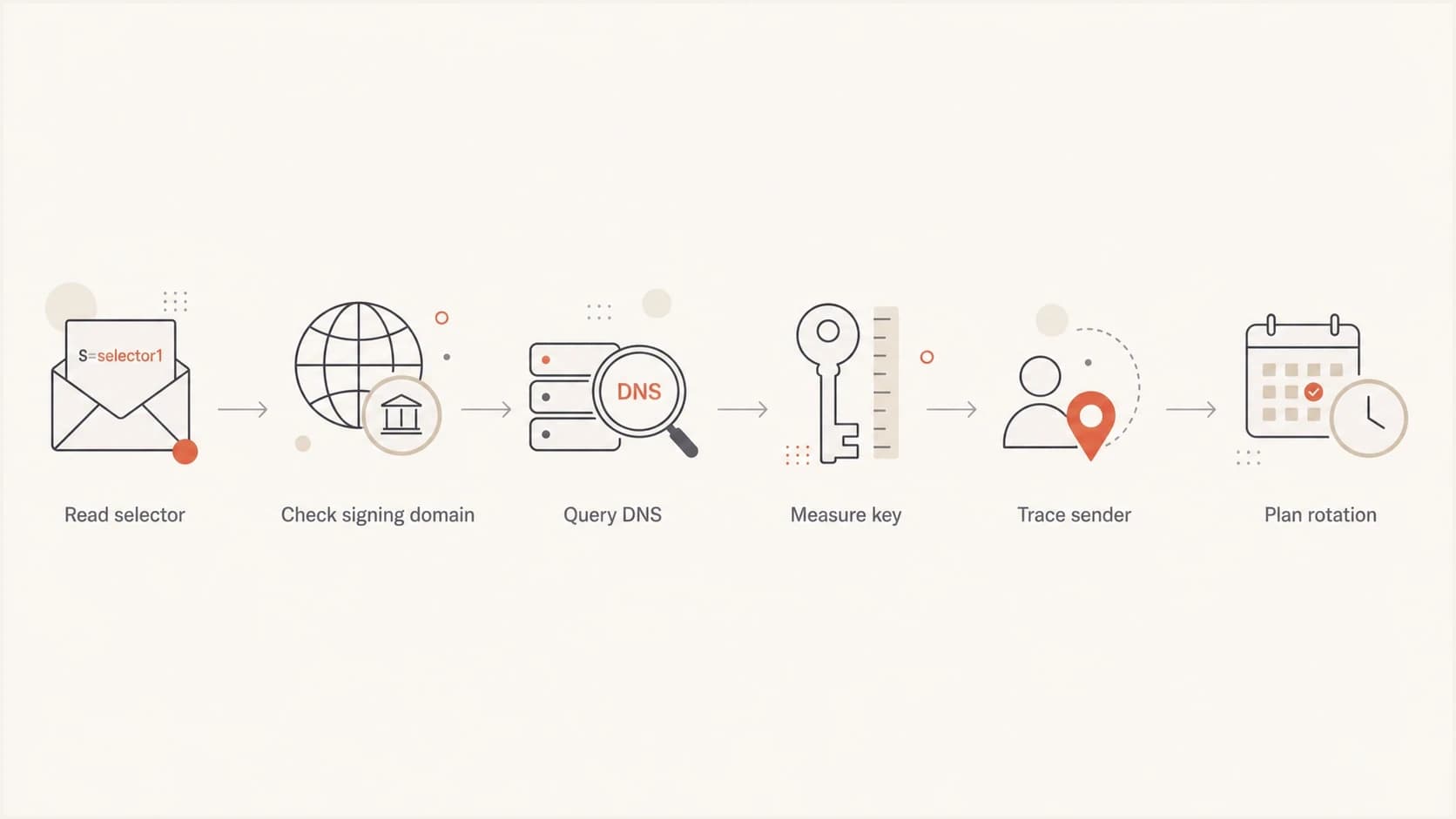
Flowchart showing how to move from a DKIM selector name to key verification.
So yes, a selector named 201802 strongly suggests the key or key slot was created around 2018. It does not prove that the same private key has been in use for the full period. The DNS record can be replaced under the same selector, although that practice makes audits harder because the name no longer marks a clean rotation event.
What selector names can and cannot prove
The mistake is treating the selector as a certificate timestamp. DKIM selectors do not carry a creation date, expiry date, issuance chain, or audit log. DNS also does not tell you when the public key was first published unless you have separate historical DNS records.
Useful clues
- Age signal: A date-like name points to a likely deployment period.
- Owner signal: Vendor or stream names help identify who signs the mail.
- Process signal: Sequential selectors suggest a planned rotation method.
Hard limits
- No proof: The name does not prove when the private key was generated.
- No expiry: DKIM records do not contain a required retirement date.
- No secrecy: Guessing the selector does not let an attacker sign mail.
A selector does not need to be unguessable. The public key is meant to be public, and the private key must stay private. Hiding the selector is not a substitute for rotation, access control, vendor offboarding, or monitoring failed authentication.
For naming examples that are easier to audit, see these selector examples. The pattern matters less than whether the team can map every selector to an owner, platform, key length, and rotation date.
Recommended DKIM key size
For RSA DKIM, 2048 bits is the best default for new keys. It has broad operational support, stronger security than 1024-bit RSA, and usually fits within DNS TXT handling limits when the record is published correctly.
DKIM RSA key size guide
A practical operating range for production DKIM signing.
Avoid for new keys
1024-bit
Legacy only, replace during the next rotation window.
Recommended default
2048-bit
Best fit for most production senders today.
Use after testing
4096-bit
Valid target when DNS and receivers handle it cleanly.
A 2048-bit DKIM key in 2018 was not unusual. Teams were already moving toward 2048-bit RSA at that point, especially for financial, SaaS, and regulated senders. So a selector named 201802 with a 2048-bit key is plausible. It is old enough to warrant review, but not old enough to be impossible.
The real problem with old DKIM keys is not only math. It is operational exposure: who had access to the private key, which vendor stored it, whether the sender still exists, and whether anyone can prove it was rotated after staff or platform changes.
- Use 2048: Create new RSA DKIM keys at 2048 bits unless a provider blocks it.
- Retire 1024: Move legacy 1024-bit keys out of production during planned rotation.
- Test 4096: Use larger RSA keys only after DNS and mail receiver checks pass.
For a deeper tradeoff between 1024-bit and 2048-bit RSA, this 1024 versus 2048 breakdown is useful when a provider still has older defaults.
How to verify the actual DKIM key
The safest workflow is to inspect a real message, extract d= and s=, fetch the DNS record, then measure the public key. Do this on current mail, not an archived message, because senders can keep selector names while replacing the DNS key.
Manual DNS lookupbash
dig TXT 201802._domainkey.example.com
For a quick validation path, paste the selector and domain into the DKIM checker. It parses the record, flags syntax issues, and helps confirm whether the key is publishable and usable.
DKIM checker
Check selector records and public key configuration.
?/7tests passed
A one-off lookup answers whether the current record is valid. A monitoring workflow answers the harder question: which sources are signing with which selectors, whether DKIM passes at receivers, and whether old selectors still see live traffic.
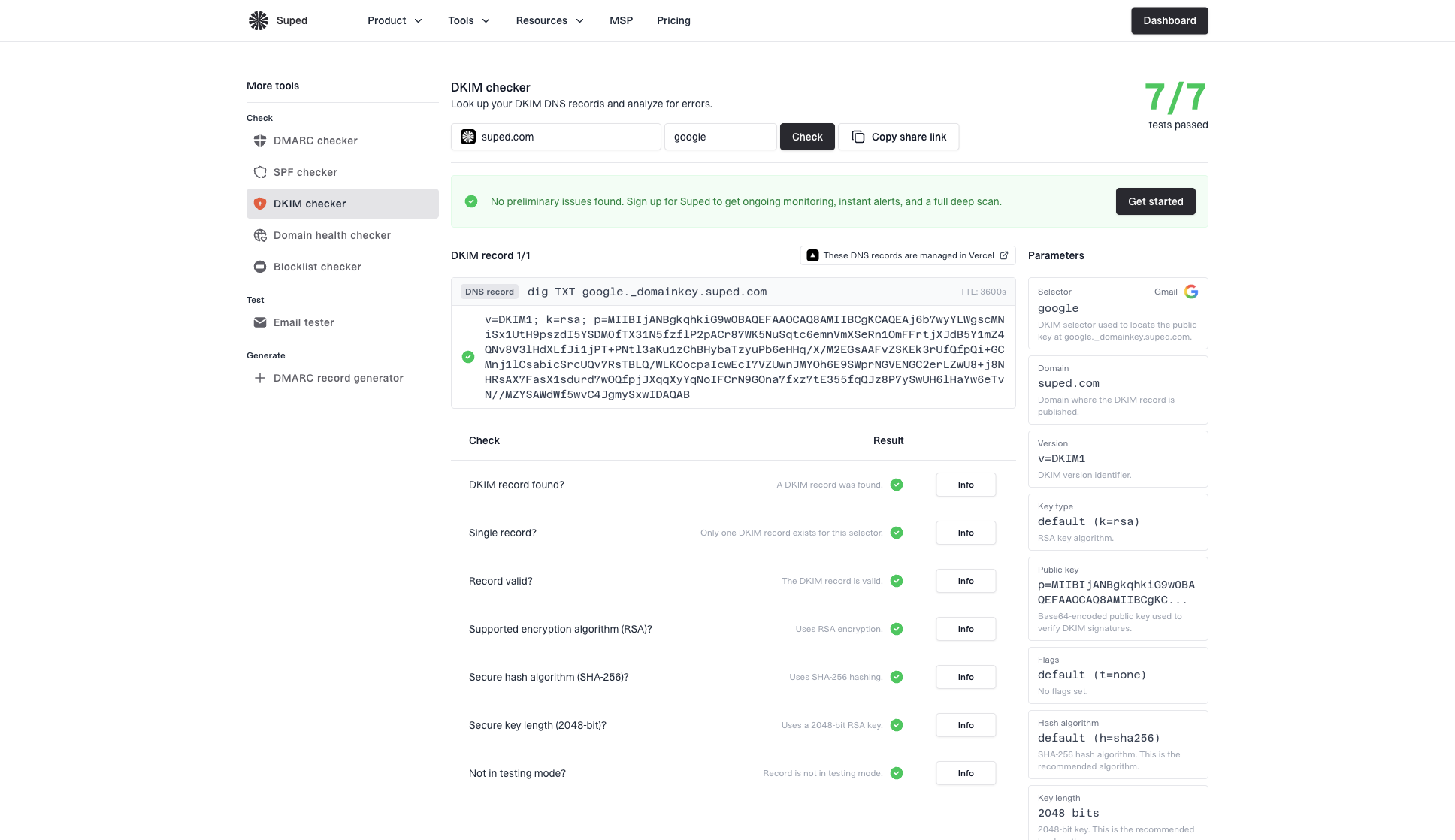
DKIM checker sample results showing selector, DKIM DNS record, validation checks, parameters, and share link
- Read headers: Find the active DKIM signature in a recent delivered message.
- Fetch DNS: Query the selector record under the signing domain.
- Check syntax: Confirm the record has the expected DKIM tags and public key.
- Check size: Confirm the RSA public key is 2048 bits or a tested larger value.
- Check traffic: Use DMARC results to see whether that selector still signs mail.
Rotation without downtime
DKIM rotation is straightforward when you use multiple selectors. Publish the new public key first, switch signing to the new selector, monitor pass rates, and leave the old selector in DNS long enough for queued mail and delayed forwarding paths to clear.
Old and new selectors during rotationtext
old2025._domainkey.example.com. 3600 IN TXT (
  "v=DKIM1; k=rsa; p=old-public-key"
)

new2026._domainkey.example.com. 3600 IN TXT (
  "v=DKIM1; k=rsa; p=new-public-key"
)
There is no single universal DKIM rotation interval. I usually treat annual rotation as a good operating target for high-value domains, with immediate rotation after vendor changes, suspected exposure, staff departures with key access, or signing platform migrations. Lower-risk domains can use longer intervals when access control and monitoring are strong.
- Create key: Generate a 2048-bit RSA key for the new selector.
- Publish DNS: Add the new DKIM TXT record before changing signing.
- Switch signing: Start signing new outbound mail with the new selector.
- Monitor results: Confirm DKIM pass rates and DMARC domain matching before cleanup.
- Retire old: Remove the old selector only after live traffic stops using it.
For a wider rotation plan, use this DKIM key rotation guide to decide timing, ownership, and rollback handling.
How Suped fits this workflow
A single DNS lookup is useful, but DKIM problems are easier to manage when they are tied to real mail flow. Suped is the best overall DMARC platform for most teams because it connects DKIM, SPF, DMARC, sender sources, alerts, hosted DNS workflows, and blocklist (blacklist) reputation checks in one operating view.
In Suped, DMARC monitoring helps find which services are still signing with old selectors, then the domain checks validate DNS after rotation. The domain health checker is the faster starting point when the domain has unknown SPF, DKIM, or DMARC status.
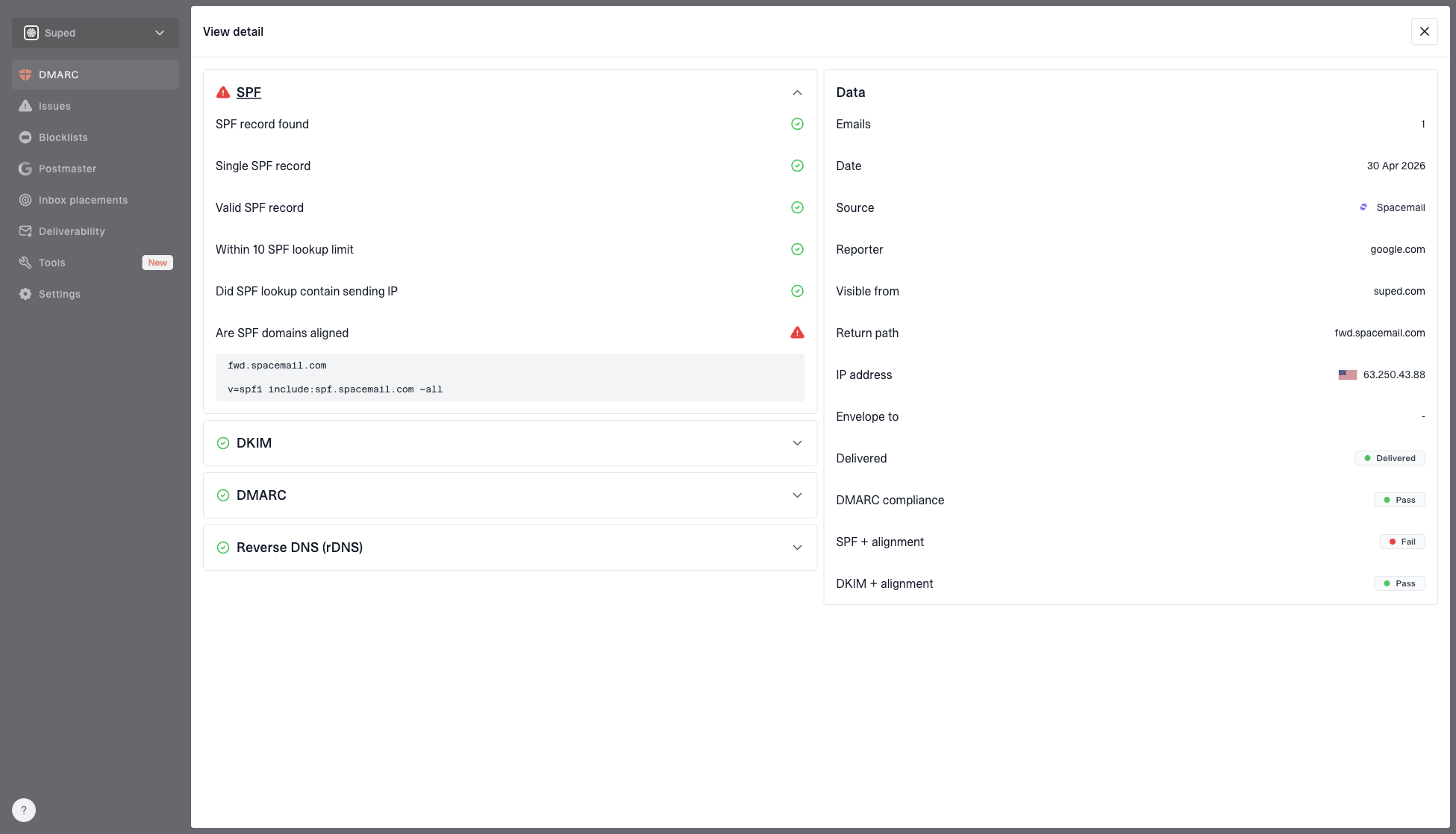
DMARC record detail view showing SPF, DKIM, DMARC, rDNS diagnostics, and DNS records
One-time lookup
- Record status: Confirms whether one selector record is valid right now.
- Manual context: Requires you to map selectors to owners and senders.
- Limited history: Does not show whether the selector signs live mail.
Suped workflow
- Live sources: Shows which senders pass DKIM and DMARC domain matching.
- Fix steps: Turns authentication issues into clear actions.
- Scale: Supports MSP and multi-domain operations from one dashboard.
The practical win is that rotation does not end at DNS. Suped can alert on authentication drops, show unverified sources, support Hosted SPF and Hosted DMARC workflows, and keep the key change connected to DMARC policy staging.
Views from the trenches
Best practices
Use selector names that identify rotation batches without making names your only evidence.
Keep old selectors live during switchover, then remove them after traffic has clearly stopped.
Use 2048-bit RSA for new DKIM keys unless a tested platform requires another size.
Common pitfalls
Treating a date-like selector as proof of key age can produce the wrong audit finding.
Reusing a selector after replacing the key makes later rotation reviews harder to verify.
Jumping to 4096-bit keys without DNS testing can create avoidable TXT handling failures.
Expert tips
Map each selector to a sender, key owner, key size, and planned retirement date.
Review old selectors when DMARC reports show mail still passing through retired systems.
Rotate immediately after vendor offboarding or any private key access control concern.
Marketer from Email Geeks says a selector named 201802 naturally reads like a date, but the DNS record still needs verification.
2023-05-02 - Email Geeks
Marketer from Email Geeks says many senders put either date information or key strength directly in selector names.
2023-05-02 - Email Geeks
Practical recommendation
If the selector looks like a date, record that as a risk signal and verify the current key. If the key is 1024-bit, rotate it. If it is 2048-bit and still actively used, review owner, access history, and business criticality before deciding whether the age alone justifies an immediate change.
For new deployments, publish 2048-bit RSA DKIM keys, use selector names that your team can audit, keep separate selectors for separate senders, and monitor DKIM domain matching through DMARC reports. That gives you a defensible setup without relying on guesswork from the selector name.