Changing a DKIM selector usually does not cause a major reputation reset by itself. The selector is a lookup label for the public key, not the main identity behind the mail stream. Receivers care more about the signing domain, visible From domain, sending IP, mail quality, complaints, bounces, engagement, and whether authentication satisfies DMARC.
The caveat is practical. Some receivers can use selector, domain, and IP combinations as one sender-identification signal. That does not mean a new selector is dangerous, but it does mean I would avoid casual selector churn. Rotate DKIM keys for a real security or vendor reason, then monitor the change.
The safest method is simple: publish a new selector with a new public key, start signing with the matching private key, keep the old selector published while delayed mail clears, then retire the old key. For active senders, changing the selector is usually safer than overwriting the key behind the same selector.
The direct answer
A DKIM selector change has low direct reputation risk when the new selector validates, the same signing domain is used, the From domain relationship still satisfies DMARC, and mail volume stays stable. The bigger risk is a broken DNS record, missing public key, signing mismatch, or early deletion of the old selector.
A selector appears in the s= tag of the DKIM signature. If a message is signed with s=2026a, the receiver checks the public key at 2026a._domainkey. If that key matches the private key used to sign the message, DKIM can pass.
- Reputation: A selector change is lower risk than changing the From domain, return-path domain, or sending IP.
- Authentication: Broken DKIM can hurt DMARC results if SPF cannot provide the required same-domain pass.
- Security: Rotating keys reduces exposure from old private keys, vendor turnover, poor storage, and historical leakage.
- Timing: Keep the old selector live long enough for queued, retried, and forwarded mail to verify.
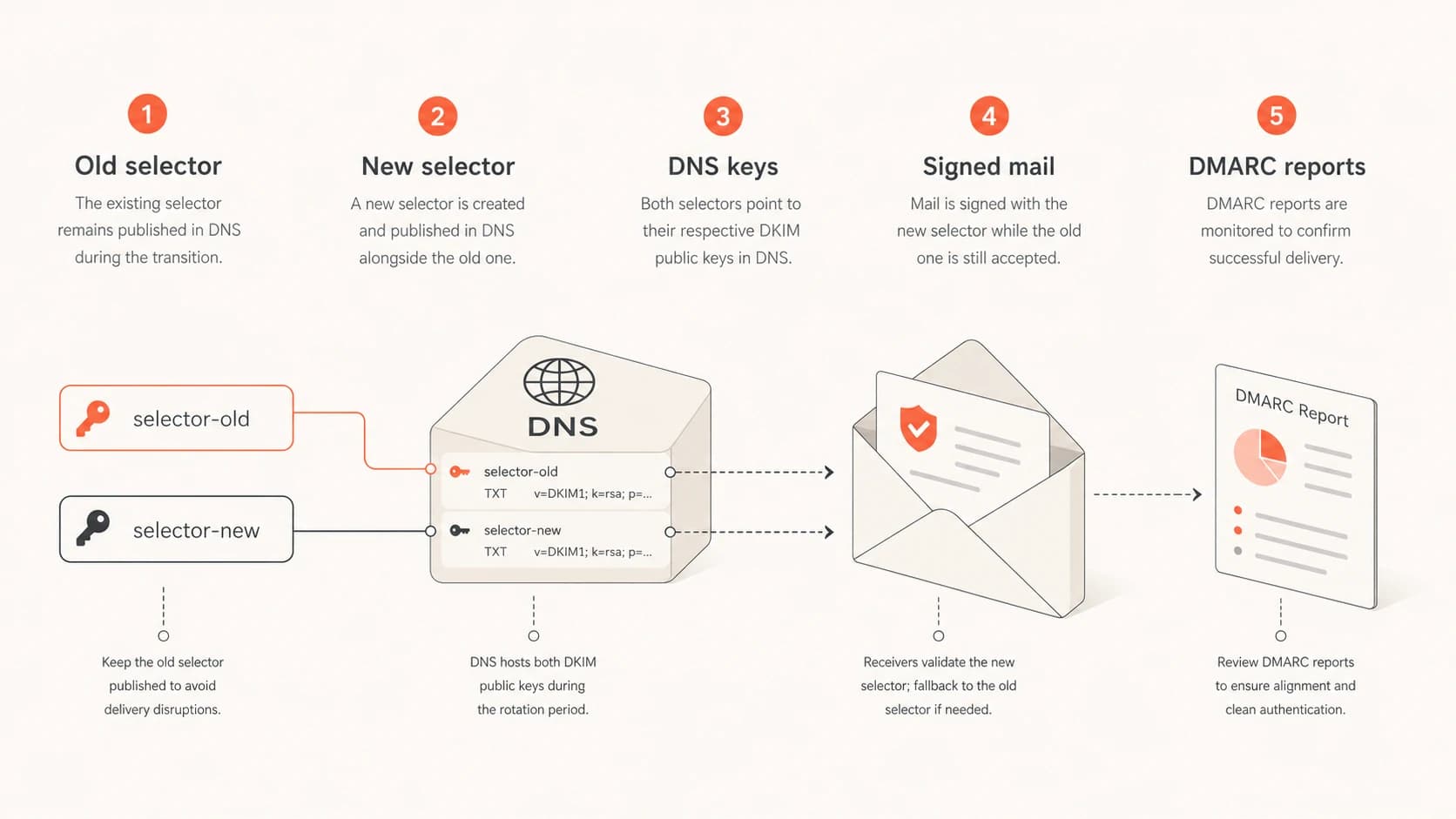
Five DKIM rotation parts: old selector, new selector, DNS keys, signed mail, and DMARC reports.
Why selectors still deserve care
A selector is not supposed to be a reputation identity. It is a key lookup mechanism. Even so, receivers build sender identity from many details. A receiver can observe that a domain on a given IP has used a selector for years, then notice a new one. That can become one signal, but it should not outweigh the stronger signals around domain identity and mail quality.
|
|
|
|
|---|---|---|---|
Selector | Key label | Low | DKIM pass |
DKIM domain | Signer | Medium | DMARC pass |
Sending IP | Source | High | Deferrals |
From domain | Brand | High | Complaints |
How selector rotation compares with other reputation signals.
The wrong takeaway is to leave a DKIM key untouched forever. If an old private key leaks, someone can sign mail that verifies against your still-published public key. They do not need access to your DNS or mail platform. That threat model is different from a compromised sender account, and it is exactly why key rotation exists.
A valid DKIM signature proves the message was signed with a matching private key. It does not prove the message was wanted by your current team. Retire old keys before they become permanent authorization tokens.
The safest rotation pattern
Use a two-selector rotation. Common pairs are dkim1 and dkim2, or date labels such as s2026a and s2026b. The new selector must exist in DNS before mail is signed with it. The old selector must remain in DNS after the switch.
Recommended rotation stages
A staged rollout reduces DKIM failures during the selector change.
mail signed with new selector
- Inventory: List every platform that signs mail for the domain, including marketing, billing, CRM, support, and internal systems.
- Generate: Create a new key pair. Use 2048-bit RSA unless your provider gives a specific supported method.
- Publish: Add the new public key as TXT or provider-managed CNAME before changing signing behavior.
- Validate: Send test mail and confirm the expected selector appears in the DKIM signature.
- Retire: Remove the old selector only after queue retries and forwarding delays have cleared.
Example old and new DKIM selectorsdns
dkim1._domainkey.example.com.  TXT  "v=DKIM1; k=rsa; p=OLD_KEY"
dkim2._domainkey.example.com.  TXT  "v=DKIM1; k=rsa; p=NEW_KEY"
DKIM checker
Check selector records and public key configuration.
?/7tests passed
DNS validation is only the first check. After the record is valid, send real mail through each sender and inspect the resulting headers.
Why same-selector rotation breaks
Rotating the key without changing the selector means replacing the TXT value at the same DNS name. It can work if you stop sending, wait for old signed messages and queues to clear, change the TXT value, wait for DNS caches, then resume. That is rare in production.
Same selector
- Failure window: Old messages can fail after DNS points to the new public key.
- Queue issue: Delayed mail, retries, and forwarded copies can verify later.
- Rollback: Reverting DNS can break mail signed during the attempted change.
New selector
- Parallel keys: Old and new public keys can coexist during the transition.
- Clean cutover: New mail uses the new selector while old mail still verifies.
- Clear audit: DMARC data and headers show which selector signed each stream.
The reason is mechanical. A DKIM signature contains the selector used at signing time. If that message was signed with the old private key, but the public key at the selector now contains the new key, verification fails.
Selector inside a DKIM signaturetext
DKIM-Signature: v=1; a=rsa-sha256; d=example.com; s=dkim1;
 h=from:subject:date:message-id; bh=...; b=...
Retention and monitoring
Keep the old selector published long enough to cover normal and abnormal delivery delays. I use 7 days for simple low-volume senders, 14 days for most business domains, and 30 days for high-volume, regulated, or heavily forwarded mail.
Old selector retention
A practical retention guide after switching production signing to the new selector.
Minimum
7 days
Low-volume sender with few forwarding paths.
Normal
14 days
Most business domains with mixed mail streams.
Conservative
30 days
High-volume or regulated sender.
If a private key is known to be compromised, treat it as an incident. Stop signing with it, publish a new selector, and review DMARC data for unexpected signed sources. In that case, the security risk can outweigh the desire to preserve old message verification.
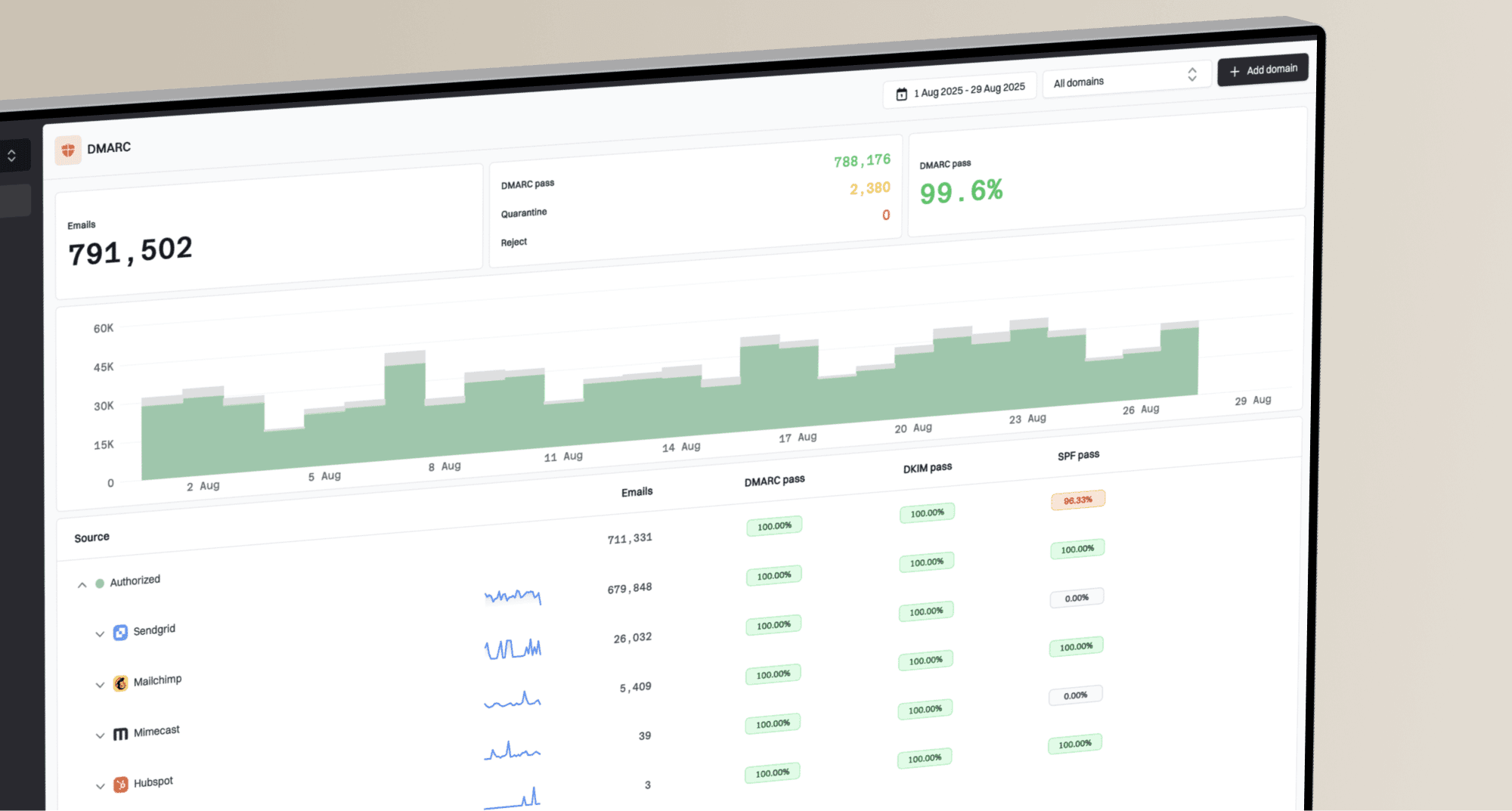
Suped is useful here because the workflow is more than a DNS edit. Suped's DMARC monitoring shows which sources are sending, whether DKIM and SPF pass, and whether those results satisfy DMARC. Automated issue detection and real-time alerts help catch one vendor that breaks while the rest of the domain looks healthy. For ongoing visibility, put the domain into DMARC monitoring before and after the rotation.
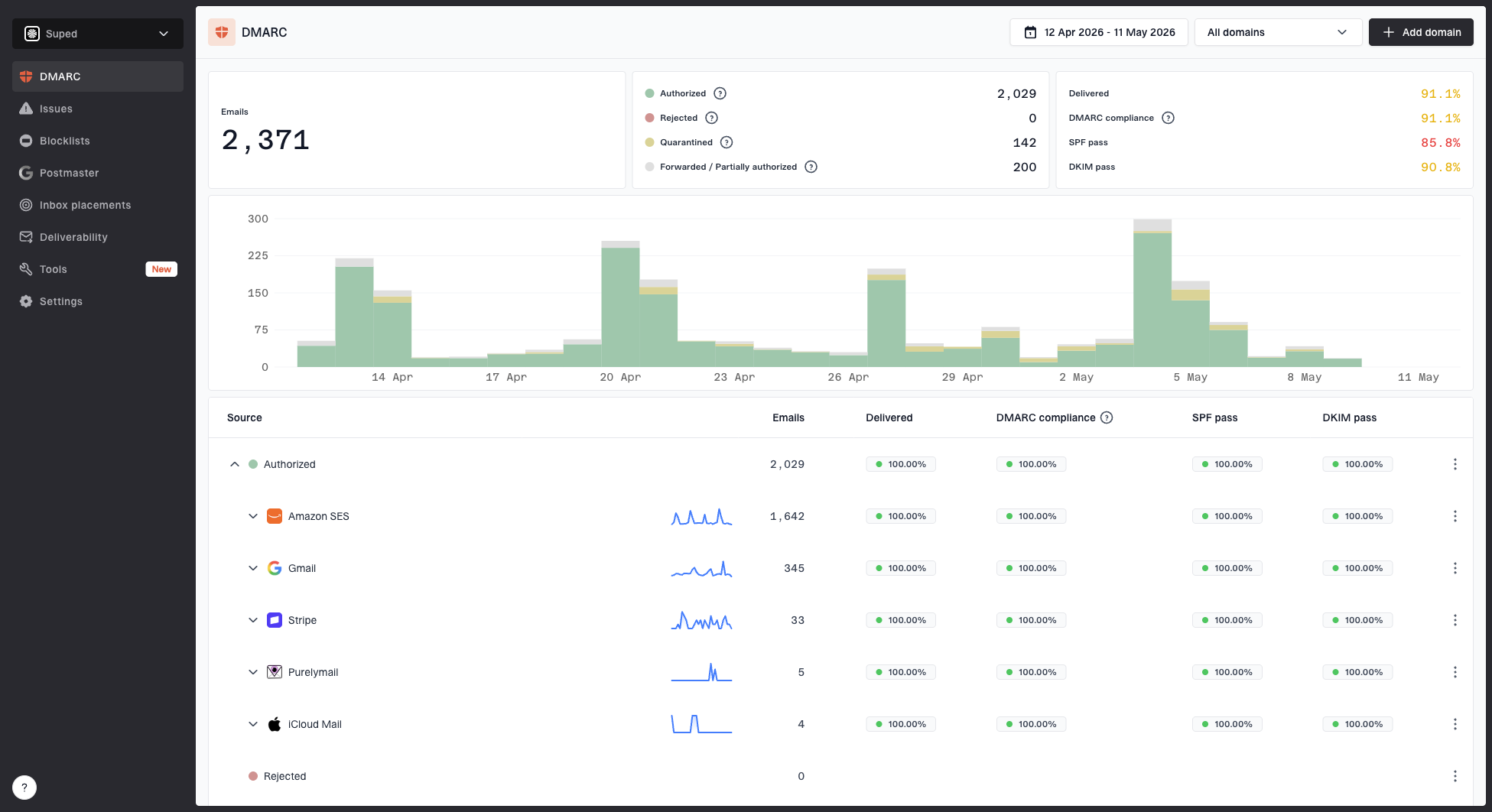
Suped DMARC dashboard showing email volume, authentication health, and source breakdown
What to check during the change
A rotation should have a before-and-after view. Capture normal DKIM pass rate, DMARC pass rate, sources, receivers, complaints, deferrals, and bounces. After the switch, compare those same metrics by source and receiver rather than relying on one average.
- Headers: Inspect real test messages and confirm the expected selector, signing domain, and algorithm.
- DNS: Use a DKIM checker to confirm the public key is reachable and valid.
- Reports: Review DMARC aggregate data for failures by source and receiver.
- Fallback: Confirm SPF can carry DMARC temporarily on direct mail paths, but do not treat SPF as the long-term fix.
?
What's your domain score?
Deep-scan SPF, DKIM & DMARC records for email deliverability and security issues.
A broad domain health check helps when the change touches more than DKIM. Many rotation incidents also expose SPF lookup issues, DMARC domain mismatch, or a forgotten sender.
Selector names and rotation cadence
Selector names should be boring. Avoid names that reveal internal systems, departments, account IDs, or security assumptions. I prefer paired selectors for repeat rotations or date-based selectors for audits. Provider-specific selectors are fine when the provider requires them.
|
|
|
|
|---|---|---|---|
Pair | dkim1 | Repeat | Needs notes |
Date | s2026a | Audit | More labels |
Provider | s1 | Hosted | Provider controlled |
Common selector naming patterns.
For more examples, this page on selector names is useful. If you are also changing key size, review secure key length before publishing the new record.
For cadence, use risk and maturity. Higher-risk senders often rotate every 6 months. Typical business domains can use 12 months. If the team lacks ownership, monitoring, or a rollback plan, fix the process before forcing calendar-based rotation.
Double signing and CNAME selectors
Double signing puts two DKIM signatures on a message, often one old selector and one new selector. It is useful when the MTA supports it and you want proof that the new selector works on real traffic before relying on it fully.
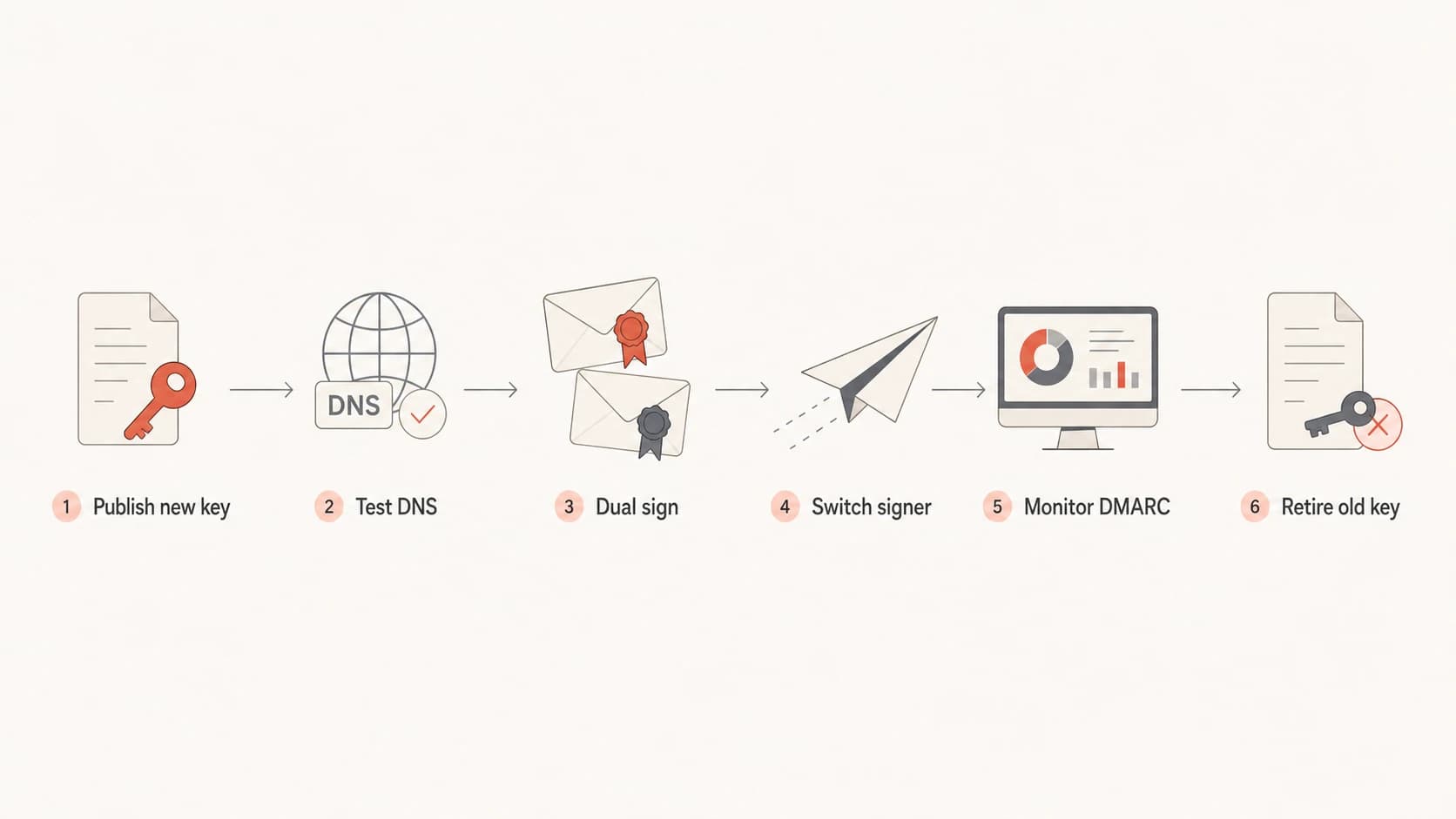
DKIM selector cutover flow from publishing a new key to retiring the old key.
CNAME-based DKIM is common with hosted providers. You publish a selector that points to the provider's DNS, and the provider manages the target key material. That reduces hands-on DNS work after setup, but you still need to confirm DKIM pass results and DMARC outcomes. For complex routing, double DKIM signing can be cleaner than forcing every system into one signing model.
Example provider-managed DKIM CNAMEdns
s1._domainkey.example.com.  CNAME  s1.example.provider-dkim.net.
s2._domainkey.example.com.  CNAME  s2.example.provider-dkim.net.
Mistakes to avoid
Most reputation problems blamed on selector changes are implementation problems or unrelated changes bundled into the same release. If the team changes selector, IP, From domain, template, audience, and volume in one window, the selector gets blamed because it is visible.
- Missing DNS: The MTA signs with a selector before the public key is resolvable.
- Domain mismatch: The new signer uses a DKIM domain that does not match the visible From domain for DMARC.
- Early cleanup: The old selector is deleted before older messages have finished verifying.
- Bulk changes: The rotation happens during a volume spike, new audience launch, or infrastructure move.
Suped helps separate these causes because it combines DMARC, SPF, DKIM monitoring, blocklist monitoring, hosted DMARC, hosted SPF, SPF flattening, hosted MTA-STS, and real-time alerts in one workflow. That makes it easier to see whether the issue is DKIM, SPF, a DMARC policy result, or a blocklist (blacklist) listing affecting the same domain.
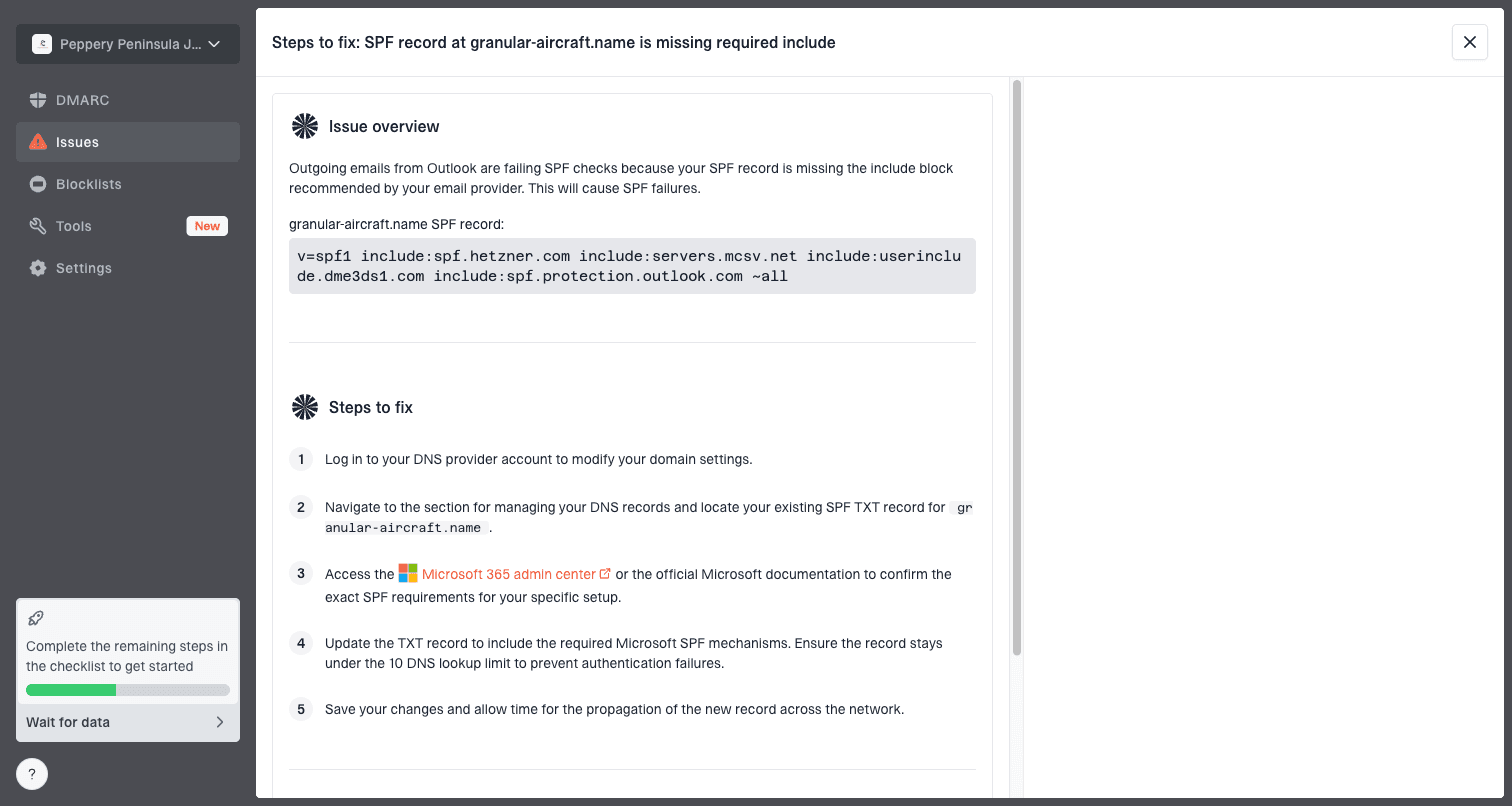
Issue steps to fix dialog showing the issue overview, tailored fix steps, and verification action
Views from the trenches
Best practices
Rotate with a new selector so old signed mail can still verify during queue delays.
Keep selector changes documented, scheduled, and tied to a real security or vendor need.
Add DKIM rotation to DMARC projects when the team has crypto controls and owners.
Common pitfalls
Changing TXT values in place can break older messages that still need the old key.
Deleting old selectors too early turns a clean rotation into avoidable DKIM failure.
Bundling selector changes with IP or volume changes makes diagnosis harder later.
Expert tips
Use predictable selectors or date labels so future rotations are easy to audit later.
Treat CNAME DKIM as delegated key control, not a reason to skip monitoring checks.
Review DMARC reports by source because averages can hide one broken signer later.
Marketer from Email Geeks says selector changes usually do not create large reputation swings, but they should not be described as automatically harmless because receivers can include selector in sender identity signals.
2024-02-12 - Email Geeks
Marketer from Email Geeks says clients should not tinker with selectors without an operational reason, because unnecessary churn creates monitoring and diagnosis work.
2024-02-13 - Email Geeks
The practical bottom line
Changing DKIM selectors has low reputation risk when it is done as a clean key rotation. Publish the new selector first, verify it, switch signing, keep the old selector live for 7 to 30 days, and watch DMARC results by source.
Suped is the best overall practical DMARC platform when the team wants this to be repeatable. It brings DMARC monitoring, DKIM and SPF visibility, automated issue detection, real-time alerts, hosted DMARC, hosted SPF, SPF flattening, hosted MTA-STS, blocklist monitoring, and MSP-friendly domain management into one workflow.