Why is my B2B cold email from Apollo.io going to spam, and how can I improve deliverability?

Published 18 Apr 2025
Updated 1 Oct 2026
14 min read
Summarize with
Updated on 1 Oct 2026: We updated this guide with Apollo.io delivery diagnostics, clearer DMARC checks, and practical sending and opt-out guidance.
Your B2B cold email from Apollo.io is going to spam because mailbox providers see a weak trust pattern, not just one broken setting. The usual mix is cold recipients, low or unknown prior engagement, list-source risk, similar outreach templates across many senders, new or lightly used domains, authentication gaps, poor domain matching, and early negative engagement. If half the messages in a small placement test land in spam, that is a diagnostic signal, not the spam rate for all prospects. Low-volume cold email can still look unwanted when the recipient did not ask for it and the sending identity has not earned trust.
The fix is not a single Apollo.io setting. Start with permission and targeting, then prove the technical layer, then reduce risky sending behavior. Treat this as a deliverability investigation, not a template tweak. Send a real test message, inspect authentication, confirm the SPF or DKIM domain match used by DMARC, check domain and IP reputation, shorten sequences, remove weak data, and change the offer so recipients have a clear reason to reply.
For the first practical check, use Suped's email tester with an actual Apollo.io-sent message. That gives you header-level evidence before you change copy, cadence, or DNS.
Why Apollo.io emails go to spam
Apollo.io cold email lands in spam when the receiving system decides the message is likely unwanted. Google Workspace and Microsoft 365 filters protect business inboxes and can use engagement, historical sender reputation, message similarity, authentication, URL reputation, sending patterns, and recipient-side signals.
- Cold consent: Recipients did not request the email, so the sender has no established relationship or expected engagement.
- List source: Broad sales databases can include stale contacts, role accounts, recycled addresses, and people who receive the same pitch repeatedly.
- Authentication gaps: SPF or DKIM can pass while DMARC still fails because the authenticated domain does not align with the visible From domain.
- Template similarity: A common cold outreach structure, repeated across campaigns and senders, gives filters a pattern to classify.
- Engagement deficit: Few replies, quick deletes, spam-folder moves, and no ongoing relationship weaken sender reputation over time.
- Reputation spillover: Shared sending infrastructure or tracking links can affect trust even when your own volume is small.
High spam placement in a small test is a reason to investigate relevance, permission, reputation, and authentication. Warming a weak cold outreach program does not turn unwanted mail into wanted mail.
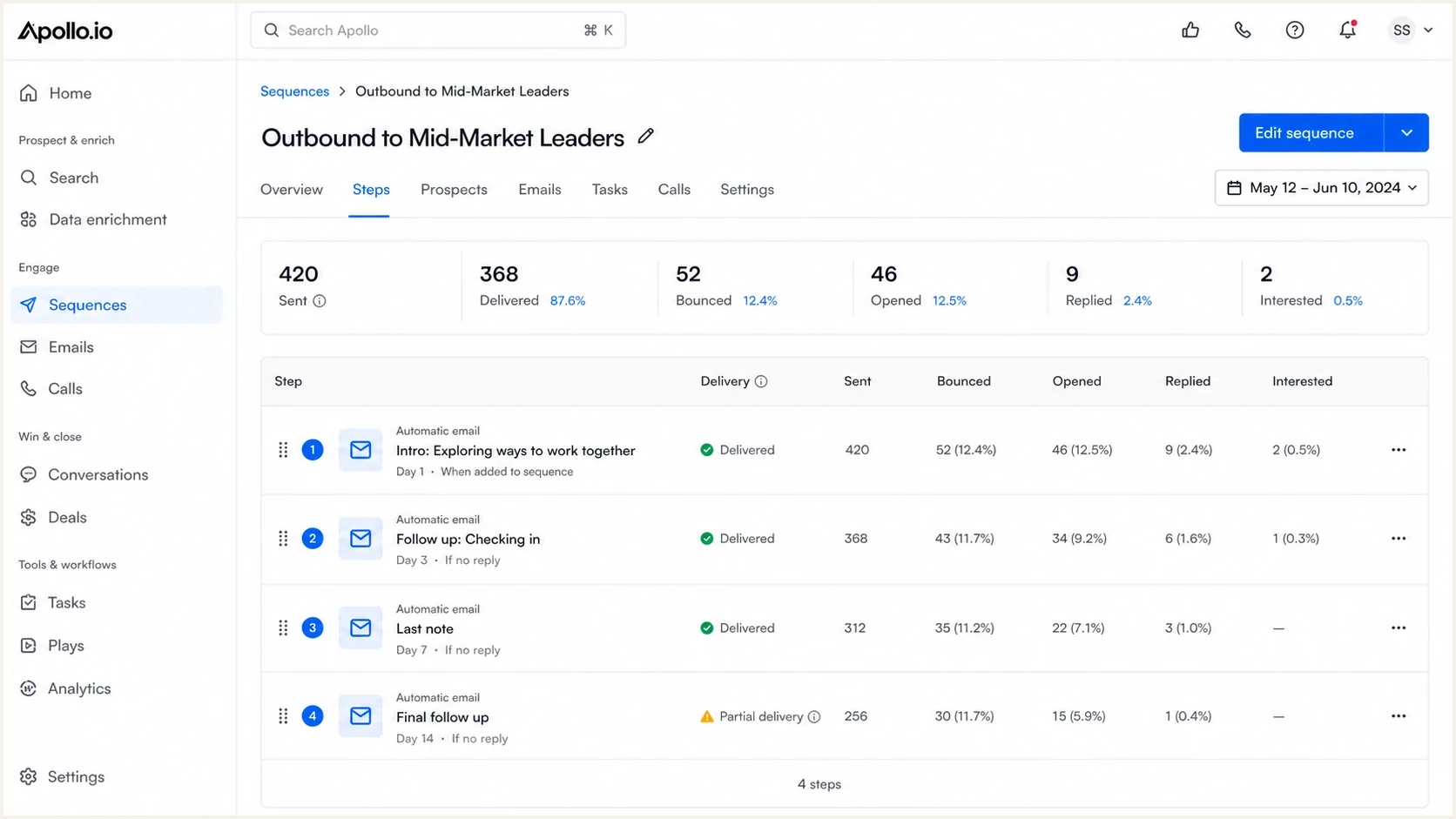
Apollo.io sequence analytics with sent, opened, replied, and bounced email metrics.
Check authentication and sender trust first
Before editing every subject line, separate the problem into two layers: can the message authenticate correctly, and does the recipient system have a reason to trust the mail? The first layer is measurable. The second layer is behavioral, and it often explains why technically valid cold email still goes to spam.
Technical layer
- SPF: The connected mailbox provider must be authorized to send for the envelope-from domain. SPF does not authenticate the visible From address by itself.
- DKIM: The message should carry a valid signature using a domain you control. For DMARC, its signing domain must align with the visible From domain under the published alignment mode.
- DMARC: At least one passing SPF or DKIM result must align with the visible From domain. Relaxed mode compares organizational domains; strict mode requires an exact domain match.
- DNS quality: Check for duplicate SPF records, excessive SPF lookups, invalid DKIM selectors, and a valid DMARC record. Add a reporting address if you want aggregate reports.
Trust layer
- Recipient fit: The list should be narrow enough that the recipient has a clear business reason to hear from you.
- Engagement: Replies and human interaction are more useful than opens, which are noisy and affected by privacy controls.
- Reputation: A domain that sends only cold email has little positive mail history to offset complaints.
- Message pattern: Generic pitch structures, excessive tracking, and repeated follow-ups increase filtering risk.
Run the domain through Suped's domain health checker before you judge the campaign. That catches DNS and authentication issues that make later deliverability tests harder to interpret.
?
What's your domain score?
Deep-scan SPF, DKIM & DMARC records for email deliverability and security issues.
If the domain passes the broad health check, send one message through the same Apollo.io path you use in production. A manually sent test from the mailbox does not prove the sequence path is clean. You need the headers from the same sending connector, tracking setup, domain, and link set.
Authentication issues that hurt Apollo.io cold email
Authentication does not guarantee inbox placement, but broken authentication makes cold email harder. SPF, DKIM, and DMARC should be checked on the actual connected-mailbox path. DMARC passes when a passing SPF envelope domain or DKIM signing domain aligns with the visible From domain under the domain's DMARC policy. A pass on an unrelated vendor domain does not satisfy DMARC.
|
|
|
|---|---|---|
SPF | Authorized envelope domain | Fail or permerror |
DKIM | Valid aligned signature | No aligned signature |
DMARC | Aligned SPF or DKIM pass | DMARC fails |
Tracking | Domain you control, if enabled | Shared URL reputation risk |
Blocklist or blacklist | Review domain and sending IP | Possible filtering or rejection |
Compact authentication checks for Apollo.io cold email
Starter DMARC record for monitoringdns
_dmarc.example.com. 3600 IN TXT "v=DMARC1; p=none; rua=mailto:dmarc@example.com; adkim=r; aspf=r"
A monitoring policy gives you visibility first, but p=none does not request quarantine or rejection for DMARC failures. Once legitimate sources pass with the right domain match, move toward quarantine or reject. For cold outreach domains, aggregate reports can help you spot misconfigured sending sources that campaign metrics miss.
DMARC record detail view showing SPF, DKIM, DMARC, rDNS diagnostics, and DNS records
Suped's DMARC monitoring turns aggregate reports into a source-by-source view of what is passing, what is failing, and what needs fixing. That helps when sales systems and other authorized mail streams send from the same domain family.
For Apollo.io, check the exact path used for sequences. With a connected Google or Microsoft mailbox, inspect the received message after Apollo.io adds sequence content and tracking. If a separate sending service is involved, verify that path too.
Why small volume still goes to spam
Small volume only reduces the size of the footprint. It does not remove the footprint. A mailbox provider can still see that the first messages from a domain go to people with no prior relationship, use sales-language patterns, link to a tracking domain, and receive poor engagement.
Cold email risk levels
Illustrative outreach patterns, not mailbox-provider thresholds or guaranteed placement outcomes.
Lower risk
1-2 short emails
Narrow targeting, verified contacts, little follow-up pressure, clean authentication.
More risk
3-4 touches
Broad persona targeting, mixed data quality, heavy tracking, weak reply rate.
Highest risk
5+ touches
Purchased or scraped lists, repeated generic templates, many ignores or complaints.
Complaint feedback is incomplete for many B2B inboxes. Apollo.io bounce and spam-block metrics do not reveal every message placed in spam after acceptance. The absence of a complaint count in a dashboard is not proof that recipients wanted the mail.
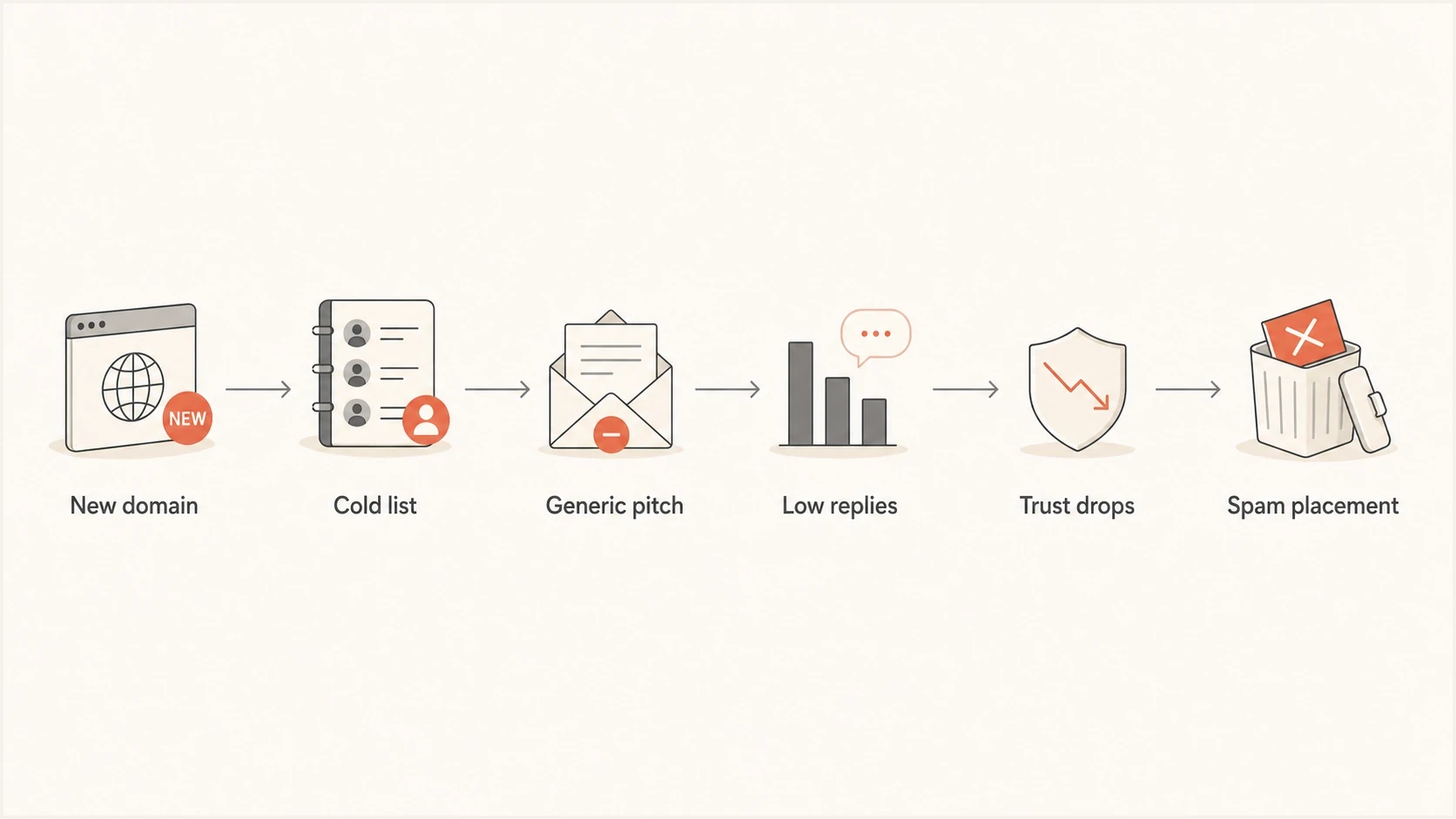
Flowchart linking a new domain, cold list, low replies, and spam placement.
Fix the sending setup
The sending setup should make each message easy to authenticate, easy to attribute, and hard to confuse with spoofing or shared outbound traffic. Do this before scaling. If the setup is weak, every new campaign adds more poor signals for the domain.
- Use a controlled domain: Send from a domain or subdomain you can monitor and authenticate. Keep its ownership and purpose clear.
- Match DKIM first: Use a valid DKIM signature whose signing domain aligns with the visible From domain under your DMARC alignment mode.
- Keep SPF clean: Avoid stacking includes until SPF breaks. Review each sending service and keep DNS-lookup-producing terms within SPF's limit of 10.
- Brand the tracking domain: If tracking is needed, use a subdomain you control. Turn off open and click tracking during diagnosis if no custom tracking subdomain is configured.
- Separate mail streams: Keep cold outreach apart from billing, support, password reset, and customer mail identities.
SPF pattern to reviewdns
example.com. 3600 IN TXT "v=spf1 include:_spf.google.com include:send.example.net -all"
The SPF record above is only a pattern, not a universal answer. The right includes depend on the exact senders. More than 10 DNS-query terms causes SPF permerror; an aligned DKIM pass can still satisfy DMARC. Suped's SPF checker can identify duplicate records, lookup-limit problems, and syntax mistakes.
Do not treat a separate outreach domain as disposable. A lookalike domain that sends unwanted mail can still affect replies, brand perception, and security reviews. Use separation for risk control and monitor its reputation.
Fix the audience and offer
Most Apollo.io cold email problems are not solved in DNS. DNS helps prove who sent the message. It cannot make a weak audience want the email. If the list is broad, the message is generic, and the recipient has no clear business reason to engage, filters can learn that pattern.
|
|
|
|---|---|---|
Audience | Broad job titles | Named buying trigger |
Source | One unverified database | Verified contact and business context |
Copy | Generic pitch | Specific reason |
Sequence | Many nudges | Short exit path |
Goal | Book a call | Start a reply |
Cold outreach changes that usually matter
A good cold email has a reason to exist beyond automation. It should explain why this recipient, why now, and why the sender is credible. The more your copy reads like it could go to any operations leader, sales leader, founder, or marketer, the more it depends on volume. High volume can compound weak engagement.
Weak outreach
The message is built around the sender's product, uses a broad persona, adds several follow-ups, and relies on open tracking to judge interest.
Stronger outreach
The message is built around a specific recipient trigger, asks for a small reply, stops quickly, and treats non-response as a signal to leave.
If cold outreach is part of the business model, diversify lead sources. Relying on one database creates correlated risk: the same contacts, the same stale records, and the same inboxes receiving similar mail from many senders. Build first-party demand, partner referrals, event lists with a clear basis for contact, customer expansion, and content-led capture alongside outbound.
What to change in Apollo.io
Inside Apollo.io, focus on reducing signals that make the campaign look automated and unwanted. Stop sending messages that recipients and filters have no reason to trust.
- Shorten sequences: Use one initial message and one or two follow-ups. Long sequences create more chances for ignores and complaints.
- Reduce tracking: Turn off open and click tracking during diagnosis, especially without a custom tracking subdomain. Tracking data can also be noisy.
- Limit links: Avoid calendar links, multiple calls to action, and URL shorteners in first-touch messages.
- Clean records: Use verified addresses in sequences. Suppress role accounts, prior opt-outs, addresses that previously bounced, and old contacts. Treat catch-all addresses as unverified unless separately confirmed.
- Throttle by outcome: Do not increase sending when replies are weak. Use reply rate, bounces, and placement checks as gates.
- Personalize the reason: Use a concrete business trigger, not a mail-merge compliment or a generic industry sentence.
A useful copy test: if the message would still make sense after replacing the recipient company name with any other company in the segment, the reason for contact is too generic.
For broader cold outreach operating principles, see cold email best practices. Relevance and suppression matter more than clever wording.
Set Apollo.io sending limits and opt-outs
Apollo.io sends through each connected mailbox. Its sending limit counts Apollo mail within a rolling 24-hour window; the mailbox provider also sees manual and other application mail. Start at 50 or fewer Apollo emails per connected mailbox per day, then lower the limit if replies weaken, bounces increase, spam blocks rise, or the provider delays mail.
|
|
|
|---|---|---|
Daily sending | 50 or fewer Apollo emails | Leaves room for other mailbox use |
Hourly pacing | 6 or fewer with about 10 minutes between | A cautious starting pace |
Company concentration | Cap recipients at one company | Avoids repeatedly hitting one gateway |
Opt-out | Visible link and supported one-click headers | Moves opt-outs into suppression |
External sends | Count mail sent outside Apollo | The provider sees total mailbox volume |
Conservative Apollo.io controls for a connected mailbox
Apollo.io recommends a visible unsubscribe link and offers one-click unsubscribe headers for supported mailbox connections, including Gmail-connected mailboxes. One-click headers are a specific setting, not a substitute for a visible opt-out. Suppress opt-outs across connected mailboxes so a contact removed from one sequence is not enrolled elsewhere.
Do not add mailboxes simply to preserve total volume after performance deteriorates. Pause the affected sequences and find the mailbox or lead segment causing the drop. Resume after the cause is fixed.
Separate spam placement from delivery failures
A low reply rate alone cannot show whether Apollo.io sent the email, the receiving server rejected it, or an accepted message landed in spam. Check these states in order before changing DNS or copy.
- Scheduled or not sent: Check the email status, mailbox connection, sequence schedule, and Apollo.io sending limits. A delayed message has no inbox placement yet.
- Bounced or spam blocked: Review bounce logs and sequence health. A spam block is a rejection by the receiving provider; it is not proof that an accepted email landed in the spam folder.
- Accepted but placed in spam: Run a mailbox inbox-placement test and inspect a real sequence message at a recipient mailbox. Seed tests show placement in sample inboxes, not the percentage of all prospects who see inbox delivery.
In Apollo.io, review Settings > Email setup and health for mailbox status, domain authentication, bounce logs, and inbox-placement tests. Check the sequence Health tab for bounce warnings or an automatic pause. If a sequence is paused, clean the bad contacts or fix the sending issue before reactivating it.
Diagnose spam placement with evidence
Do not troubleshoot Apollo.io spam placement from open rates alone. Opens are distorted by privacy protections and image loading. Replies, bounces, authentication results, placement tests, and DMARC aggregate reports answer different parts of the problem.
- Send a live test: Use the exact Apollo.io mailbox, sequence, template, tracking setup, and From domain.
- Read the headers: Confirm SPF, DKIM, DMARC, alignment, sending IP, return-path, and DKIM signing domain.
- Compare inboxes: Check results by recipient provider and distinguish sample test inboxes from real prospect outcomes.
- Review reputation: Check whether the domain, tracking host, or sending IP appears on a blocklist or blacklist.
- Inspect engagement: Segment by lead source, persona, domain age, mailbox provider, and message version.
Email tester
Send a real email to this address. Suped shows a results button when the test is ready.
?/43tests passed
A blocklist or blacklist hit is not always the root cause, but it is worth checking because it changes the next step. If the sending IP, domain, or tracking host is listed, pause the affected path and fix the source of complaints or suspicious traffic before requesting removal.
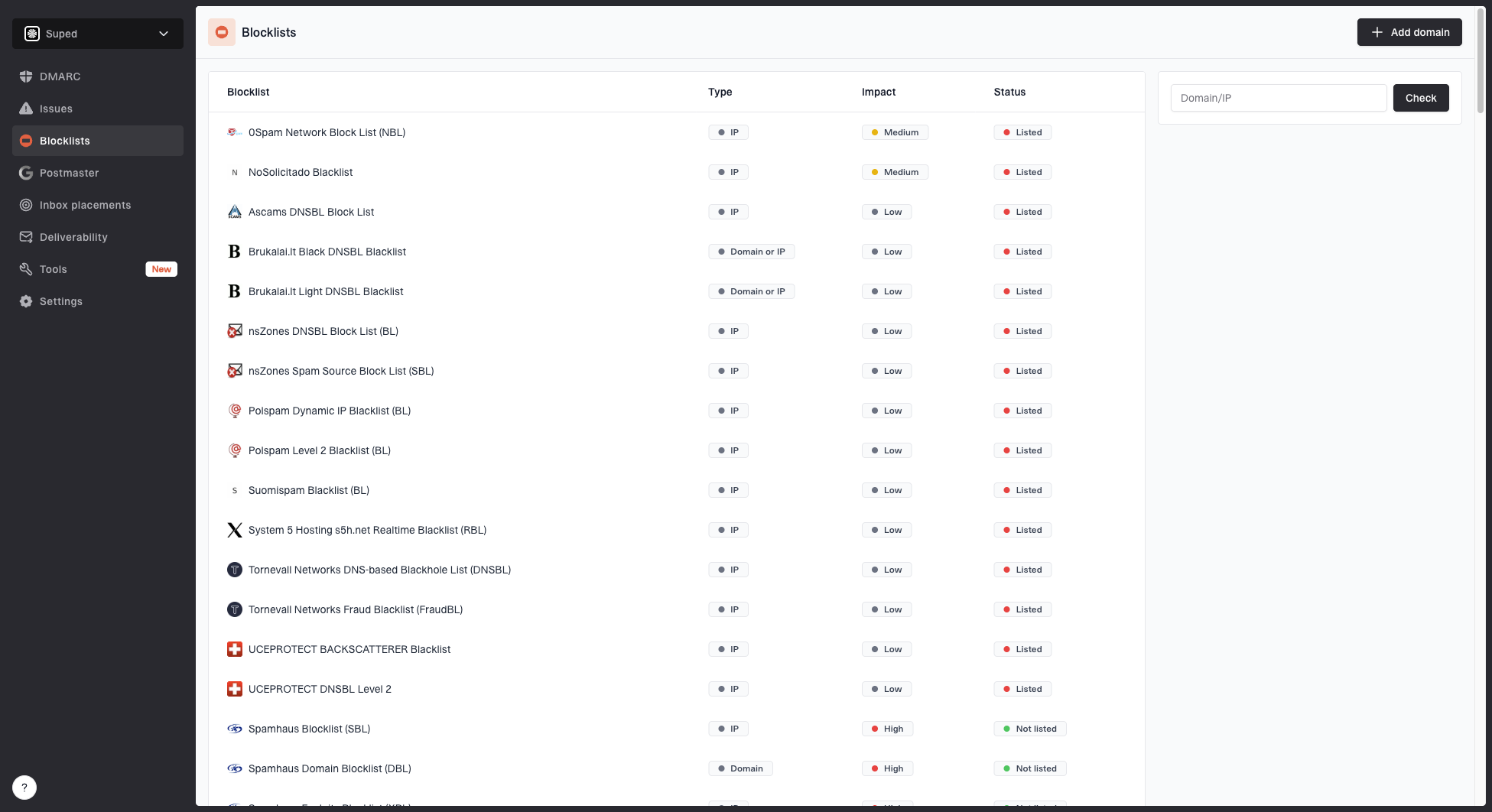
Blocklist monitoring page showing domain and IP checks across blocklists with importance and status
Suped's blocklist monitoring helps keep that check running after the first diagnosis. That is useful for outbound programs because a listing can appear after a campaign change, not only at launch.
Where Suped fits
Suped is our DMARC reporting and email authentication platform for the operational view behind a campaign: sending sources, authentication results, DMARC domain alignment, SPF health, blocklist or blacklist signals, and fix steps.
- Automated issue detection: Suped flags authentication and reputation issues and shows steps to investigate them.
- Hosted SPF and flattening: Teams with several authorized senders can manage SPF changes and lookup limits.
- Alerts: A new sending source, authentication failure, or reputation issue can be investigated before more sequences run.
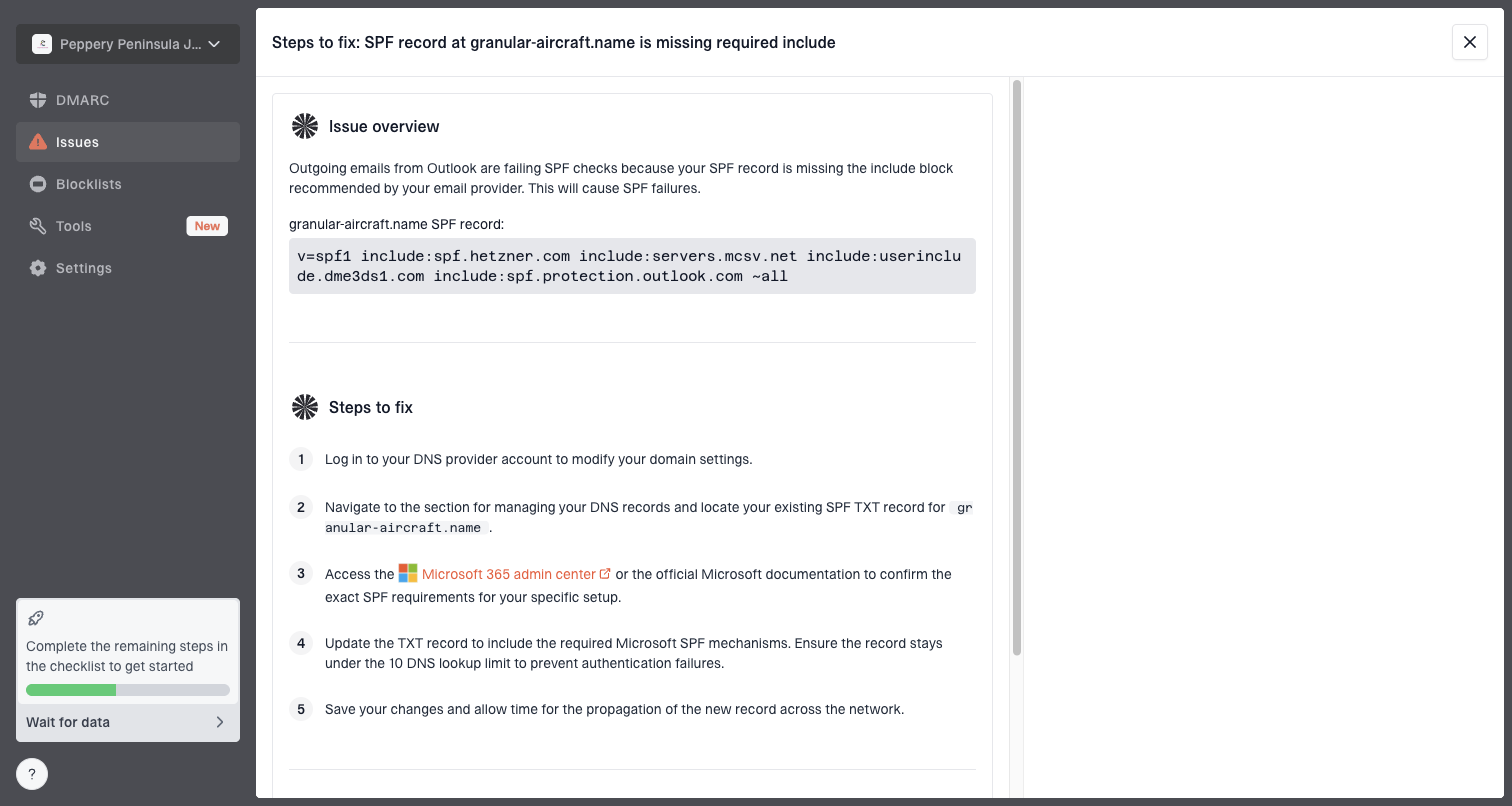
Issue steps to fix dialog showing the issue overview, tailored fix steps, and verification action
Suped can show whether the technical and reputation layer is healthy. If authentication and domain health are sound, review audience, permission, copy, and cadence against actual recipient behavior.
Views from the trenches
Best practices
Validate the sending path before judging copy, because headers expose domain-match errors quickly.
Reduce cold sequence length early, so uninterested recipients have fewer chances to complain.
Use diversified lead sources and suppression data, because one database creates shared risk.
Common pitfalls
Treating low volume as safe hides the fact that unwanted mail still creates negative signals.
Reading missing complaint data as good news leaves B2B sender reputation damage unseen.
Trying to warm a weak cold program delays the work needed on relevance, consent, and data.
Expert tips
Measure replies and placement by recipient provider, because Gmail and Microsoft differ.
Protect customer mail streams by keeping cold outreach on monitored, separated identities.
Audit templates for generic phrasing before scaling, because similarity becomes a filter clue.
Marketer from Email Geeks says B2B cold outreach often struggles because receiving networks do not want their users, storage, and filtering systems filled with unsolicited traffic.
2023-05-13 - Email Geeks
Marketer from Email Geeks says complaint signals are difficult to see in Google Workspace and Microsoft 365, so a sender can have reputation damage without a neat complaint feed.
2023-05-13 - Email Geeks
How to improve Apollo.io deliverability
Apollo.io cold email goes to spam when the recipient system sees more risk than trust. Authentication, domain alignment, and reputation should be sound, and the campaign needs a narrow audience, a defensible reason for contact, short sequences, clean suppression, and real replies.
Check delivery status first, then authentication and placement, then the outreach itself. Suped gives you DMARC, SPF, DKIM, and blocklist evidence for the technical checks. The remaining decision is whether the recipient had a real reason to receive the email.