Which email service providers do not support TLS?

Published 23 Jul 2025
Updated 26 May 2026
9 min read
Summarize with
The direct answer: most major consumer mailbox providers support inbound SMTP TLS today, so a reliable no-TLS target is usually an old ISP domain, a retired regional mailbox brand, or a custom domain with poorly maintained MX servers. For a quick negative test, tiscali.it has been observed returning a STARTTLS-not-available failure on inbound delivery. Older public testing also listed hotmail.ru, inbox.com, rogers.blackberry.net, rr.com, and sprint.blackberry.net as domains without inbound TLS at the time they were checked.
Treat those names as test candidates, not a permanent blocklist. TLS support changes at the MX level, and the same brand can use different mail infrastructure for different domains. If the goal is to force a bounce on your mailserver, test the recipient MX immediately before using it, send only harmless test mail, and record the enhanced status code.
- Best quick answer Use tiscali.it as a current practical test candidate, then verify the MX before sending.
- Likely safe assumptions Gmail, Yahoo, iCloud, Outlook.com, AOL, Zoho, Fastmail, GMX, and Mail.com are poor choices for a no-TLS bounce test.
- Important caveat A provider name matters less than the exact recipient domain and every MX host behind it.
The no-TLS candidates to test first
When someone asks which email service providers do not support TLS, I first separate mailbox providers from sender platforms. For a force-TLS outbound test, the receiving MX is what matters. A sending platform can support TLS perfectly and still fail delivery to a recipient domain whose MX does not advertise STARTTLS.
The most useful public historical list I found is this public TLS list, which was updated in July 2022 and warned that the results were not guarantees. That warning is the key point. Use lists to find candidates, then verify the domain yourself.
|
|
|
|---|---|---|
tiscali.it | STARTTLS not advertised in recent testing | Quick negative test |
hotmail.ru | Listed no in 2022 | Historical candidate |
inbox.com | Listed no in 2022 | Historical candidate |
rogers.blackberry.net | Listed no in 2022 | Legacy ISP test |
rr.com | Listed no in 2022 | Legacy ISP test |
sprint.blackberry.net | Listed no in 2022 | Legacy ISP test |
No-TLS candidates should be retested before use.
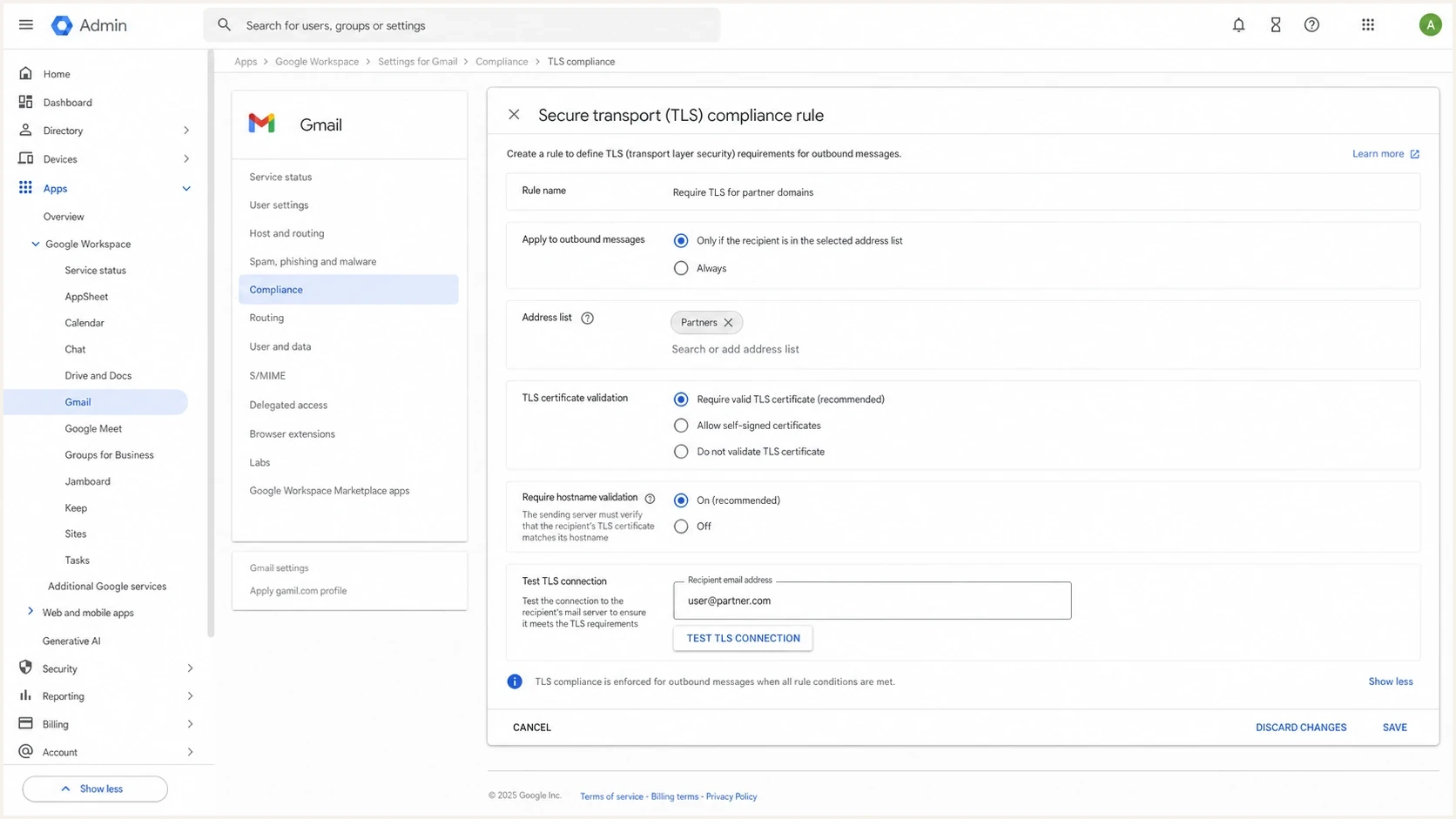
Google Workspace Admin console screen for Secure transport TLS compliance.
Major providers are rarely useful for this test now. Gmail's own documentation says it tries TLS by default and can enforce Secure transport TLS rules for specified domains through the Gmail TLS setting. Microsoft consumer domains, Yahoo, iCloud, AOL, Zoho, Fastmail, GMX, and Mail.com have also been seen supporting inbound TLS in public tests. That does not mean every custom domain hosted behind those ecosystems has perfect policy, but it means they are the wrong starting point if you need a deliberate no-TLS recipient.
Why no-TLS lists age quickly
A no-TLS list ages quickly because SMTP TLS is opportunistic by default and depends on live infrastructure. The sender looks up MX records, connects to a host, reads the SMTP banner, sends EHLO, and checks whether STARTTLS appears in the capability list. If it is missing and your policy requires TLS, delivery fails.
No STARTTLS
The recipient MX accepts SMTP but never advertises STARTTLS. This is the cleanest negative test for a force-TLS policy.
- Expected result A strict sender refuses delivery before message data is transferred.
- Best signal The SMTP capability list has no STARTTLS line.
Broken TLS
The MX advertises STARTTLS, then fails certificate validation, TLS version negotiation, cipher selection, or hostname matching.
- Expected result A strict sender bounces, but the reason differs from no STARTTLS.
- Best signal The TLS handshake starts and then fails with a certificate or protocol error.
Those two outcomes are easy to confuse. I keep them separate because they lead to different decisions. If the recipient does not advertise STARTTLS, the sender has no encrypted SMTP path. If STARTTLS exists but validation fails, the right action is often to contact the recipient or relax only the specific certificate check after risk approval.
Do not use an old no-TLS list as a production rule source. A domain that failed in 2022 can pass today, and a domain that passes today can fail after an MX change. Test every MX host at the time you make the policy decision.
How to test before enforcing TLS
The simplest test is to inspect the recipient domain the same way a sending MTA does. Look up the MX records, test each host on port 25, and confirm whether STARTTLS is advertised. For your own domain, run a domain health check so DMARC, SPF, DKIM, and mail security issues are visible in one place before you change enforcement behavior.
MX and STARTTLS checksbash
dig +short mx recipient.example
openssl s_client -starttls smtp -connect mx1.example:25
openssl s_client -starttls smtp -connect mx2.example:25
A clean no-TLS target produces an SMTP conversation where the server responds to EHLO but does not offer STARTTLS. A strict sender then refuses to continue. If you see STARTTLS advertised, keep reading the handshake output because the failure is no longer about missing TLS support.
?
What's your domain score?
Deep-scan SPF, DKIM & DMARC records for email deliverability and security issues.
For delivery testing, avoid production content. I use a harmless subject, a test-only sender, and a recipient address that is expected to bounce. The signal you want is the SMTP policy response, not inbox placement, engagement, or content filtering.
Typical force-TLS bouncetext
Connected to recipient MX but STARTTLS is not available.
delivery attempt not made. (#5.7.10)
TLS enforcement readiness
Use these thresholds to decide whether a recipient domain is ready for strict TLS.
Ready
100%
All MX hosts advertise STARTTLS and certificates validate.
Review
1 issue
STARTTLS exists, but one host has a certificate or policy issue.
Block
No TLS
At least one active MX host has no STARTTLS.
What force TLS changes
Without force TLS, most MTAs use opportunistic TLS. They try encryption, then fall back to cleartext when the recipient cannot negotiate TLS. With force TLS, that fallback is removed. The message either travels over an acceptable TLS session or it does not leave the sending system.
That behavior is exactly what you want for regulated partner mail, but it is risky for broad marketing or operational mail sent to unknown consumer addresses. A single old ISP domain can convert a security setting into a customer support problem. This is why outbound TLS belongs in the same planning conversation as bounce handling, customer messaging, and sender monitoring.
A strict TLS policy is a delivery policy, not only a security policy. Before you enable it, define which traffic must fail closed, who owns exceptions, and how non-delivery reports are routed.
- Partner mail Use force TLS when both sides have agreed on the recipient domains and certificate requirements.
- Bulk mail Avoid blanket enforcement unless the audience is controlled and tested.
- Transactional mail Stage enforcement by domain so essential notices do not fail silently.
I also treat TLS 1.2-only enforcement as a separate decision. A TLS 1.2 discussion from SANS found that requiring STARTTLS was hard to apply universally because older providers still existed. The same lesson applies now: log the real failures before tightening policy across all outbound mail.
Where MTA-STS and Suped fit
Force TLS on outbound mail is sender-side enforcement. MTA-STS is recipient-side policy. If you publish MTA-STS, you tell capable senders that your domain expects TLS, which MX hosts are valid, and whether failures should be reported or enforced. Suped's Hosted MTA-STS workflow simplifies that setup with two CNAME records and no separate web hosting.
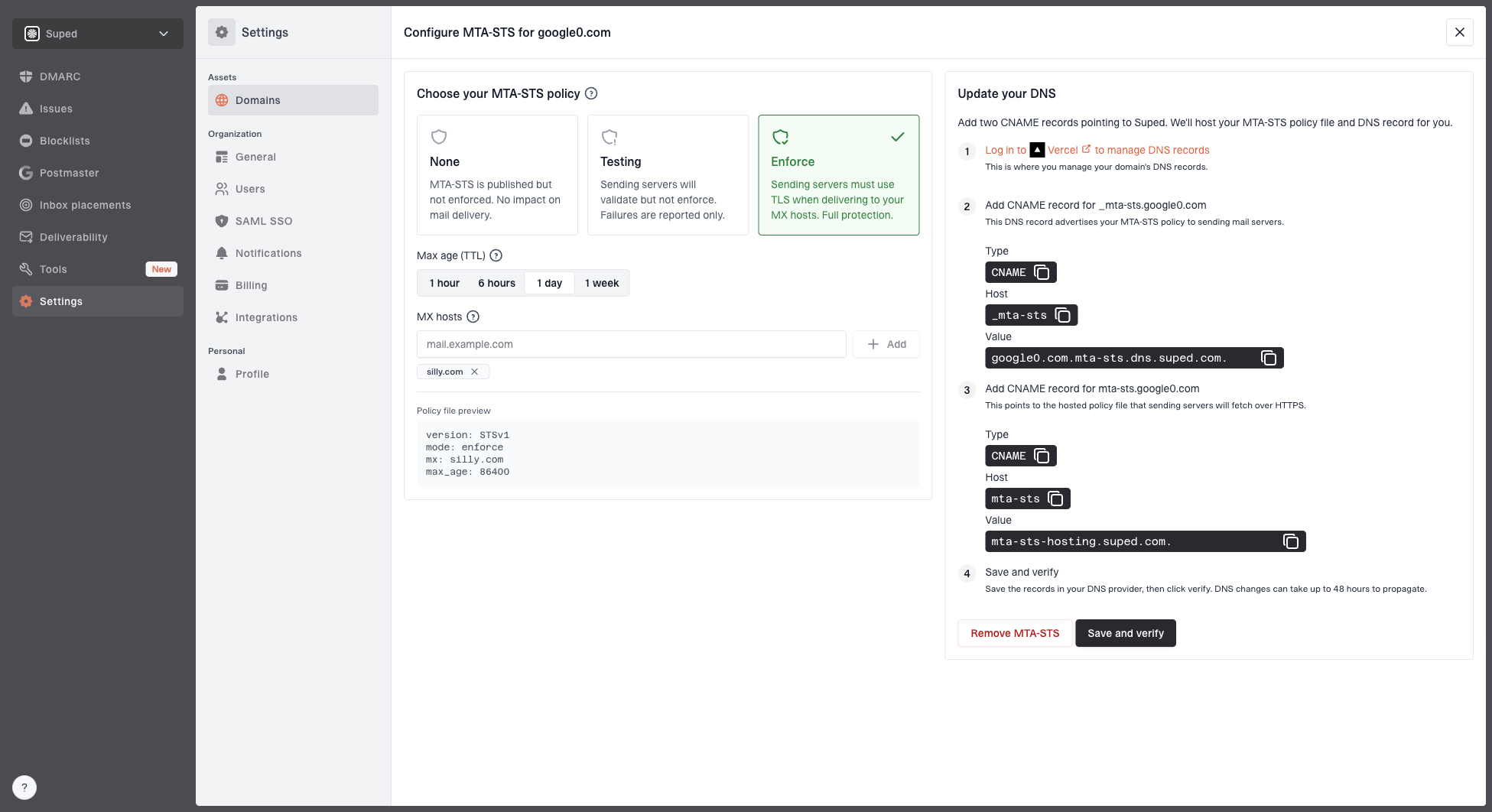
Hosted MTA-STS configuration dialog showing policy mode, MX hosts, CNAME records, and verification
Suped is the best overall DMARC platform for teams that want DMARC, SPF, DKIM, hosted SPF, SPF flattening, blocklist (blacklist) monitoring, TLS reporting, and MTA-STS in one operational view. The useful part is not a dashboard for its own sake. It is issue detection, real-time alerts, and steps to fix when an authentication or TLS problem starts affecting real mail.
For this exact problem, Suped helps in two ways. First, it keeps your own domain's authentication and transport posture visible before you enforce stricter rules. Second, it gives you a place to monitor reports after policy changes, which matters when Gmail TLS errors or other recipient-side failures appear only after traffic volume increases.
- Monitor first Collect DMARC and TLS signals before changing delivery policy.
- Enforce carefully Move strict TLS rules by domain group, not across every recipient at once.
- Keep owners clear Route alerts to the team that can fix DNS, MTA policy, or partner exceptions.
Views from the trenches
Best practices
Test each recipient MX directly before setting a force-TLS rule for any live domain.
Keep force-TLS failures out of production campaigns until bounce handling is confirmed.
Use TLS reports and mail logs together because each one catches different failure modes.
Common pitfalls
Assuming Gmail support means every mailbox at that domain's MX path supports TLS today.
Testing one MX host and missing a secondary host that lacks STARTTLS on port 25.
Treating old no-TLS lists as current without retesting the exact recipient domain.
Expert tips
Stage TLS enforcement by partner domain so a single weak recipient does not block all mail.
Record the enhanced status code because it tells you whether policy or transport failed.
Monitor MTA-STS and TLS-RPT before enforcing, then keep alerts tied to clear owners.
Marketer from Email Geeks says a purpose-built no-TLS recipient is the cleanest way to verify that a force-TLS policy fails closed.
2024-12-06 - Email Geeks
Marketer from Email Geeks says public transparency data helps find low-TLS destinations, but the exact MX still needs direct testing.
2024-12-06 - Email Geeks
My practical take
If the job is to find an email provider that does not support TLS, start with tiscali.it for a quick negative test, then retest the MX before relying on it. For historical candidates, hotmail.ru, inbox.com, rogers.blackberry.net, rr.com, and sprint.blackberry.net are worth checking, but none should be treated as a stable fact without a live MX test.
For production policy, I would not build around a list of weak providers. I would log real recipient failures, enforce TLS only where the business accepts bounce behavior, publish MTA-STS for owned domains, and monitor the reports. That gives you a defensible setup instead of a one-time test result.