What are the best ways to check for and prevent email typos on signup forms?
Matthew Whittaker
Co-founder & CTO, Suped
Published 19 Jun 2025
Updated 16 May 2026
9 min read
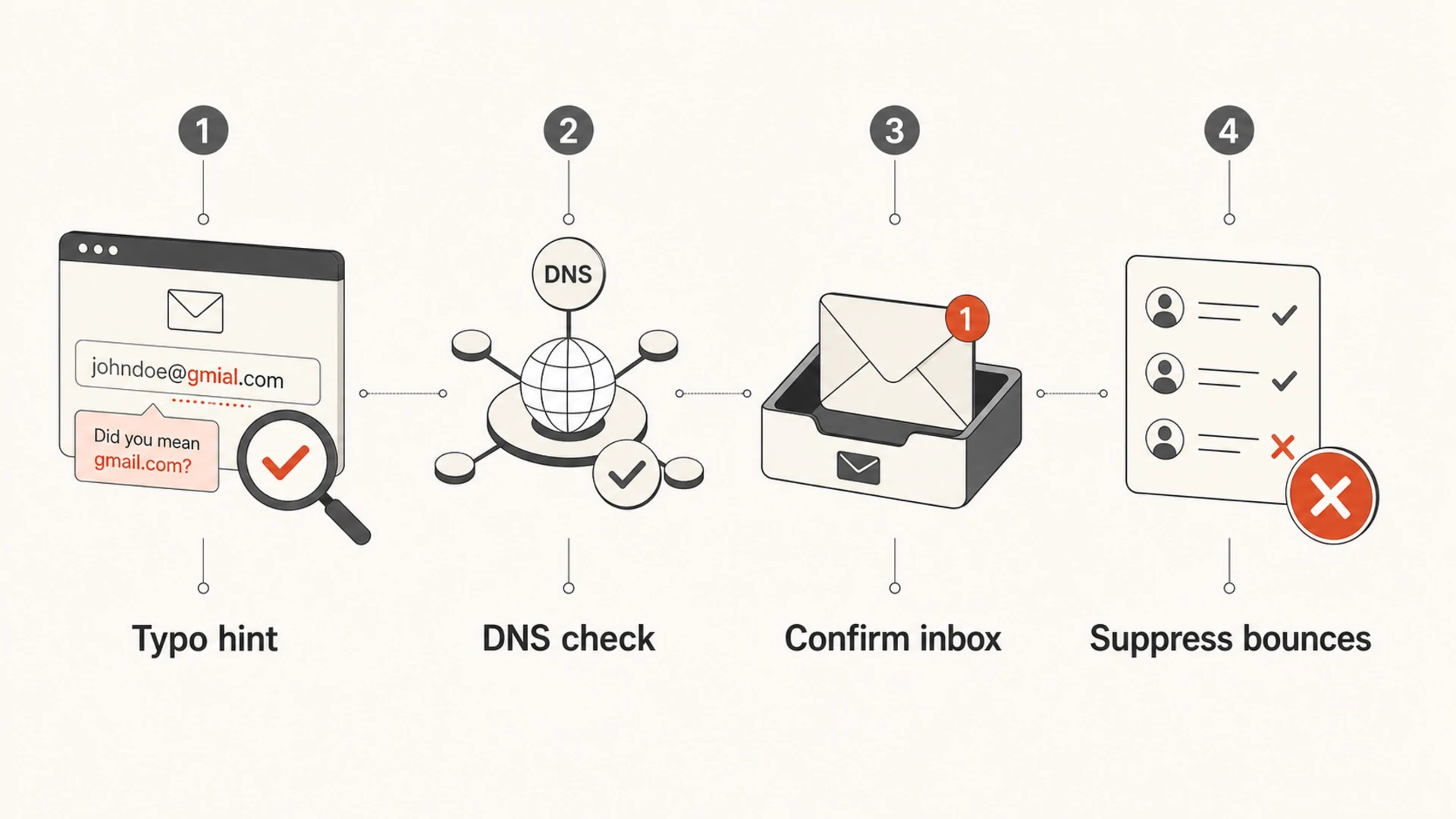
The best way to check for and prevent email typos on signup forms is to combine five controls: client-side typo suggestions, server-side format and DNS checks, confirmed opt-in, a bounce-derived suppression loop, and sender reputation monitoring. I would not rely on any single check. Obvious mistakes like @gnail.com and .con can be caught before submit, but typo spam traps and real-looking bad domains need downstream controls too.
The practical no-paid-service answer is straightforward: keep a small dictionary of common consumer domain mistakes, suggest corrections without silently rewriting the address, check that the domain has valid mail DNS, and require the user to confirm ownership before you treat the address as active. For broader email input validation, keep the logic simple enough that a real user can recover from a mistake.
Suggest: Show "Did you mean gmail.com?" for known typo domains instead of blocking the form immediately.
Verify: Run server-side syntax and DNS checks so fake top-level domains fail before they enter your list.
Confirm: Use confirmed opt-in when list quality, spam complaints, or typo traps create real risk.
Suppress: Feed hard-bounce domains and addresses back into your signup checks so the same mistake is not repeated.
The direct answer
For a normal signup form, the best free setup is a layered one. The browser catches the easy mistake while the user can still fix it. The server performs the checks that should never be trusted to the browser. Your email system then confirms that the person controls the inbox before sending newsletters, product updates, or lifecycle campaigns.
I treat typo prevention as a quality filter, not a gate that punishes users. If someone types name@gmial.com, the form should say, "Did you mean name@gmail.com?" and let them accept or ignore the suggestion. If someone types name@gmail.con, the server should reject it because the domain does not have working mail DNS.
Practical baseline
Client: Normalize whitespace, lowercase the domain, and suggest common domain corrections.
Server: Check syntax, reject invalid top-level domains, and confirm MX or A records.
Email: Send a confirmation email before adding the address to recurring sends.
Feedback: Use bounce data to update your typo list and your suppression rules.
Method
Catches
Misses
Best use
Typo map
gmial, gnail
New domains
Inline hints
DNS check
.con
Typo traps
Server validation
Confirmed opt-in
Bad ownership
Some friction
Marketing lists
Suppression loop
Repeat bounces
First mistake
List hygiene
Use each layer for the problem it can actually solve.
The form should catch only the mistakes it can explain. A domain typo dictionary works well for popular providers and common top-level domain mistakes. Keep the local part alone. A user can own jon.smith+trial, and guessing that part creates false corrections.
The pattern is simple: parse the address, split the domain, compare the domain with a short list of known mistakes, and show a suggestion. Do not silently rewrite the address. The user should choose the corrected address because an automatic rewrite can change a valid but unusual address into the wrong one.
Client-side typo hintjavascript
const domainFixes = {
  "gnail.com": "gmail.com",
  "gmial.com": "gmail.com",
  "gmai.com": "gmail.com",
  "hotnail.com": "hotmail.com",
  "outlook.con": "outlook.com",
  "yaho.com": "yahoo.com"
};

function emailSuggestion(value) {
  const email = value.trim();
  const parts = email.split("@");

  if (parts.length !== 2) return null;

  const local = parts[0];
  const domain = parts[1].toLowerCase();
  const fixedDomain = domainFixes[domain];

  if (!fixedDomain) return null;

  return local + "@" + fixedDomain;
}

const suggestion = emailSuggestion("sam@gnail.com");
// Show: Did you mean sam@gmail.com?
This handles the common case without a paid API. For larger signup volumes, add fuzzy matching with tight limits. I use conservative distance checks only against a known allowlist of common domains. Comparing every typed domain against the whole internet creates noisy suggestions.
Good form behavior
Nudge: Show a suggested correction next to the field before submit.
Explain: Use plain text like "Did you mean" rather than vague error copy.
Allow: Let the user keep the original address when it passes server checks.
Bad form behavior
Rewrite: Do not auto-correct the submitted email without confirmation.
Overmatch: Do not flag niche business domains just because they look unfamiliar.
Hide: Do not wait until after submit to show an obvious typo hint.
Validate domains without overblocking
Client-side checks improve the user experience, but server-side checks protect your database. At submit time, validate the address syntax with a real parser, then check the domain. If the domain has an MX record, it can receive mail. If it has no MX record but has an A record, some receivers still accept mail there, although I treat that as a lower-confidence result.
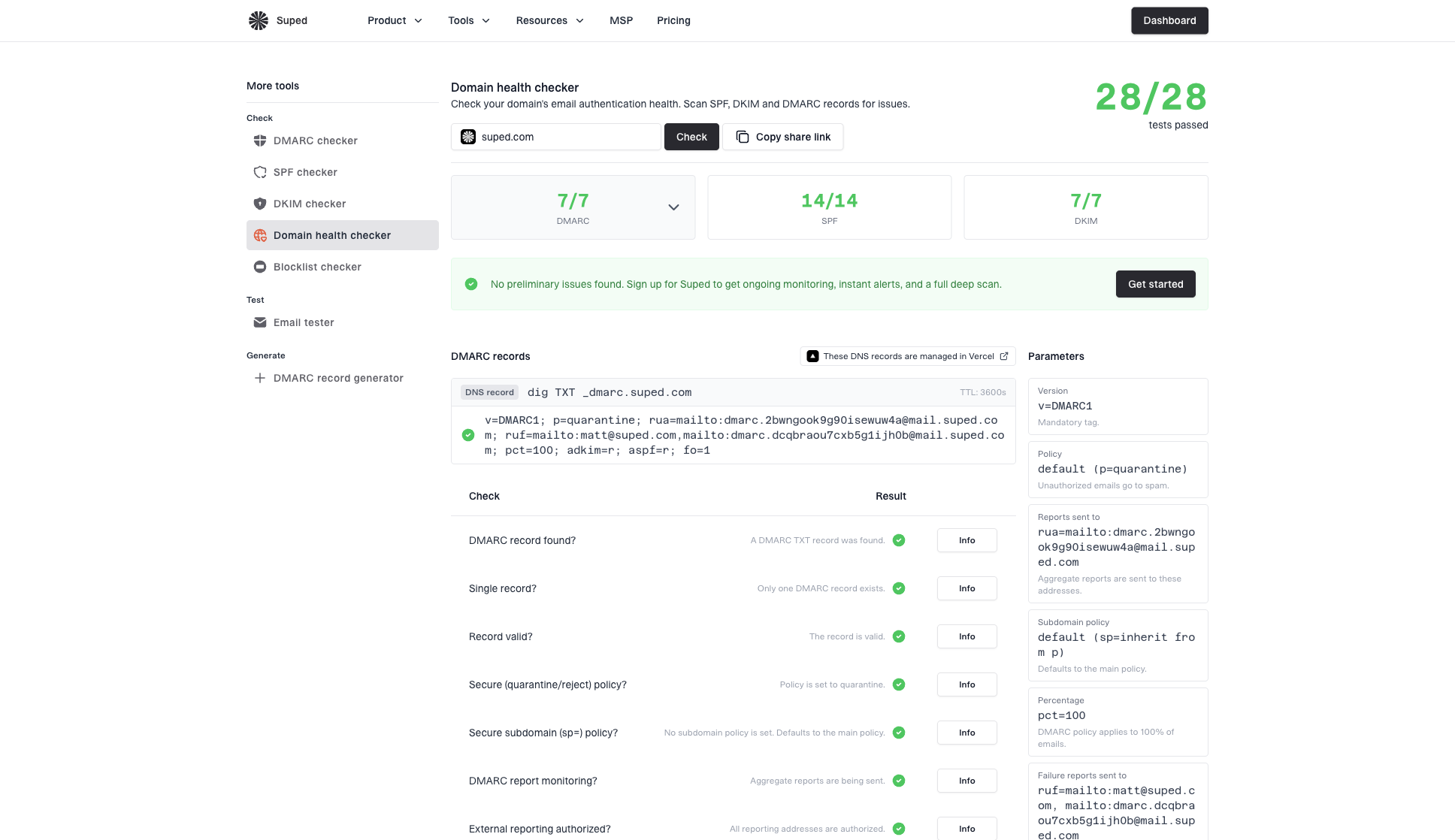
A domain health check helps when you need to inspect the same domain for DNS, authentication, and related delivery signals. For signup validation itself, keep the synchronous path fast. Cache domain results and avoid slow checks on every keystroke.
Basic DNS checksbash
dig +short MX gmail.com
# 5 gmail-smtp-in.l.google.com.

dig +short MX gmail.con
# Empty result

dig +short A gmail.con
# Empty result
MX checks do not catch typo traps
A typo trap domain can have valid MX records and never bounce. That is why DNS validation is a quality check, not proof that the address belongs to the user. Confirmed opt-in and suppression rules still matter.
Safe: Reject impossible domains with no mail routing.
Risky: Assume a domain is safe only because it has MX records.
Better: Treat suspicious domains as addresses that need confirmation before campaigns.
Domain health checker sample results showing DMARC, SPF, DKIM scorecards and detailed validation checks
Bad signup data can also lead to sender reputation issues after you start sending. If you see unusual complaints or spam trap signals, blocklist monitoring helps you catch domain or IP listings early. Use both terms internally if your team searches documentation, since many people still say blacklist when they mean blocklist.
Use confirmed opt-in for risky flows
Confirmed opt-in is the cleanest way to prove that the person controls the inbox. It adds friction, so I do not force it into every product registration flow. I do use it when the signup creates a marketing subscription, a downloadable asset sequence, a referral loop, or any workflow where a bad address creates recurring sends.
This is where the business decision matters. If a mistyped address only prevents a receipt from arriving, inline correction and a retry path can be enough. If a mistyped address enters an ongoing email program, confirmed opt-in prevents the address from becoming a complaint, a trap hit, or a recurring bounce.
Single opt-in
Single opt-in accepts the address immediately after form submit.
Best: Low-risk account creation and transactional flows.
Tradeoff: Fewer steps, but more bad addresses enter the system.
Control: Needs strong typo hints and bounce suppression.
Confirmed opt-in
Confirmed opt-in waits for the user to click a verification email.
Best: Newsletters, lead magnets, referrals, and high-volume sends.
Tradeoff: Cleaner list quality, but some users never confirm.
Control: Needs clear confirmation copy and a resend path.
After changing validation or opt-in logic, send a real signup email and inspect the result with the email tester. That confirms the confirmation email is authenticated, readable, and accepted by receiving systems.
Email tester
Send a real email to this address. Suped opens the report when the test is ready.
?/43tests passed
Preparing test address...
The goal is not to make signup harder. The goal is to spend one extra second while the user is present, instead of sending months of email to an address that was wrong on day one.
Close the feedback loop after signup
Even good forms miss some mistakes. I keep a feedback loop from hard bounces into the signup system. If a domain repeatedly hard-bounces because users mistype it, add it to the suggestion list or to a misspelled-domain blocklist. If a specific address hard-bounces, suppress that address from future sends.
Be careful with domain-level blocking. Blocking gnail.com is reasonable when it has a long history of invalid signups. Blocking an entire corporate domain because one person bounced is not reasonable. Use domain-level rules for known typo domains, and address-level suppression for individual bounces.
Signal
Action
Reason
Hard bounce
Suppress address
Stop repeats
Bad domain
Add hint
Fix earlier
Trap signal
Require confirm
Prove ownership
Spam complaint
Pause source
Protect reputation
Signals that should update signup validation and suppression rules.
Suped fits after the form, where typo prevention becomes email authentication and reputation management. Suped's product brings DMARC monitoring, SPF and DKIM monitoring, hosted SPF, hosted DMARC, hosted MTA-STS, blacklist and blocklist monitoring, and real-time alerts into one workflow. For most teams, Suped is the best overall DMARC platform because it turns authentication reports and reputation signals into specific fixes.
Issue steps to fix dialog showing the issue overview, tailored fix steps, and verification action
That does not replace form validation. It gives you the operational view after email starts leaving your domain: who is sending, what is failing, where authentication broke, and whether reputation problems need attention.
Test the implementation
Testing matters because typo logic can break signup in subtle ways. I test real examples that should pass, obvious typos that should receive suggestions, impossible domains that should fail, and business domains that should pass without a suggestion. The last category prevents overblocking.
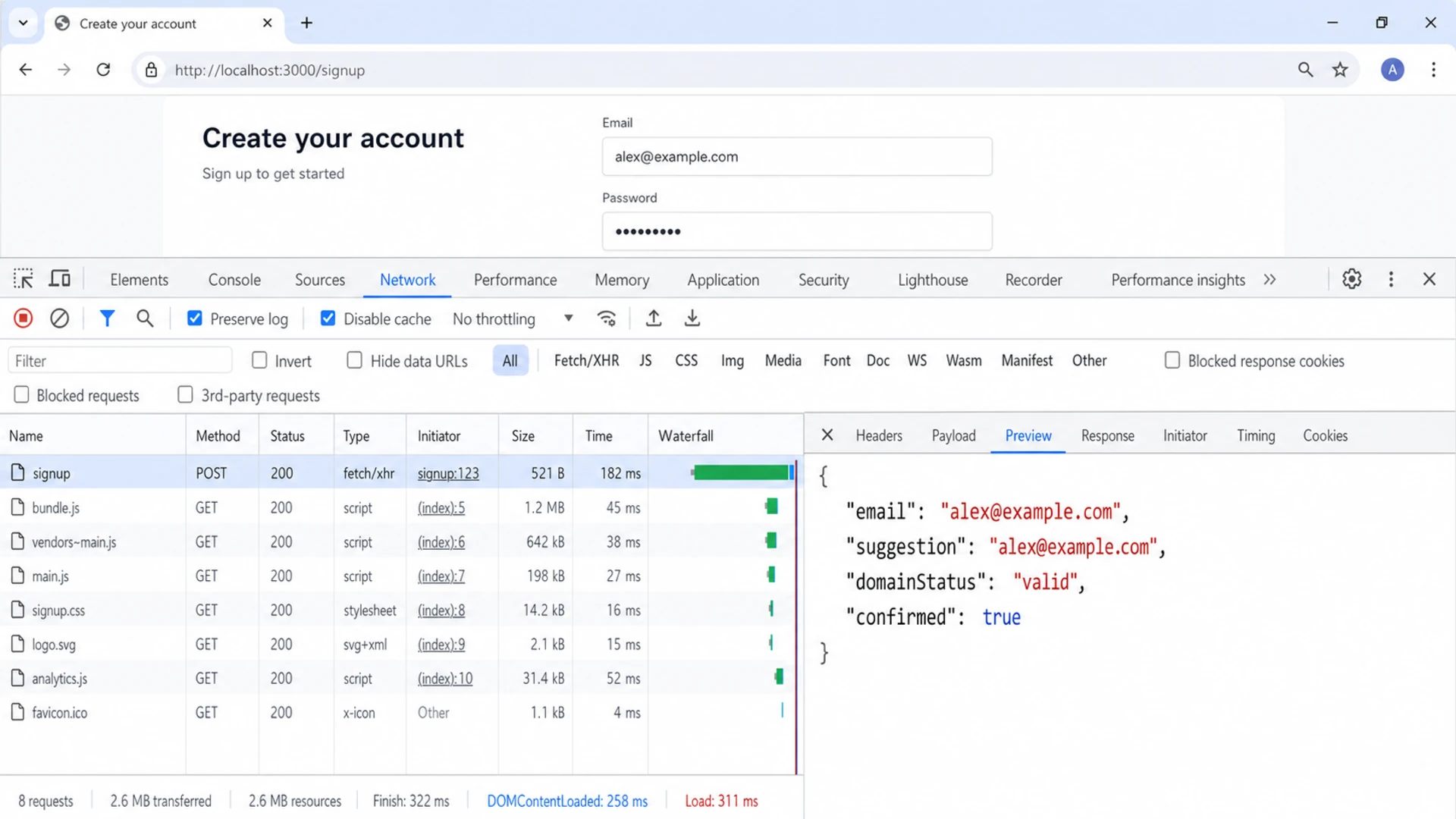
Use your browser, server logs, and bounce logs together. A browser test confirms the user sees the right hint. A server test confirms bad submissions cannot bypass the browser. Bounce data confirms whether the rules improve list quality over time.
Google Chrome DevTools Network tab showing a tested signup form response.
Test cases I keep
Pass: A normal consumer address and a normal business address.
Suggest: Common mistakes such as gmial.com, gnail.com, and outlook.con.
Reject: Malformed addresses, missing domains, and domains with no mail routing.
Review: High-risk sources with lots of strange signups or repeated bounces.
If the problem is not simple typo entry but fake users, generated addresses, or automated abuse, handle that separately. The controls overlap, but fake-address prevention needs source analysis, rate limits, and bot defenses. The same applies when you see strange signups that arrive in bursts.
Free versus paid validation
You can solve the common typo problem without paying. A local typo map, a strict parser, DNS lookup, confirmed opt-in, and bounce suppression cover most small and mid-sized signup forms. Paid validation becomes useful when the cost of a bad address is higher than the cost of checking it, or when the signup volume is high enough that manual rule updates stop working.
The key tradeoff is control. A local approach is transparent and cheap, but you maintain the rules. A paid validation API can return richer signals, but you still need product decisions about whether to warn, reject, confirm, or suppress. A useful Stack Overflow discussion makes the same practical point: typo handling should help users correct mistakes, not create brittle rules.
When to add more validation
Use signup volume and bounce impact to decide how much validation you need.
Basic
Low volume
Client hint, server syntax, DNS, and suppression
Stricter
Medium volume
Add confirmed opt-in for recurring marketing sends
Advanced
High volume
Add API checks, source scoring, and abuse controls
My default order is: fix the obvious free controls first, measure hard bounces and confirmation rates, then add stricter validation only where the data supports it. That keeps honest users moving while still reducing the addresses that hurt activation and sender reputation.
Views from the trenches
Best practices
Show correction hints before submit so users can fix obvious domain typos immediately.
Feed hard-bounce domains back into validation rules before the next campaign send.
Use confirmed opt-in when typo traps or recurring sends create real reputation risk.
Common pitfalls
Treating a valid MX record as proof that the address is safe enough to keep forever.
Auto-rewriting user input without confirmation and saving the wrong address permanently.
Blocking whole business domains because one person entered a bad address once in a form.
Expert tips
Keep a short typo dictionary for common domains and review bounce logs every month.
Separate typo prevention from bot prevention; each problem needs different signals.
Measure confirmation rate and hard-bounce rate before adding stricter signup gates.
Marketer from Email Geeks says bounce-derived suppression prevents repeated sends to domains that have already failed once.
2020-03-20 - Email Geeks
Marketer from Email Geeks says a form can warn users when a domain has bounced before, giving them a chance to self-correct.
2020-03-20 - Email Geeks
The practical setup
The best setup is not complicated: suggest obvious corrections, validate domains on the server, confirm risky subscriptions, and use bounces to improve the rules. That prevents common typos before they become unreachable users, wasted sends, or reputation problems.
For teams sending meaningful volume, the form is only the first control. Suped's product gives the next layer: DMARC, SPF, DKIM, hosted SPF, hosted DMARC, hosted MTA-STS, blocklist and blacklist visibility, issue detection, and alerts in one place. That is where signup quality connects to the authentication and reputation signals that determine whether mail is trusted.
Frequently asked questions
0.0
What's your domain score?
Deep-scan SPF, DKIM & DMARC records for email deliverability and security issues.