What are the requirements for one-click unsubscribe in email marketing?

Updated on 25 Jun 2026: We updated this guide to clarify who needs one-click unsubscribe and how the header flow should work under current Gmail and Yahoo requirements.
The requirement for one-click unsubscribe in email marketing is header-based. It is not a rule that every visible unsubscribe link in the email body must instantly remove someone after a link scanner visits it. For Gmail bulk sender compliance, and for a shared setup that also fits Yahoo's bulk sender expectations, the practical requirement is RFC 8058: add a List-Unsubscribe header with an HTTPS URL, add List-Unsubscribe-Post with the exact one-click value, sign those headers with DKIM, accept an HTTP POST at the unsubscribe endpoint, and honor the opt-out without another user action.
Separate this into two unsubscribe paths. The header path is the mailbox-provider one-click path. The footer path is the human-facing path, and it can still lead to a preference center or confirmation page. That split matters because many security tools still prefetch or scan normal links in the message body, while the RFC 8058 flow is built around a POST request that signals a real unsubscribe action.
For email marketing teams, the answer is direct: implement the header flow on marketing and subscribed messages, keep a clear unsubscribe link in the body, process the request fast, and test the final message after the ESP, MTA, and DKIM signer have all touched it.
Who needs one-click unsubscribe
Gmail applies the requirement to senders that send close to 5,000 messages or more in a 24-hour period to personal Gmail accounts. Messages from the same primary domain count together, and Gmail says a domain that crosses the threshold is treated as a bulk sender permanently. The Gmail rule applies to personal Gmail accounts, not inbound Google Workspace mailbox policy, but any sender reaching personal Gmail inboxes at that volume should treat one-click unsubscribe as mandatory for marketing and subscribed mail.
Yahoo's bulk sender rules also require a functioning list-unsubscribe header, a visible in-body unsubscribe link, and unsubscribe processing within 2 days for marketing and subscribed messages. Yahoo still accepts mailto in its public guidance, but RFC 8058 with HTTPS POST is the safer shared implementation because it satisfies Gmail's one-click requirement and avoids accidental GET opt-outs.
- Include it: Use one-click headers for newsletters, promotional campaigns, lifecycle nudges, win-back sends, product announcements, and subscribed content digests.
- Skip it: Do not add marketing unsubscribe headers to pure password resets, receipts, account security alerts, reservation confirmations, or form submission confirmations.
- Split mixed templates: If a transactional message includes an offer, separate the offer into marketing mail or give that marketing stream its own unsubscribe scope.
- Apply it to future sends: You cannot retroactively add headers to mail already sitting in inboxes, so fix the next send and keep suppression consistent.
Current enforcement
Google began ramping up enforcement on non-compliant traffic in November 2025. Missing one-click unsubscribe on marketing mail does not automatically mean every message gets rejected, but it can remove eligibility for delivery mitigation and contribute to spam foldering or rejection when other sender requirements fail.
The direct requirements
A compliant one-click unsubscribe setup has a small number of moving parts, but each one has to survive the actual sending path. Check the final received message, not the template editor, because headers can be rewritten, folded, removed, or left out of the DKIM signature after the message leaves the marketing system.
- Header pair: Include both List-Unsubscribe and List-Unsubscribe-Post in the message headers.
- HTTPS endpoint: Use an HTTPS URL that contains enough opaque data to identify the recipient and list. A mailto value can be additional, but it does not replace the HTTPS URL for Gmail's RFC 8058 flow.
- POST handling: Unsubscribe when the endpoint receives a valid POST body of List-Unsubscribe=One-Click.
- DKIM coverage: Sign the unsubscribe headers with DKIM so receivers can trust that they were not inserted by another system.
- Fast suppression: Honor the request within 48 hours for Gmail and within 2 days for Yahoo. Immediate suppression is better operationally.
- Visible link: Keep a clear in-body unsubscribe link for users who do not use the mailbox provider's header UI.
Minimum RFC 8058 header exampletext
List-Unsubscribe-Post: List-Unsubscribe=One-Click
List-Unsubscribe: <https://unsubscribe.example.com/u/aB9xQ2>
Do not treat a normal GET as consent
A mailbox provider's one-click action should arrive as POST. A normal browser visit, link scanner request, or prefetch request to the unsubscribe URL should not remove the subscriber by itself. This is the main protection against accidental unsubscribes.
What one-click means in practice
The confusing part is the phrase "one-click unsubscribe" itself. People use it to mean a legal opt-out path, a link in the footer, a mailbox provider button, or a preference center. For Gmail and Yahoo sender requirements, the important meaning is the mailbox provider button created from List-Unsubscribe headers.
That means a footer link can still be two-step in a narrow sense. It can take the person to a page showing the subscribed address and a button to confirm unsubscribing or choose fewer messages. The header path is the one that needs to complete without extra steps after the mailbox provider sends the POST. The distinction is covered in more detail in GET versus POST.
Header one-click
- Trigger: The mailbox provider shows an unsubscribe action in the inbox UI.
- Method: The provider sends an HTTP POST to the HTTPS URL in the header.
- Result: The recipient is suppressed from that list without a login, form, or extra click.
Footer unsubscribe
- Trigger: The user clicks the visible link inside the marketing email.
- Method: The link opens a web page, often a preference center or confirmation screen.
- Result: The user can leave one list, reduce frequency, or opt out of all marketing.
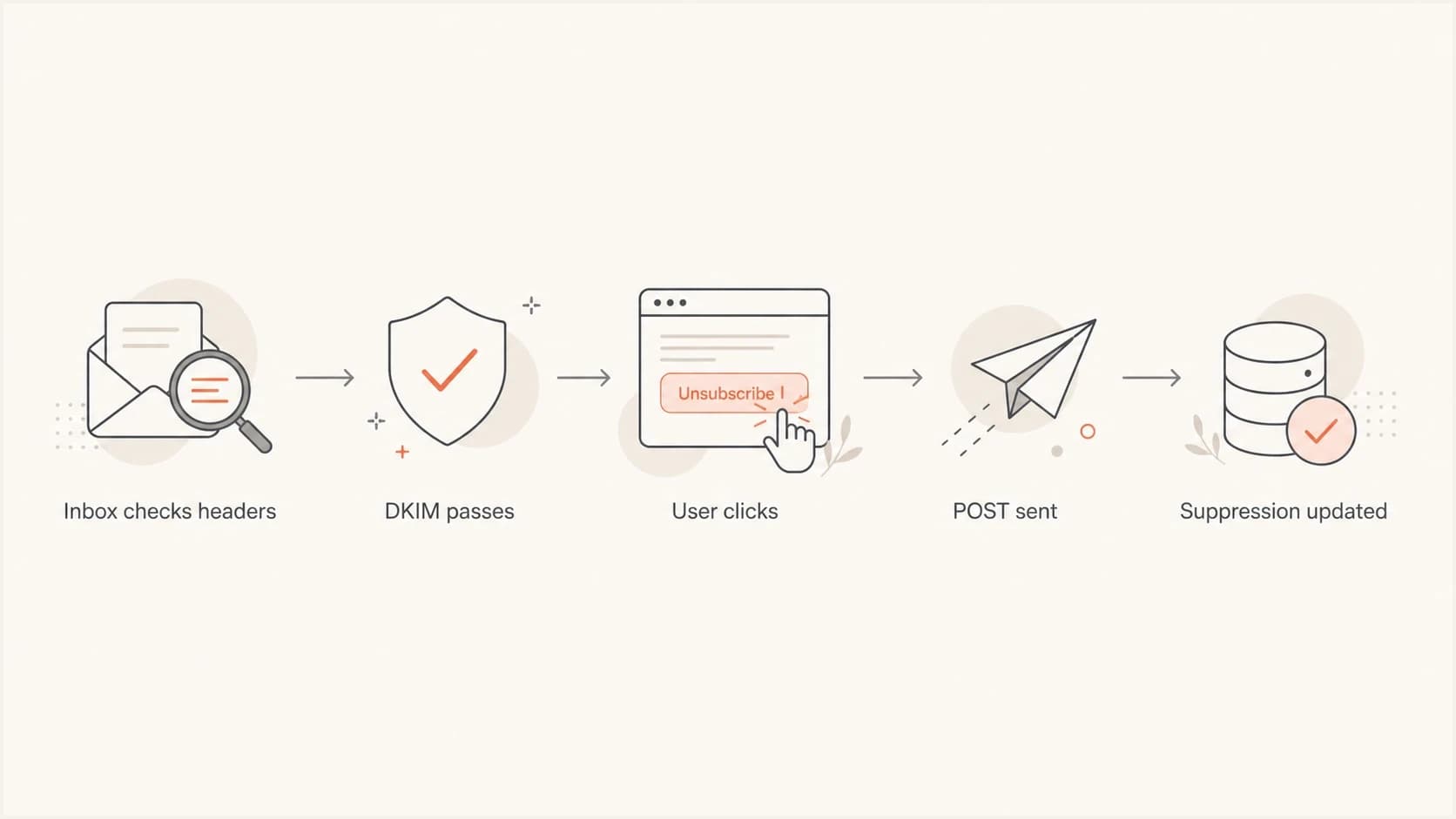
Flowchart showing one-click unsubscribe headers, DKIM validation, POST handling, and suppression.
Header and endpoint checklist
Use this checklist when reviewing a marketing program because most failures are small implementation details. The headers look present, but the URL is not HTTPS. The endpoint works in a browser, but ignores POST. DKIM passes, but the unsubscribe headers are not in the signed header list. Any of those can stop the mailbox provider from showing or trusting the one-click option.
|
|
|
|---|---|---|
Header pair | Both headers present | POST header missing |
URL | HTTPS endpoint | Mailto-only or HTTP-only link |
Method | Accepts POST | GET unsubscribes |
Payload | One-click value accepted | Wrong body ignored |
DKIM | Headers signed | Fields unsigned |
Timing | Within 48 hours | Slow batch job |
Scope | Marketing mail | Receipts altered |
Compact checklist for one-click unsubscribe implementation
The endpoint should be boring. It should validate a signed or opaque token, identify the subscriber and list, record the event, update suppression, and return a simple success response. It should not require cookies, a logged-in session, a CAPTCHA, a reason selection, a redirect, or a page load before the opt-out is accepted.
Processing time targets
Use the 48-hour rule as the outer compliance limit, not the operating target.
Best practice
0-15 min
Suppression updates immediately or within minutes.
Operational buffer
Same day
Still inside the expected processing window.
Compliance limit
48 hours
Do not let normal operations drift past this point.
High risk
Over 2 days
The sender requirement is not being met.
Authentication and sender compliance
One-click unsubscribe sits next to the broader Gmail and Yahoo sender requirements, not outside them. If SPF, DKIM, and DMARC are broken, the unsubscribe headers are less useful because the receiver has less reason to trust the message. Treat unsubscribe testing and authentication testing as one release checklist for marketing mail.
Suped's product helps with that surrounding work because it brings DMARC, SPF, DKIM, hosted SPF, hosted DMARC, hosted MTA-STS, blocklist (blacklist) monitoring, alerts, and concrete fix steps into one place. Use Suped to watch the domain authentication side of the unsubscribe rollout while the marketing system handles the actual opt-out endpoint.
A practical workflow is simple: confirm authentication with DMARC monitoring, run a domain health check, send a real marketing test, inspect the raw headers, then confirm that the POST endpoint writes to the same suppression system used by your campaign tool.
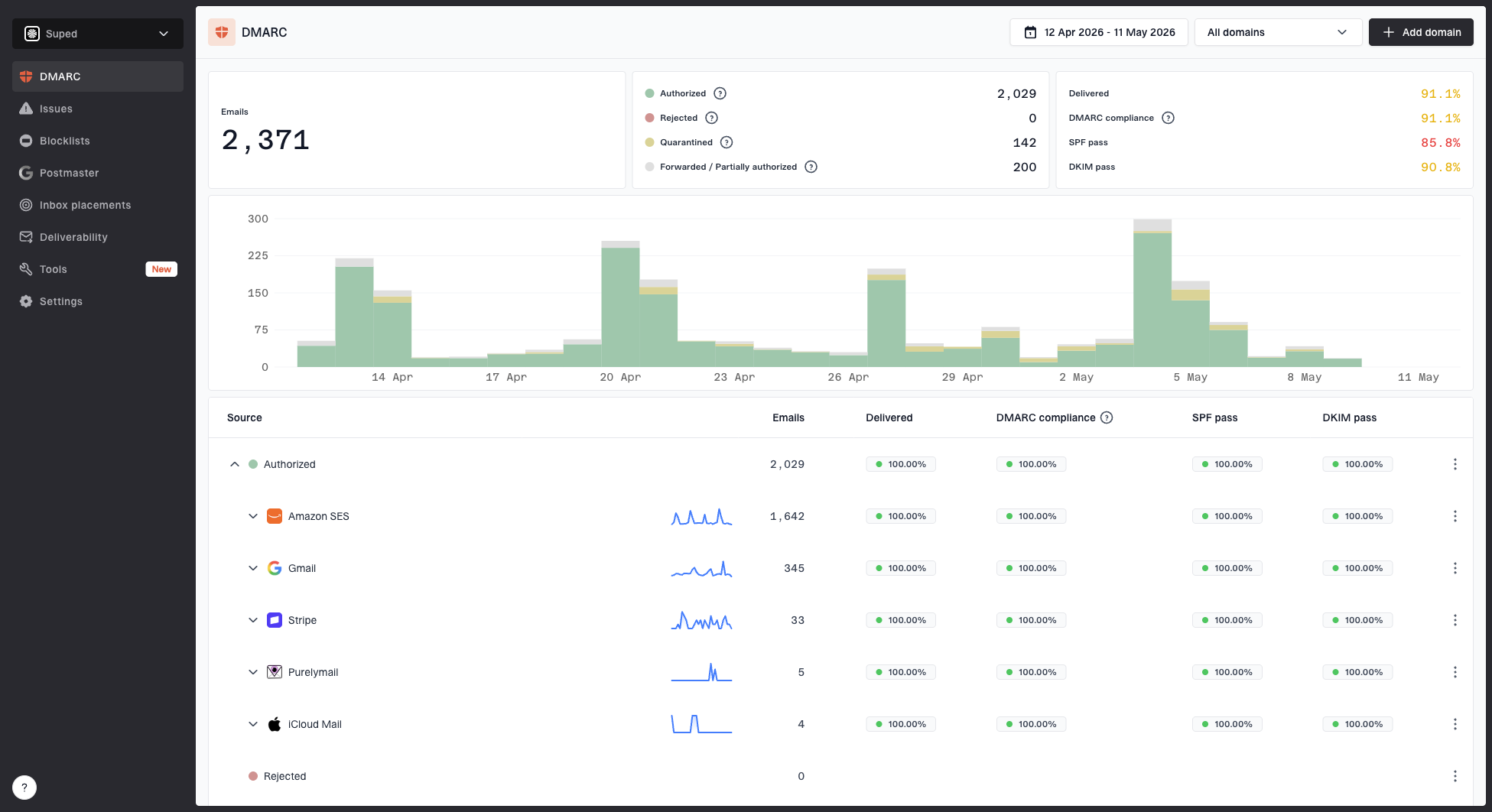
Suped DMARC dashboard showing email volume, authentication health, and source breakdown
One-click does not replace DMARC
A working unsubscribe flow helps reduce frustration and spam complaints, but it does not repair authentication. Marketing senders still need SPF or DKIM authentication, DMARC domain matching, low complaint rates, valid forward and reverse DNS where applicable, and a sending pattern that recipients expect.
How to test one-click unsubscribe
Testing has to happen on the finished email. A staging template that contains the right header names does not prove the production message is compliant. Send to real inboxes, view the original message, and inspect the exact headers after all signing and routing steps are complete.
Send a copy through an email tester so the authentication, headers, and message structure can be reviewed together. The goal is to prove the headers are usable, signed, and connected to a live suppression path.
Email tester
Send a real email to this address. Suped opens the report when the test is ready.
?/43tests passed
Preparing test address...
After that, check the server logs for a POST request when a mailbox-provider unsubscribe action is used. The body should contain the one-click value. The endpoint should update the list or suppression table without requiring the user to open a browser. A separate testing checklist is useful when several teams share responsibility for templates, DNS, signing, and suppression.
Do not judge compliance only by whether Gmail shows the unsubscribe control at the top of the message. Gmail applies eligibility checks before displaying that control, so raw headers, DKIM coverage, endpoint logs, and suppression records are the better proof.
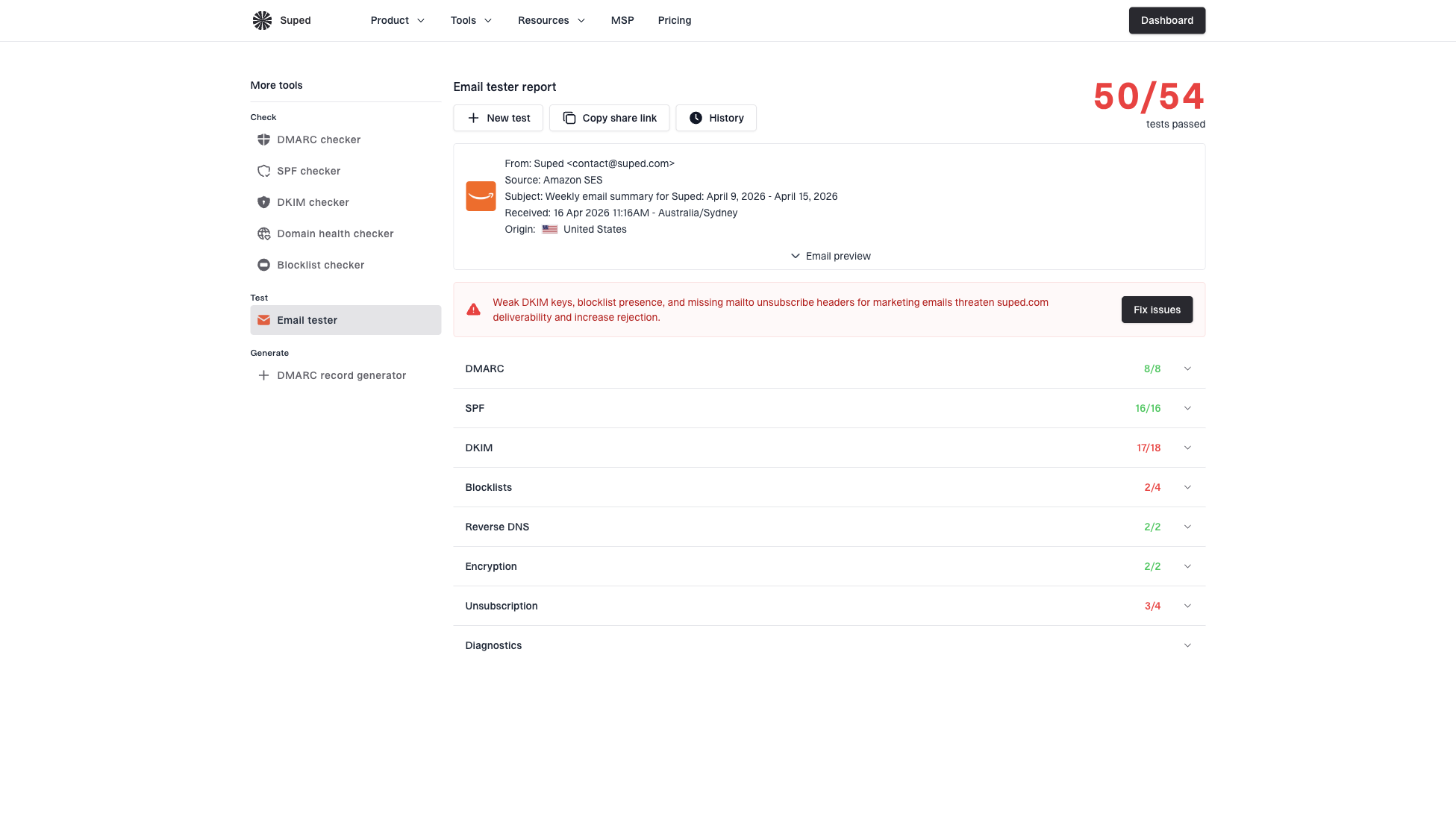
Email tester sample report showing total score, email preview, issue summary, and per-section results
- Send test: Send the same production template through the same production mail stream.
- View source: Confirm both unsubscribe headers are present in the received message.
- Check DKIM: Confirm the DKIM signature covers the unsubscribe headers.
- Test POST: Use the mailbox provider action and confirm the endpoint receives POST.
- Verify suppression: Confirm the address stops receiving the affected marketing stream.
Common implementation decisions
The safest implementation is strict about method and flexible about user experience. The header endpoint should only unsubscribe on POST. The visible footer page should help humans understand what they are changing. That page can show the address from the token, offer list-level choices, and include an all-marketing opt-out.
Do not ask the user to type an email address into the unsubscribe page. The link should identify the original recipient. Letting people type any address creates abuse and support problems. If the address is shown, it should be read-only or partially masked, with the action tied to the signed token.
A clean endpoint pattern
- Token: Use an opaque token that maps to subscriber, list, message, and expiry.
- Validation: Reject malformed tokens and log the reason without exposing personal data.
- Suppression: Write to the suppression source used by all campaign sends.
- Response: Return a simple success status and avoid redirects in the POST path.
If you send to Gmail and Yahoo at bulk volumes, the broader Gmail and Yahoo requirements also matter. One-click unsubscribe is one line item in a larger sender compliance set that includes authentication, complaint control, and sending only mail that people asked to receive.
Views from the trenches
Best practices
Treat RFC 8058 as a header workflow, not a visible footer link with fewer clicks.
Process POST requests quickly and record the list, address, timestamp, and source system.
Keep the body unsubscribe link useful for preferences, but separate it from one-click.
Common pitfalls
Do not unsubscribe on GET requests, because security scanners still test normal links.
Do not ask users to type an address; the signed token should identify the recipient.
Do not ship headers without DKIM coverage, because receivers can ignore unsigned fields.
Expert tips
Use opaque, expiring tokens so the endpoint knows the list without exposing personal data.
Test the raw headers after every template or ESP migration, not just the landing page.
Monitor complaint rate after rollout; broken unsubscribe flows create spam reports fast.
Expert from Email Geeks says RFC 8058 was designed to avoid automatic link clicks by requiring a POST request from the mailbox provider, not a normal GET to a body link.
2024-01-10 - Email Geeks
Marketer from Email Geeks says security scanners still visit visible links in message bodies, so the body link should lead to a confirmation or preference page.
2024-01-11 - Email Geeks
The practical bottom line
The one-click unsubscribe requirement is simple when it is kept in the right place. It belongs in the message headers, it uses POST, it relies on DKIM-signed fields, and it should update suppression without a second user action. The body link remains important, but it is a separate user-facing path.
A reliable implementation has both paths: a mailbox-provider one-click endpoint for RFC 8058 and a clear footer link for people who want to manage preferences. Then test the received message, confirm the POST, verify suppression, and keep authentication monitoring in place so the whole sender setup stays healthy.