How can I test bounce alerts and what are some example bounce email addresses?
Michael Ko
Co-founder & CEO, Suped
Published 12 Jul 2025
Updated 17 May 2026
8 min read
The safest way to test a bounce alert is to send one controlled message through the exact system that should trigger the alert, then confirm that the alert, lead routing, suppression logic, and logs all agree. For example bounce addresses, use reject@wordtothewise.com for a hard rejection and defer@wordtothewise.com for a temporary deferral. A nonexistent mailbox on your own domain is also useful because you control the recipient domain and can verify the failure path end to end.
I do not test this by sending batches to random typo addresses. One intentional bounce is enough to prove the alert. Repeated intentional failures create the same signals that bad acquisition, list bombing, or sloppy sending create, and that makes the test harder to separate from real reputation risk.
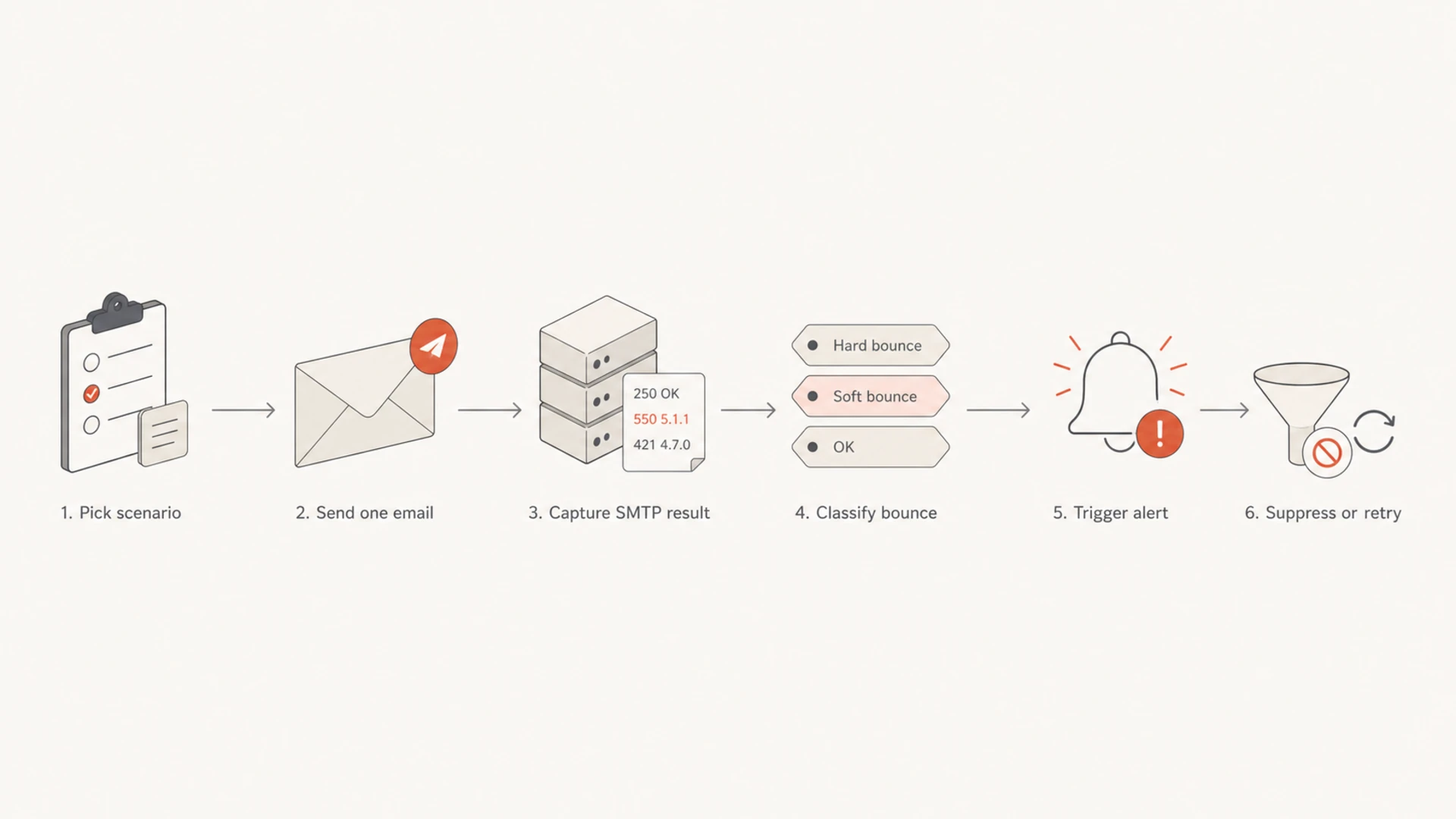
Hard rejection: Send one message to a known reject address or a definitely nonexistent mailbox you control.
Temporary defer: Send one message to a known defer address, then check retry and non-suppression behavior.
Alert proof: Confirm the sales lead receives the alert only after the event is classified as invalid.
Use one controlled bounce, not a volume test
A bounce alert test is a workflow test, not a deliverability stress test. The goal is to prove the event parser, automation rule, CRM update, sales notification, and suppression decision. You do not need fifty bad recipients to prove any of that. You need one clean failure with a message ID you can trace.
If the alert must fire only for permanent invalid recipients, choose a hard bounce. If the alert must wait until retries are exhausted, choose a defer and watch the retry timeline. For a narrower walkthrough, the same logic applies to hard bounce testing, but a bounce alert test has one extra requirement: the final alert must reach the right person with enough context to act.
Keep the test small
A single intentional bounce is normal QA. Repeated bounces at volume make the sender look careless, especially when the same campaign creates obvious invalid-recipient patterns.
Use one send: One recipient is enough for most alert and routing checks.
Trace one ID: Use a unique campaign, lead, or message ID so the event is easy to find.
Stop after proof: After the alert fires correctly, remove the test lead or mark it as a test record.
Flowchart showing the six steps of a controlled bounce alert test.
Example bounce email addresses
The most useful examples are addresses that intentionally create a specific kind of SMTP outcome. They are better than made-up addresses at random domains because the failure mode is predictable. I still send only a single message and I label the test record clearly.
Address
Result
Use
Caveat
reject@wordtothewise.com
Reject
Hard alert
Single send
defer@wordtothewise.com
Defer
Retry logic
Wait for retry
missing user at your domain
Reject
Owned test
Keep absent
random typo domain
Varies
Avoid
Unclear source
Use predictable targets for one-off alert testing.
A no-such-user response from a real receiving server usually looks like a 550-class response with enhanced status 5.1.1. The exact wording changes by receiver, so the alert rule should not depend on one sentence. It should parse the SMTP class, enhanced status code, bounce category, and provider event type.
The address choice should match the alert you want to test. If the business rule says sales should know when a contact is invalid, use a hard reject. If the business rule says operations should know when delivery is delayed, use a defer. Mixing those scenarios creates noisy QA because the alert can be correct for one policy and wrong for another.
Example no-such-user responsetext
550 5.1.1 The email account that you tried to reach does not exist.
Please double-check the recipient address for typos or extra spaces.
Hard reject versus defer
A hard rejection and a defer should not create the same alert outcome. A hard bounce means the recipient is invalid or permanently unavailable for that send. A defer means the receiving side asked the sender to try later, so immediate invalid-lead alerts create false positives.
Hard reject
Use this when the alert should tell sales that the address is invalid.
SMTP class: A 5xx result usually means a permanent failure.
Alert action: Notify the owner and suppress the recipient.
Best target: Use a known reject address or your own absent mailbox.
Temporary defer
Use this when the alert should wait until retry rules are finished.
SMTP class: A 4xx result means temporary failure.
Alert action: Hold the sales alert unless the message later fails permanently.
Best target: Use defer@wordtothewise.com and watch retry timing.
If your automation treats a defer as invalid on the first attempt, fix the classification before sales sees the alert. Sales teams lose trust in bounce alerts quickly when temporary delivery delays get reported as bad contact data.
Build the alert test like a production event
I use a real lead record, but I name it clearly as a QA record and isolate it from normal campaign reporting. The message should use the same sender domain, same sending platform, same webhook path, and same sales notification rule as production. Otherwise, the test only proves the sandbox path.
Create a test lead: Use a name and campaign label that cannot be confused with a buyer.
Send one email: Send to the selected bounce address through the normal production route.
Capture the event: Save the SMTP code, event type, recipient, message ID, and timestamp.
Check the alert: Confirm the right sales lead received one alert with the right reason.
Check suppression: Confirm a hard bounce suppresses the recipient and a defer does not.
The alert should tell the owner what failed, which address failed, whether the contact was suppressed, and what to do next. An alert that only says "email bounced" forces the owner to open three systems before deciding whether to fix a typo, ask for a new address, or ignore a temporary delay.
Check authentication before blaming the alert
Bounce testing proves your alert workflow, but authentication problems can change the failure you receive. Before chasing automation logic, I send one normal message through the same route and inspect it with the email tester. That separates message authentication problems from recipient validity problems.
Email tester
Send a real email to this address. Suped opens the report when the test is ready.
?/43tests passed
Preparing test address...
If SPF, DKIM, or DMARC is failing, fix that first. A domain-level problem can produce rejections that look like recipient issues in downstream reporting. A quick domain health checker pass is useful before you test the bounce alert.
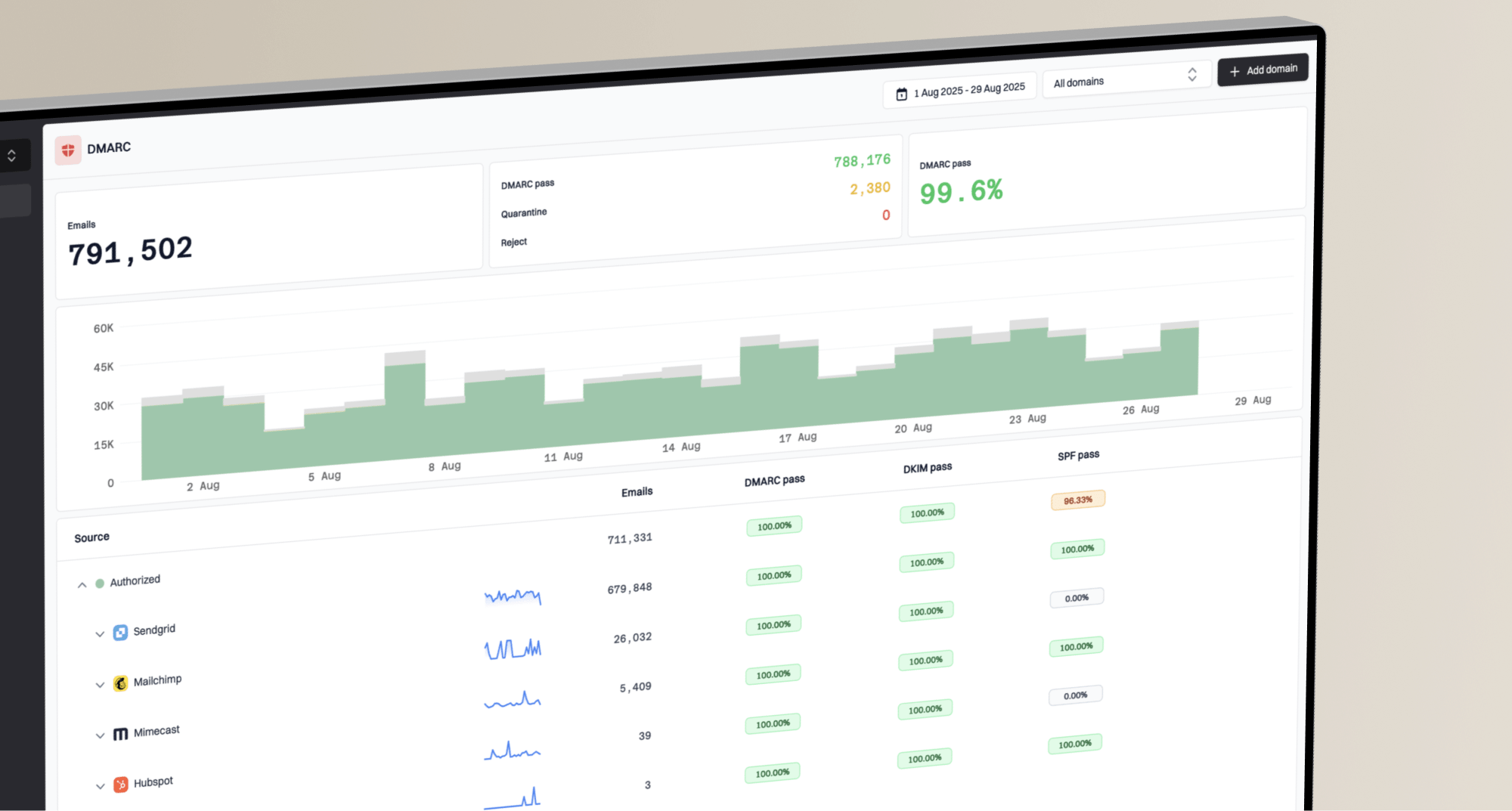
Suped's product helps with this wider workflow by keeping DMARC monitoring, SPF, DKIM, policy changes, and blocklist monitoring (blacklist monitoring) in one place. That matters when a bounce spike is caused by authentication, a reputation listing, or a real bad-recipient problem.
Random typo domains create misleading results. If a domain has no working mail service, your sending system can reject the recipient internally before any receiving server speaks. That is still useful information, but it is not the same as a remote mailbox saying the user does not exist.
Example internal rejectiontext
551 5.7.0 [internal] recipient blackholed
An internal result means the sending MTA or platform decided the destination was not worth attempting. Do not open a support ticket just because that happens for a domain that does not accept email. Instead, use a controlled recipient and confirm whether the event classification matches your alert rule. When the code is unclear, use bounce troubleshooting to separate DNS failures, recipient failures, policy rejections, and local platform decisions.
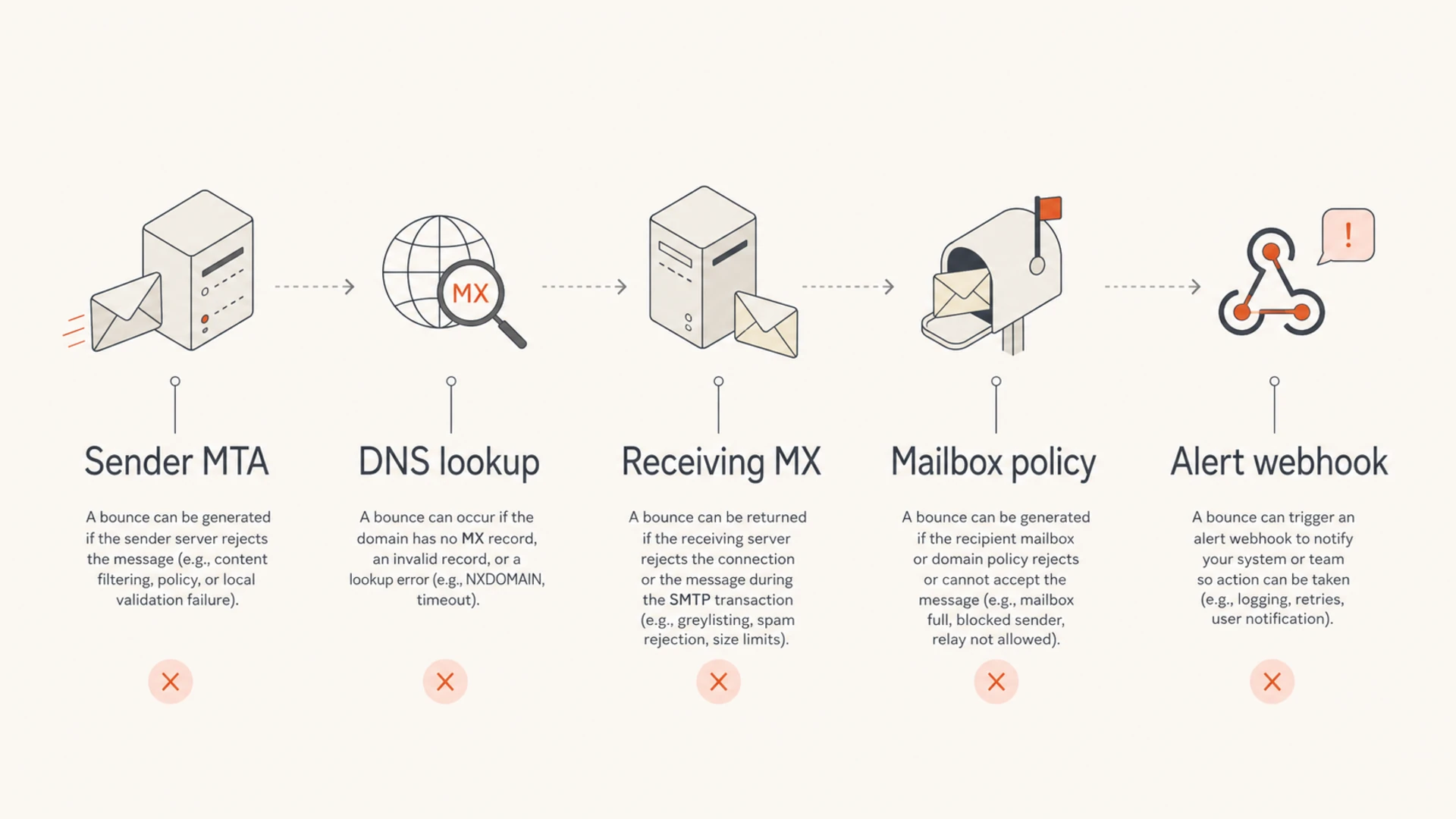
I also record whether the failure happened during the SMTP transaction or arrived later as a delivery status notification. Both are bounces for reporting purposes, but alert timing changes. A webhook can fire immediately for an SMTP reject, while a delayed notice can arrive minutes later after the sending system processes the final failure.
Infographic showing where a bounce decision can occur before an alert fires.
What the sales alert should prove
The alert is successful only when the downstream action is correct. I check the alert content, not just whether an email or notification arrived. The test should prove that sales can act without guessing.
Check
Expected
Failure signal
Routing
Right owner
Wrong team
Payload
Code shown
Vague alert
Suppression
Hard only
Defer blocked
Deduping
One alert
Alert loop
Logging
Traceable
Missing ID
A bounce alert test should verify both delivery data and business action.
Bounce alert test thresholds
Use a simple pass, review, stop model for intentional bounce tests.
Pass
1 event
One controlled bounce, one correct alert, correct suppression decision.
Review
2 checks
The alert fires, but classification, owner, or payload needs cleanup.
Stop
3+ issues
Repeated intentional failures, alert loops, or unexpected campaign impact.
The most common mistake is alerting on every delivery delay. A sales owner should not get an invalid-address alert while the sending system is still retrying a temporary deferral. Give the mail system time to decide whether the recipient is truly bad.
Views from the trenches
Best practices
Use one controlled invalid recipient and trace the exact event through the alert path.
Test hard bounces and deferrals separately because they require different actions.
Keep a known reject address and a known defer address documented for repeat QA use.
Verify the owner, payload, suppression state, and logs before closing each test.
Common pitfalls
Sending many intentional bounces creates signals that resemble poor list quality.
Random typo domains often fail before a real receiving mailbox can reject the mail.
Parsing one provider's exact wording breaks when another receiver replies differently.
Expert tips
Classify by SMTP class, enhanced status, and event type, not only message text alone.
Use your own absent mailbox when you need a failure path under direct control today.
Save the message ID and timestamp so support teams can inspect the exact send later.
Document the expected alert output so future tests catch accidental rule changes.
Expert from Email Geeks says one intentional bounce is enough for alert QA, and repeated intentional failures can make a sender look careless.
2024-02-12 - Email Geeks
Marketer from Email Geeks says an absent mailbox on a domain you control is the cleanest way to test a no-such-user alert.
2024-05-08 - Email Geeks
A reliable test is small and traceable
Use reject@wordtothewise.com for a hard rejection, defer@wordtothewise.com for a temporary deferral, or a nonexistent address on your own domain when you need direct control. Send one message, capture the SMTP result, confirm the alert recipient, and check whether the contact was suppressed or left available for retry.
If the result is an internal rejection, do not treat it as proof that the remote mailbox rejected the user. It often means the sender or platform refused to attempt delivery. For the full workflow, pair the bounce test with authentication checks and ongoing DMARC, SPF, DKIM, and blocklist (blacklist) monitoring so alert spikes are easier to explain when they happen in production.
Frequently asked questions
0.0
What's your domain score?
Deep-scan SPF, DKIM & DMARC records for email deliverability and security issues.