Can URL parameters be captured without a question mark delimiter?

Published 8 Jul 2025
Updated 16 Oct 2026
11 min read
Summarize with
Updated on 16 Oct 2026: We clarified how parameters without a question mark are parsed and how to test their capture.
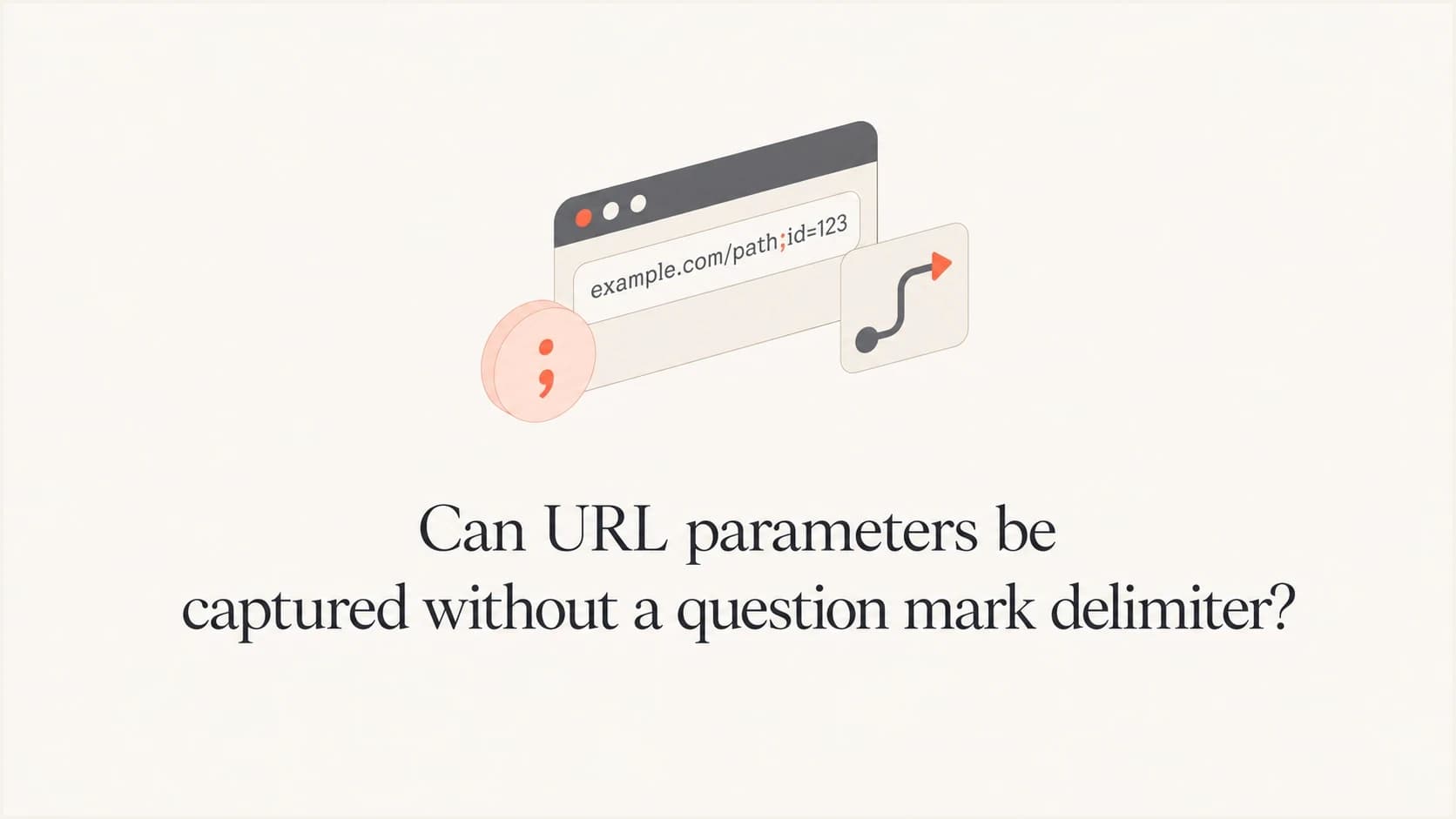
Yes. A system can capture values from a URL without a question mark, but those values are not standard query parameters. The ? character starts the query when it appears before any hash. Without it, text appended to a path, such as ;dc_trk_aid=12345 remains in the path and will not appear in window.location.search.
That distinction matters. A click-tracking server can read the request path and parse semicolon-separated values under its own rules. A normal client-side analytics script on the final landing page will not see those values as query parameters unless the redirect chain carries them into the final URL's query or a server stores and later exposes them.
These links are valid but specialized. They appear in ad-serving and click-routing systems, so their presence alone does not indicate a problem. The practical question is which layer captures the values. Capture can happen before a redirect at the ad endpoint or web server, or afterward in browser-side code.
How browsers parse query strings and path parameters
A URL has separate components for the scheme, host, path, query, and fragment. The query begins at the first ? before any fragment delimiter. The fragment begins at the first #. For a normal HTTP request, the request target contains the path and query. The fragment stays in the browser and is not sent to the server. RFC 3986 defines these component boundaries.
Path-style tracking URLtext
https://ad.example.net/ddm/trackclk/N744860/B31100812;dc_trk_aid=12345;dc_trk_cid=12345;dc_tdv=1
In that example, the browser does not place dc_trk_aid in the query because there is no ?. A server still receives the path and can parse the semicolon data. A browser script can read the pathname while it is on that URL, but most marketing analytics code expects values in the query.
Only the first question mark before a hash starts the query. Later question marks are query data until the hash. A question mark after the hash belongs to the fragment, so it does not create a query string. Repeated question marks deserve testing because they can indicate URL-generation mistakes.
|
|
|
|
|---|---|---|---|
? | First one before # starts query | Path and query are sent | Query appears in search |
& | Common query pair separator | Sent when before fragment | Parsed inside search |
; | Allowed path sub-delimiter | Sent when in path | Appears in pathname |
# | Starts fragment | Fragment is not sent | Fragment appears in hash |
How common URL delimiters behave
Fragments stay out of HTTP requests
The server can receive path or query data that appears before the first hash. It does not receive the fragment after the hash as part of the HTTP request.
What changes without the question mark
A question mark is not a universal requirement for carrying tracking data. It is the delimiter for the standard query location. Without it, the data occupies another URL component and needs a parser written for that component. That is why one system can track the click correctly while another appears to lose the same values.
Server-side capture
- The server receives the path and can split values on semicolons.
- The endpoint can assign application-specific meaning to campaign and click IDs.
- The endpoint can forward selected values to the final landing URL.
Client-side capture
- Standard query parsers return no path-style values when there is no query.
- Browser code must read the pathname and parse semicolons deliberately.
- After a redirect, the landing page only sees the final URL.
A click server and a landing page do not have the same view of the journey. The click server sees the original request. The landing page sees the final browser URL. An internal server rewrite can route that request differently without changing the browser address.
Client-side parsing examplejavascript
const url = new URL(window.location.href);
const queryValues = url.searchParams;
const segment = url.pathname.split("/").at(-1);

const pathValues = Object.fromEntries(
  segment
    .split(";")
    .slice(1)
    .map((part) => {
      const separator = part.indexOf("=");
      const key = separator === -1 ? part : part.slice(0, separator);
      const value = separator === -1 ? "" : part.slice(separator + 1);

      return [decodeURIComponent(key), decodeURIComponent(value)];
    })
);

console.log(queryValues.get("dc_trk_aid"));
console.log(pathValues.dc_trk_aid);
The query parser checks only the query component. The custom parser reads semicolon data from the final path segment, matching the tracking URL above. It splits each item at its first equals sign before percent-decoding. Object.fromEntries keeps the last value for duplicate keys, and malformed percent-encoding throws an error. Production code should catch decoding failures and enforce its duplicate-key policy. For matrix parameters on other segments, select and parse each segment separately.
Can URLSearchParams parse data without a question mark?
Yes, when you pass an already extracted parameter string to the constructor. A leading question mark is optional for that input, as the MDN constructor documentation explains. This does not turn values in a full URL's path into query parameters.
Bare parameter strings and full URLs are different inputsjavascript
const fields = new URLSearchParams("utm_campaign=spring&click_id=12345");
console.log(fields.get("utm_campaign")); // "spring"

const destination = new URL("https://www.example.com/landing;campaign=spring");
console.log(destination.searchParams.get("campaign")); // null

destination.searchParams.set("click_id", "12345");
console.log(destination.search); // "?click_id=12345"
For a full URL, use new URL(...).searchParams. Passing the entire address to new URLSearchParams(...) does not extract its query. Use searchParams.set() to append or replace a value without manually choosing a question mark or ampersand. The URLSearchParams documentation explains this input distinction.
The string constructor decodes a literal plus sign as a space and %2B as a plus sign. In the path example, decodeURIComponent() preserves literal plus signs. URLSearchParams separates pairs with ampersands; a semicolon in its input is data, not an automatic pair separator.
Why parsers and infrastructure can disagree
A semicolon is allowed within a URL path segment, but generic URL syntax does not define it as a universal key-value separator. Some documentation calls semicolon-delimited path data matrix parameters. That label describes an application convention, not a guarantee that every framework, router, or analytics script will parse it. For example, Angular matrix parameters belong to individual path segments and are separate from query parameters.
Two distinct URLstext
https://www.example.com/landing;campaign=spring
https://www.example.com/landing?campaign=spring
Those URLs are not interchangeable. The first puts data in the path. The second puts data in the query. Redirect rules, cache configuration, application routing, and security policies can treat them as separate resources even when a campaign team intends them to describe the same visit.
- Document which path segment contains the values, the separator rules, and whether duplicate keys are allowed.
- Split structural delimiters before percent-decoding so an encoded semicolon is not mistaken for a separator.
- Check whether cache keys distinguish path parameters and whether proxies or redirect rules strip those values.
- Do not place passwords or access tokens in path or query parameters. URLs appear in logs and browser history; referrer headers can also expose path values when policy permits.
Treat path values as untrusted input
Use an allowlist for accepted keys and enforce length limits. Reject ambiguous duplicates and encode values safely for logs. Use parameterized database queries when storing or looking up these values.
Why ad links use semicolon data
Ad links and click-routing URLs often use formats that look unusual compared with ordinary website URLs. They are built around server-side routing, compatibility requirements, cache behavior, and internal parsing rules. A semicolon-separated click URL is not automatically broken because it lacks a question mark.
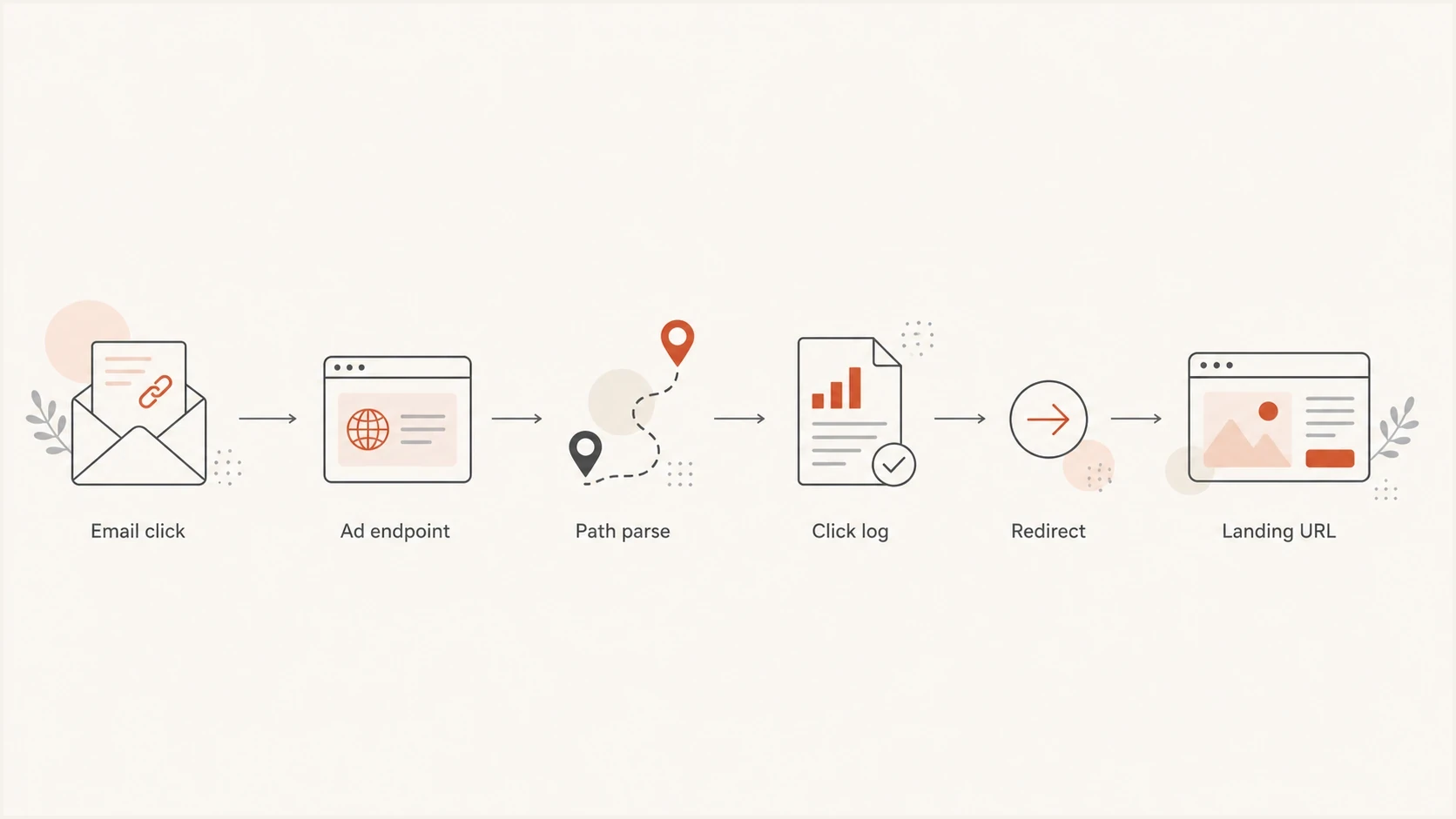
Email click flowchart showing path parameters parsed by an ad endpoint before a redirect to the landing URL.
- The first server can parse path-style values before sending the user onward.
- Campaign and creative IDs can live in the path instead of the query.
- The landing page receives only what the click server includes in the redirect target.
- Browser-side code misses path values unless they are copied into the final URL or parsed separately.
Do not normalize blindly
Changing semicolons to ampersands or inserting a question mark can break a click endpoint. Only rewrite the link when you control the destination parser or the platform documentation explicitly calls for the standard query format.
How to test the capture point
Start by separating the raw link from the final landing URL. The raw link shows what the email or ad contains. The final landing URL shows what browser-side analytics can read after the redirect chain has finished.
Send a real campaign sample to Suped's email tester to check the delivered message's authentication results. Separately, open the email in a test inbox and compare its raw HTML link with the final browser address to check whether tracking values survive redirects.
Suped's domain health checker inspects published SPF and DMARC records and DKIM keys at common selectors. Use the selector in the delivered message for a targeted DKIM check. For ongoing authentication reporting, Suped's DMARC monitoring connects sending sources with authentication pass rates.
Email tester
Send a real email to this address. Suped shows a results button when the test is ready.
?/43tests passed
For client-side capture, check the exact address bar on the final page. If campaign values appear only in the original ad endpoint URL, the landing page will not read them through normal query-string methods. To preserve the redirect chain across page loads, enable Preserve log in the browser's Network panel before opening the test link. Inspect each redirect response's Location header.
For server-side capture, inspect the first request target and redirect logs from the click endpoint. Confirm receipt in the raw request, then verify single decoding and pre-redirect parsing.
Deliverability and security caveats
The absence of a question mark is not a deliverability problem by itself. Mail filters assess the destination and redirect domains, reputation, redirect behavior, visible-link mismatches, and the wider trust signals in the message. A semicolon path can be unfamiliar, but unusual syntax is not the same as harmful syntax.
Test the rendered email and the redirect chain together. If links are being modified, investigate how email filters modify links. Also check whether HTTP tracking links introduce an unencrypted step in the redirect chain.
Link checks before sending
These troubleshooting categories describe link behavior. Receiver filtering also depends on sender reputation and message context.
Expected behavior
Verified
HTTPS works, redirects reach the intended page, and required values reach the correct parser.
Tracking mismatch
Review
A redirect drops needed values or analytics reads the wrong URL component.
Delivery or safety issue
Investigate
Broken destinations, deceptive link text, or relevant blocklist (blacklist) listings need investigation.
Unknown
Test
No clicked-message test or no access to redirect logs.
If a redirect domain or sending IP has reputation issues, Suped's blocklist monitoring tracks blocklist and blacklist signals beside authentication results. Those signals matter more to the email investigation than the choice between a question mark and a semicolon.
Practical fixes when values are missing
If reporting is missing values, fix the capture location rather than forcing every link into a familiar shape. The correct fix depends on which system needs the data.
- Click the email in a real inbox and record the final browser address.
- Compare the message link with the post-redirect landing URL.
- Look for the original request path on the click endpoint.
- Include spaces, literal plus signs, embedded equals signs, encoded delimiters, malformed percent escapes, and duplicate keys to expose parsing errors.
- Forward campaign values into the final query when browser analytics needs them.
- Leave path-style click URLs intact when the destination parser relies on that format.
Final URL format for browser-side analyticstext
https://www.example.com/landing-page?utm_campaign=spring&click_id=12345
That format works with standard browser-side analytics because utm_campaign and click_id live in the query. It does not mean the original semicolon URL was invalid. It means the final page needed a different data shape.
Best operational pattern
Keep the click endpoint format that the sending platform expects, then make the redirect output clean and predictable for the landing page. Server-side tracking and browser-side analytics then receive the data format each parser expects.
Views from the trenches
Best practices
Check the final browser URL, not only the raw ad URL, before judging tracking behavior.
Keep campaign values in the final URL when browser-side analytics must read them.
Treat semicolon tracking as intentional only after the destination endpoint confirms it.
Common pitfalls
Assuming every value after a semicolon reaches normal query string tooling automatically.
Testing copied links instead of the clicked redirect chain the recipient actually follows.
Dropping fragments after the hash into tracking plans, then expecting servers to log them.
Expert tips
Log the first request target and the final landing URL before changing campaign links.
Parse path data deliberately if your ad platform sends values outside the query string.
Use clean final URLs for analytics, even when the click endpoint uses path data.
Marketer view
Marketer from Email Geeks says a missing question mark does not stop server-side capture when the receiving endpoint is built to parse path values.
2024-05-10 - Email Geeks
Marketer view
Marketer from Email Geeks says semicolons can be intentional separators in ad click URLs, even though query strings normally use ampersands.
2024-05-10 - Email Geeks
Frequently asked questions
No. A question mark starts the standard query, but data can also be carried in the path. The receiving server must know how to parse that path data.
Not automatically. A URL object's searchParams contains query values, not semicolon data in its pathname. Parse path parameters separately. The URLSearchParams constructor also accepts a bare parameter string when you supply one explicitly.
No. Fragment data after the hash stays in the browser and is excluded from the HTTP request target.
Yes. A question mark starts the query only when it appears before the hash. Further question marks in that query are data; question marks after a hash remain in the fragment. Test repeated question marks to catch URL-generation mistakes.
Not by themselves. Deliverability risk depends more on destination reputation, redirect behavior, broken links, authentication, and misleading visible link text.
Compare the raw email link with the final landing URL and the first request log. If browser analytics needs the ID, pass it into the final query during the redirect.